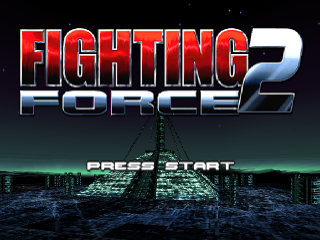
MAIN TITLE MENU
Here you will be able to select the following options:
OPTIONS SCREEN
Here you will be able to select your in-game options. Use the Directional Buttons to highlight, and where necessary, change the options. Press the Button to apply your options and return to the Main Menu Screen.
The options available to you are:
Start Game
Select to begin New Game.
Load Game
Select to take you to the Load Game Screen.
Options
Select to take you to the Options Screen.
Vibration
Use left and right Directional Buttons to set level.
Note: If you're using a DUAL SHOCK™ Analog Controller.
CD Audio
Use right and left Directional Buttons to set level.
Sound FX
Use right and left Directional Buttons to set level.
Controls
Select to be presented with 4 pre-set control configurations. Selecting your desired control setting will return you to the Options Screen.
Screen Adjust
Use the Directional Buttons to position the screen as desired, press the Button to apply and return you to the Main Title Screen.
RAGE BAR
Prolonged combat will increase your rage level. Using a special move while the Rage Bar is active will increase the amount of damage inflicted to your enemies.
CONTINUES/DESTRUCTION BONUSES
Hawk's score is displayed in Dollars and shows the value of the Nakamichi Corporation property he has destroyed.
Hawk begins the game with three continues. As an extra destruction bonus additional continues are awarded for set levels of cash.
.png)

.png)


.png)

.png)

.png)

.png)

.png)