PlayStation Setup
Set up your PlayStation game console according to its Instruction Manual. Ensure the power is off before inserting or removing a compact disc. •
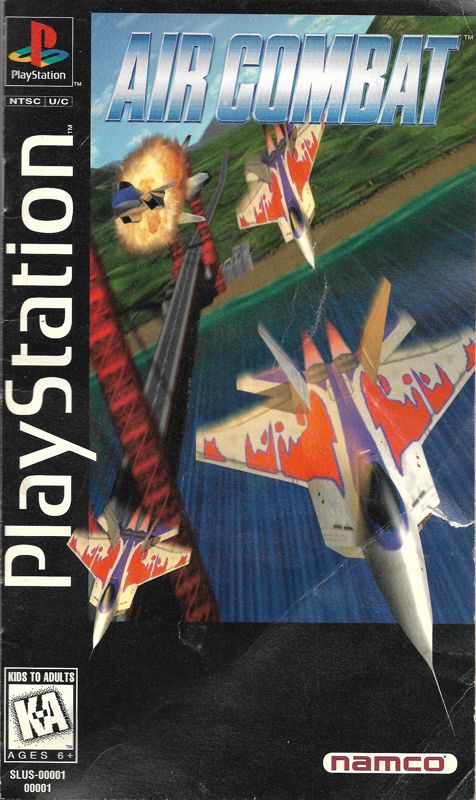
Insert the Air Combat disc and close the CD door.
•
Insert game controllers and turn on the PlayStation game console. •
Follow on-screen instructions to start a game.
Console Top View
Console Front View
Controller Front View
Controller Top View
1P Game - Difficulty, Maps, and Mission
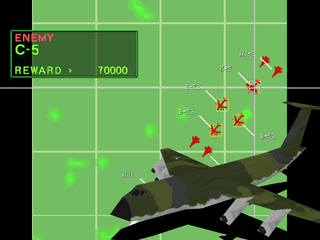
After choosing the 1P game, select your difficulty level. A map will appear with an outlined area at the bottom left, representing your home base. You have supremacy in this area and can attack adjacent points.
•
Make choices by shifting the Directional Key left or right, and pushing the [O] Button.
Mission Example
•
MISSION 01: Destroy enemy supply lines!
Briefing
This section provides a detailed explanation of your chosen mission. If a wingman is allowed, you can choose to attack alone or with a comrade.
•
Access enemy information by moving the cursor left or right with the Directional Key.
Choice of Wingman
When a wingman is allowed, you can take one companion per battle. A fee is required, with higher fees indicating more competent pilots.
•
Choose a wingman using the Left/Right Directional Key.
•
Designate battle movements with the Up/Down Key.
Wingman Example
Credit Example
Mission Completion
•
Various BEST, AND "5" THE LEAST.
•
completeSOLE IN THE NEXT 6 MONTHS?
Mission Accomplished
After completing a mission, a message will appear on screen listing compensation. The screen will then return to the main map.
Purchase of Aircraft
•
Use the Up-Down Directional Key to highlight VIEW aircraft.
•
Use the circle key or start button to go to the purchase screen.
Load, Save, Title
The SAVE, LOAD, and Title menu can be viewed using the Select Button.
•
Choices can be made using the [] or start Button.
About Stealth Aircraft
Stealth aircraft are fighter planes and bombers made of materials difficult for radar to detect. They are not detectable by radar unless approached closely, giving them a strong advantage in combat.
•
This game features stealth fighters like the F-117, F-22, and YF-23, and stealth bombers like the B-2.
•
Be careful when the enemy possesses these aircraft.
2P VS MODE
Your game starts after making choices from four subject areas:
Handicap Options
Handicap Descriptions
•
Players start game by facing each other.
•
Game starts with Player 2 behind Player 1.
•
Game starts with Player 1 behind Player 2.
•
Game begins in one of the three previous positions.
•
Great numbers of stars allows the player to survive more damage.
Map
About one quarter of your mission's total region is shown on screen at any time. The map scrolls as your aircraft moves.
•
If an enemy target falls outside the map area, a red arrow will indicate its direction.
•
This map can confirm the location of enemy targets not detectable by radar.
How to Shoot Down an Enemy Aircraft
The missile homing radar must lock onto the enemy aircraft. The radar automatically attempts lock-on if the enemy is within your forward circle and range is less than 1,000.
•
When lock-on is achieved, you will hear a tone and the tracking circle will be red.
How to Avoid an Enemy Attack
If an enemy comes from behind and locks onto your plane, a "WARNING" message will appear in yellow letters. If a missile has been fired, "CAUTION" will appear, and the screen will turn red.
Standard Evasion Technique
Do not shake the aircraft back and forth needlessly. When evading, move either right or left and continue in that direction.
•
Returning to the original direction after evading still risks being hit.
•
Trust your control speed and aircraft, and keep rolling. Experience will teach more advanced techniques.
Saving and Loading
Saving or loading data are options available from the Main Title Screen Menu or the Main Map Screen.
•
Choose saving or loading with the Directional Key and by pushing
.png)

.png)

.png)

_1.png)






.png)
.png)


.png)