HOW TO PLAY
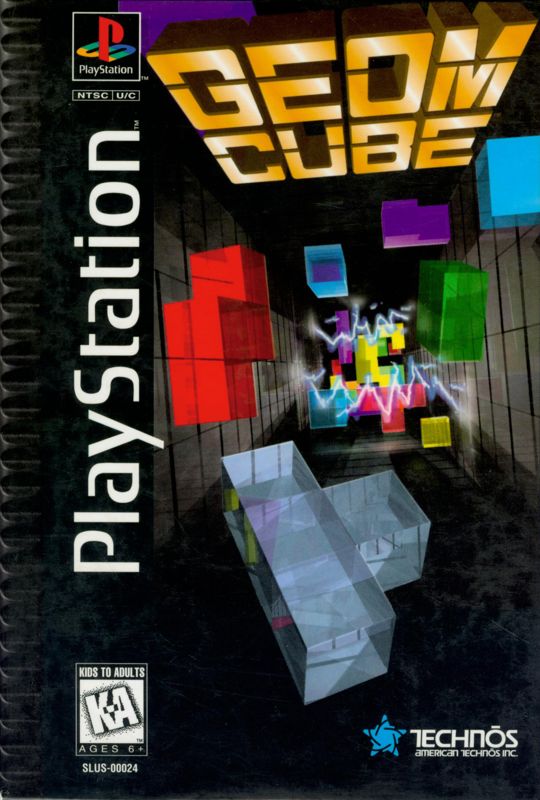
GEOM CUBE is a simple game where you control 3-dimensional block shapes made up of 1-5 cubes. The objective is to maneuver the blocks into a rectangular pit, fitting them together and using all available space.
When blocks are arranged and no empty spaces are left on a level, that level (or Face) will disappear. If all faces in the pit are eliminated, the player receives a special bonus.
There are 24 different block shapes of varying complexity. If blocks are not arranged to fill all spaces, they will build up and reach the top of the pit.
When layers build up near the top of the pit, lighting will flash to warn you. If the blocks reach the top, the game ends.
•
NOTE: It is important to avoid leaving any empty spaces in the pit.
MODE SELECT SCREEN
Use the Directional Buttons up/down to select from 1 Player, 2 Player, or Configuration. Press the X Button to select a play mode.
1 PLAYER MODE
For single player mode, you can choose between three different types:
2 PLAYER MODE
This mode allows two players to play against each other.
•
NOTE: A 2 Player game can be started from within a 1 Player game at any time by pressing the START Button on the second controller.
CONFIGURATION
The configuration screen allows the player to change play conditions including button settings, colors and sound options.
Press the UP or DOWN Directional Buttons to select different options and press LEFT or RIGHT to change options.
•
1) Test Pit: see the results of your color choices and test your controller options here
•
2) Controller Configuration: press one of the Buttons or the L1, L2, R1 or R2 Buttons to define each of the following:
•
3) X: block rotation on "X" axis
•
4) Y: block rotation on "y" axis
•
5) Z: block rotation on "Z" axis
•
6) Drop: drops the block to the bottom of the pit
•
7) Pit: choose from a variety of pit colors and patterns
•
8) Cube: select different colors for the blocks
•
9) Test Cube: see the result of your cube color options here
•
10) Test: select this to try out your controller options
•
11) Sound: choose between STEREO and MONO sound
•
12) Control 1: controller layout for 1 Player
•
13) Control 2: controller layout for second player
•
14) Exit: select this to return to the Mode Select Screen
1 PLAYER MODE
The 1 Player mode allows you to choose between 3 different game modes.
1 Player vs CPU
You play against a computer controlled GEOM FIGHTER. The objective is to beat the computer in a head-to-head competition. Each player must eliminate the same number of faces and place the same blocks into the pit.
When a face is eliminated, that face is added or "thrown" to the other player's pit, forcing that player closer to the top of the pit. There are two ways to win: Force your opponent to the top of their pit or be the first to eliminate 21 faces. You must defeat the first character then move onto the remaining characters.
1 Player Finite
The objective is to clear each round. When a round is cleared, the player moves on to the next round. You may choose to start at round 1, 20, or 50.
Each round may contain different pit sizes or block shapes. Each round also gets progressively more difficult. There is a total of 99 rounds in Finite Mode.
1 Player Infinite
You start play within the pit that you choose. The player has the choice between three different pit sizes (3x3x11, 4x4x11, and 5x6x11).
The objective of this game is to score as many points as possible. As the game progresses, it becomes increasingly difficult and the block shapes become more complex.
1 PLAYER SCREEN
•
3) Status of pit (how close the blocks are to the top)
•
7) Faces/layers left to eliminate
•
8) Total number of cubes used
2 PLAYER MODE
Two player mode is a split screen game in which you compete against another player with his or her own controller.
The 2 player game is similar to the 1 Player vs CPU game. The objective is to beat the opposing player in a head-to-head competition.
Each player is given the same blocks to place within the pit and must eliminate the same number of Faces (21). When a Face is eliminated, that Face is added or "thrown" to the other player's pit, forcing that player closer to the top of his/her pit. There are two ways to win: Force your opponent to the top of their pit, or be the first to eliminate 21 faces.
2 PLAYER SCREEN
•
1) Next block for Player 1
•
2) Faces left to eliminate for Player 1
•
3) Faces left to eliminate for Player 2
•
4) Next block for Player 2
.png)

.png)
.png)
