BEFORE YOU PLAY
Demonstration Mode
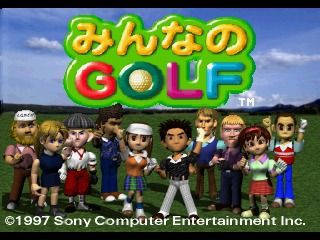
The title screen appears after startup. Press the Start Button to begin.
A demonstration automatically plays after the title screen. It consists of 3 lessons explaining game operation for beginners.
It is recommended to watch each lesson at least once. You can view lessons anytime by selecting the Lessons bar on the Main Menu.
Memory Card
The software checks the Memory Card soon after power-on. Data may be lost or reading errors may occur if the card is removed during play.
Insert the Memory Card into slot 1 before turning the power on.
Saving Your Game
You can save your game after completing 9 holes or a full round of golf.
Your player data and super shots will also be saved at the same time.
How to Reset the Game
At any point during gameplay, you can soft reset the game to the title screen by simultaneously pressing the L1+L2+R1+R2+START+SELECT Buttons.
How to Connect the Multi Tap
Up to 4 players can play this game using the Multi tap. Connect the Multi tap to port 1 or 2.
Connect controllers to the sockets on the Multi tap. A controller must first be connected to port A before connecting controllers to ports B, C, and D.
Note: 4 players can still play by taking turns with one or two controllers.
Main Menu
Pressing the Start Button on the title screen displays the Main Menu Screen. You can select from 6 menus using the Directional Buttons and the X Button.
Play Game
Select this menu to begin the game. The game selection screen will be displayed.
Mini Golf
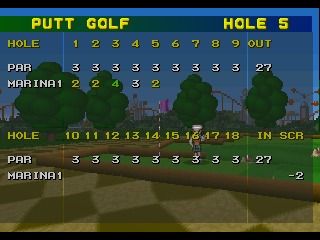
Play a round of miniature golf! This mode is for anyone not familiar with regular golf rules, needing more time to learn controls, or just wanting to have fun.
Continue
If saved game data is on the Memory Card, gameplay can be restarted using this menu option.
Game Selection
After selecting "Play Game" on the Main Menu Screen, the game selection screen is displayed. Six different play modes can be selected.
Stroke Play
Lowest total strokes wins! Up to four players can compete in this mode. The player with the lowest score (fewest strokes) wins the match. You can also play against the CPU.
Match Play
A two-player match where you compete based on the number of holes won or lost, instead of the score. You can choose to compete versus the CPU or another player.
Training
Practice your swing on any course: regular courses, driving range, or miniature golf. Your score and any super shots you make will not be recorded.
Tournament
Compete in a full round of golf against other golfers. The player with the lowest score wins the tournament. (One player only)
VS Mode
Compete in Match Play versus a CPU player. If you defeat the CPU player, you will acquire that character to play with.
?????
This Mystery mode cannot be selected until you reach Level 5 in experience points. You'll need to compete in several tournaments and play several rounds of golf before you can select this mode.
Before You Begin the Game...
1. Select the Number of Players
First, try the Training Mode. Select "Training". This mode is for one player only.
In all other game modes, the number of players can be selected by pressing the left or right Directional Buttons. You can select which controller to use or select COMP (computer control) by pressing the up or down Directional Buttons.
2. Select the Character
Once the number of players has been determined, select the character to be used.
In the beginning, you will have only two characters to choose from. You can acquire new characters by defeating them in "VS Mode". Each character has different strengths and weaknesses, so pick a character that best fits your taste.
3. Select the Course
On the course selection screen, pick the course you wish to play on.
Initially, the number of courses to choose from is limited. The selection of courses will increase as you continue to play and increase your experience level. You may also set up the tee position (position from which to hit your first shot) and difficulty level (possibility of incurring divots) here.
4. Select the Hole
In Training Mode only, you can select any hole on course one, or any hole you may have acquired on other courses. Use the left and right Directional Buttons to select the hole and press the X Button to accept it. Now you may begin to play the game.
Status
Selecting "Status" on the Main Menu Screen displays the Status Menu Screen. Here, you can learn about different aspects of players by selecting from six menus.
Best Score (Status & Best Score)
View data such as your current experience level, amount of experience points needed for the next level, best score on each course, and the longest drive.
Records (Individual Tournament Data)
View various stats such as the best and average scores, average number of swings, fairway on keep ratio, and par on keep ratio.
Trophy (Trophies Acquired)
View the trophies acquired in Tournament Mode. Trophies are given to players who place 5th or better.
Super Shot (Replay of Super Shot)
Replay your super shots from beginning to end (excluding those in Training Mode and Mini Golf).
New Entry (Name Registry)
Register or change the name of the saved tournament results file. This change will not take effect until after you've completed a
.png)


.png)

.png)



_1.png)





_1.png)


.png)


.png)


.png)











.png)


