Setting Up Your PlayStation
Set up your PlayStation® game console according to its Instruction Manual. Ensure the power is off before inserting or removing a compact disc. •
Insert game controllers and turn on the PlayStation® game console. •
Follow on-screen instructions to start a game.
Console Top View
Console Front View
Getting Started
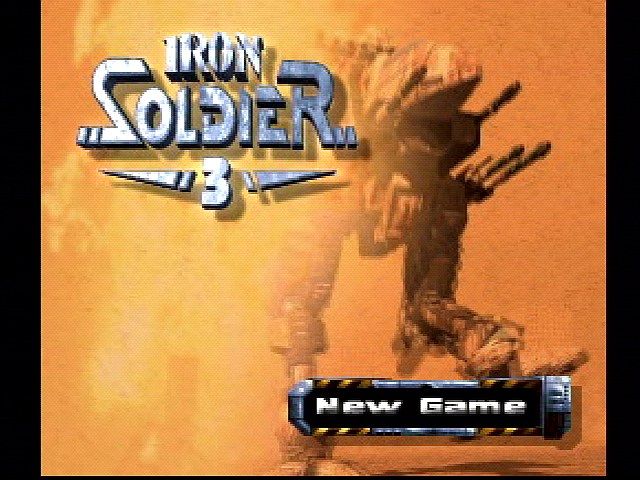
Main Menu
Use the ↑ and ↓ directional buttons to toggle between options. Press the X button to select. These navigation controls are consistent across all menus.
•
NEW GAME: Starts a new game and transfers you to the Game Selection Menu.
•
LOAD GAME: Continues a saved game. Game progress can be saved to a MEMORY CARD after each mission. Up to 10 different games can be saved per MEMORY CARD slot.
•
OPTIONS: Changes settings for display, controls, and sound.
•
STORYLINE: Displays the game's storyline.
•
HIGH SCORES: Displays your high scores.
•
CREDITS: Shows who worked on the game.
•
DEMO: Starts demo mode. The game automatically enters demo mode if no input is received for a while in the main menu. Press X to exit demo mode.
Game Selection Menu
Use the ↑ and ↓ directional buttons to toggle between options, and the ← and → directional buttons to change the selected option. Press the X button to select.
Game Type
Select one of the 4 different game modes. Game modes are described in detail after this section.
When a two-player mode is active, two robot units are displayed. In two-player arcade, each player selects their own unit. In cooperative mode, both players share one unit.
Difficulty
Choose the game's difficulty. It is recommended to start with "normal." If the game is too difficult, you can set it to "easy." Special awards are given for completing the game on the highest setting.
Unit Type
There are 3 different units available, varying in armor, speed, special features, and mountable weapons. More details are in the weapons section.
•
Mountable weapons: Medium
•
Special feature: Jetpack
•
Special feature: Invisibility Device
•
Special feature: Force Field
Once a game has started, you cannot change the unit type. You can start a new game with a different type, but you cannot continue your saved game position.
Player Name
Enter your name here. This name is also used to identify saved games on the MEMORY CARD.
Game Types
One Player Missions
This is the standard game mode. Your goal is to complete 25 missions and free the UR from PENTA. You start with basic weapons and find advanced weaponry throughout the game. The special feature is available after mission #3 is completed.
Missions are completed by fulfilling objectives presented in mission briefings. Missions are available in blocks of four. For example, to play mission 5, missions 1 to 4 must be completed. Once done, missions 5 to 8 become available, and so on. Only the last 5 missions must be completed in sequential order.
One Player Arcade
In this mode, your goal is to clear levels as fast as possible for high scores. A level is cleared when every building is destroyed. Faster completion awards more points. All weapons are available from the beginning. Levels must still be cleared in blocks of four.
Two Player Arcade
This is the player vs. player duel mode. You win by destroying your opponent or by surviving longer, as PENTA forces attack both players. Only the first 8 levels are initially available. More levels become available if completed in other game modes. All weapons are available from the beginning.
Two Player Cooperative
Cooperative mode is similar to one-player mission mode, but two players control one robot. One player controls the torso and weapons, while the other controls movement and the special feature. Both players can activate the shield if it is mounted.
Mission Selection Menu
Use the ↑ and ↓ directional buttons to select missions. Press the X button to view a mission briefing, and the △ button to return to the Main Menu. The L1 and R1 buttons are used to switch between mission blocks.
Mission briefings are only displayed in one-player mission mode and two-player cooperative mode. In other modes, you directly enter the Weapon Selection Menu.
The Mission Selection Screen shows 4 small screens around a big screen, representing missions to complete. The currently selected mission is on the big screen. After completing the first block of four missions, the next block becomes selectable. You can play available missions in any order, except missions 21 through 25, which must be played sequentially. Completing certain missions grants access to new weapons, so choose carefully. Completed missions have a check mark; you can replay them if desired.
The 10 big and small LEDs below the mission screen show
.png)

.png)
