Getting Started
Important!
Do not insert or remove peripherals or memory cards once power is turned on. You will need a memory card to save your games.
Setup Instructions
•
Set up your PlayStation® game console according to the instructions in its Instruction Manual. •
Make sure the power is OFF before inserting or removing a compact disc.
•
Insert the Jeopardy! disc and close the disc cover.
•
Insert the game controllers (and memory card if you have one).
•
Turn ON the PlayStation® game console. The introductory sequence will begin. •
To skip this sequence and go directly to the Main menu, press the START button.
Memory Card Information
You will not be able to save your progress or game information if you don't use a memory card. Make sure there are at least four free blocks on your memory card before beginning your game to save category information and high scores.
An additional three free blocks are required if you wish to save a game. You are not able to swap memory cards during play and you must leave the card in the first slot of your multi-tap if you are using one.
PlayStation Console Diagram
Welcome to Jeopardy!
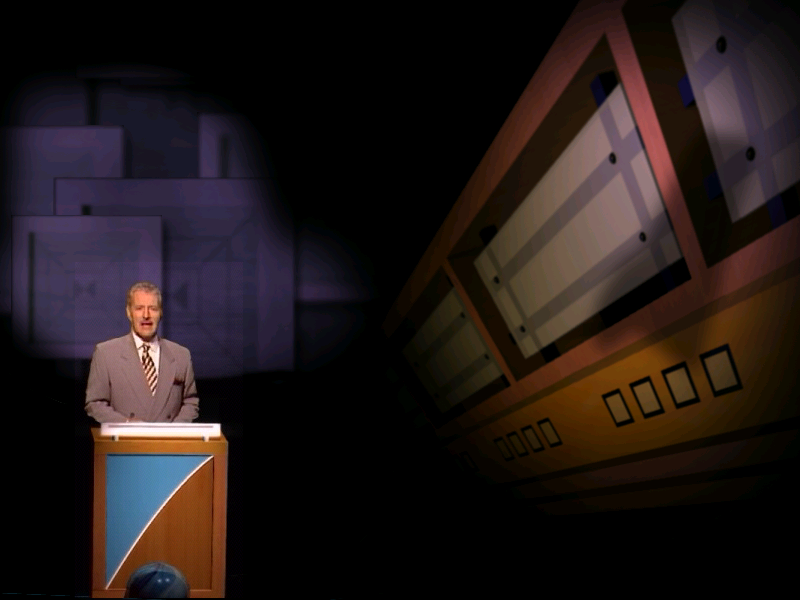
Welcome to the game where you're provided the answer and you must come up with the correct question! This is JEOPARDY! Alex Trebek is your host in this fast-paced, PlayStation® version of your favorite quiz show. Jeopardy! for the PlayStation® takes you from the first round, through Double Jeopardy! and on to the grand finale – Final Jeopardy! It features over 3,500 answers created by the actual writers of the hit television show. For the first time ever, Jeopardy! for the PlayStation® includes Video Daily Doubles! Test your knowledge in a variety of challenging categories. Enjoy solo play or play against friends or computer opponents. So, grab hold of the buzzer, wipe your brow and get your brain going with Jeopardy! for the PlayStation®! Lights, camera, action! How to Win
Players are presented with topical answers. They must ring in using their ring-in button and respond in the form of a question.
If they respond correctly, they are awarded the money value associated with the answer. If they respond incorrectly, the money value associated with the answer is deducted from them.
Play continues through two rounds and ends with a Final Jeopardy! question, where the player can wager all or nothing on a final clue. The player with the most money at the end of Final Jeopardy! is the winner.
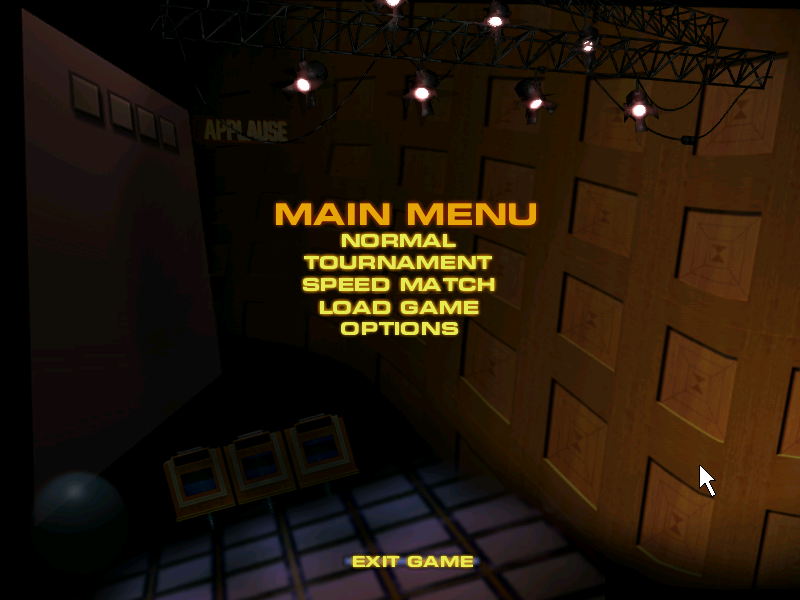
The Main Menu
This is where you start games and set game play options. To navigate through the screens, simply use the up and down directional buttons. To make a selection, press the button. To "back up" at any time, press the button.
Normal Play
In normal play, you compete against other players or computer players to win as much money as you can. Select this item to start a "normal" game with up to 3 human or 2 computer players.
Each player must have their own controller. For three players, you will need to use the multi-tap optional accessory and have 3 controllers.
Next, using the up and down directional buttons and the button, select either "1, 2 or 3" for the number of human players. Computer players will be automatically added accordingly, to total a three-player game. All games must have at least one human player.
You will then be prompted to enter player names. In a game with one human player, computer players will be labeled as "Player 2" and "Player 3." In a game with two human players, the computer player will be labeled as "Player 3." In a game with three human players, there are no computer players.
If you want to challenge yourself to a complete game in which you test your wits alone against the Jeopardy! content, set up a normal game of 3 human players. When it is time to ring in and respond, play as one of the 3 players and leave the other two players alone. In this type of play, you can experience uninterrupted play through an entire game in standard format.
Entering Player Names
When prompted, you will have the choice of entering a new player name or using the default name of Player 1 (or Player 2 or Player 3, depending on the game).
New Player Names
To enter your name, you can use either the digital or analog controller to "script" your name into the Jeopardy! podium. To draw, hold the R1 button and move the left analog joystick control or the directional buttons.
Pressing the L1 button and moving the left analog joystick or the directional buttons deletes portions of the drawn area. Press the button to clear the scripted area. When finished, press the button.
Speed Game
Select this item to start a single-player game. Refer to Entering Player Names above on how to enter your name.
Speed Game gameplay takes place on a single Double Jeopardy! board (values $200 to $1000) of 30 clues and includes Daily Doubles. You play alone and may select from any of the available clues.
Once a clue is revealed, you do not have to respond to it. If you wish not to respond, you may pass and then view another clue. Play is stopped when all 30 clues have been viewed. If you attain a top 3 score, it will be posted on the Speed Game
.png)



.png)
