Top View
Starting the Game
•
Set up your PlayStation® game console according to the instructions in the Instruction Manual.
•
Make sure the power is OFF before inserting or removing a disc.
•
Insert the Miracle Space Race disc and close the Disc Cover.
•
Insert game controllers and turn on the PlayStation game console.
It is advised that you do not insert or remove peripherals or memory card(s) once the power is turned on.
Playing Miracle Space Race
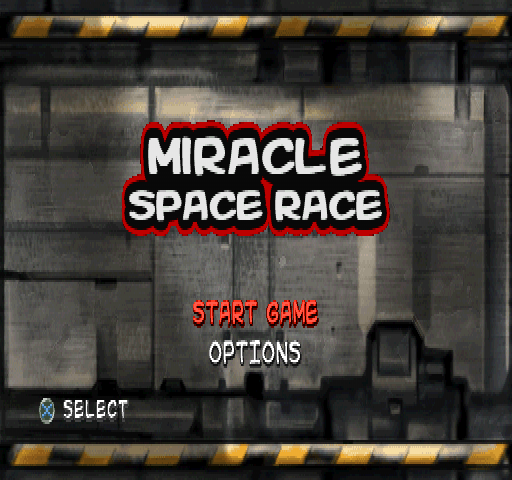
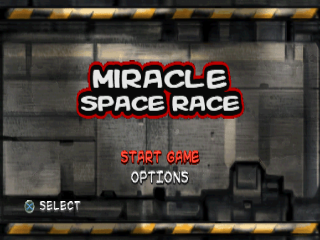
Once the game has finished loading, you will be taken to the Title screen. From here you must select one of the following: START GAME or OPTIONS.
Start Game
Select START GAME and you will be taken to the SELECT GAME menu. Here you are asked to choose one of the following three options:
Tournament
Once you have selected Tournament mode, you will be taken to the SELECT CHARACTER screen. Here you must choose a character out of the eight available. Two other characters are unlocked once you have won some cups in Tournament mode. Each character handles differently. Choose a character to suit your racing style!
After you have chosen your character, you are taken to the SELECT CUP menu. Here you can choose to race the MD 360 CUP, the QT 747 CUP, or the VI 200 CUP. Initially, only the MD 360 CUP is available, but the others can be accessed as you win tournaments.
Each cup takes place across three planets. The cups change some as you progress. Once you have chosen a cup you will race across the three tracks it contains in an effort to finish in First Place.
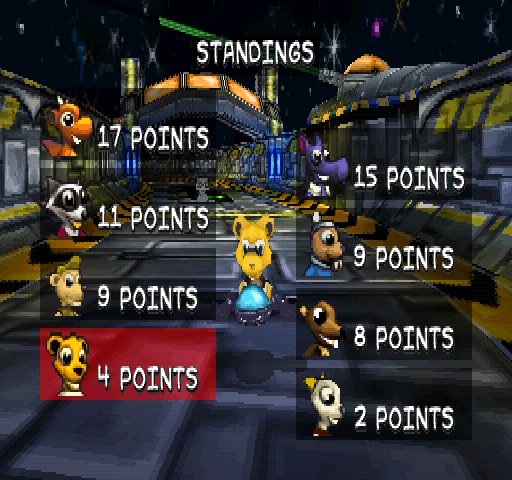
After each race, points are awarded to the competitors as follows:
After all three races are over, the person with the most points overall wins the 1st prize in the tournament and the Gold trophy. Second place wins the Silver trophy and Third place wins the Bronze trophy.
If you win any of the trophies you will unlock the next Cup in Tournament mode. However to unlock the secret characters you will need to collect the Gold trophy when racing a Cup.
Arcade
Once you have selected Arcade mode, you have to select your character in the same way as in Tournament mode. You will then be taken to the SELECT TRACK menu. Initially there are only three tracks available; SOLAR V7 A, MERCURY SITE A, and NEPTUNE STATION A.
Once you have unlocked the other Cups in Tournament mode the 'B' and 'C' tracks for each planet are unlocked. Races in ARCADE mode are one-off races only. You just compete to come first in that race. You cannot unlock any characters or other features in ARCADE mode.
Time Trial
Once you have selected Time Trial mode, you select your character the same way as in Tournament mode. You will then be taken to the SELECT TRACK menu. Races in TIME TRIAL mode are one-off races only and feature no other competitors.
You compete to get the best time possible over the number of laps you have selected. Your best times can be saved in the RECORDS section of the OPTIONS menu.
The In-Game Display
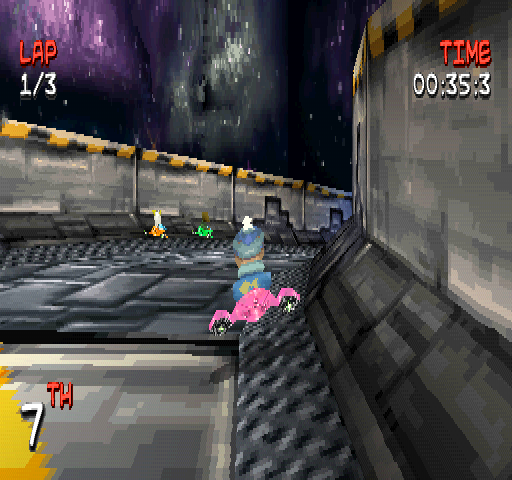
Here is an explanation of the in-game display:
•
LAP: The first number shows the number of laps remaining. The second number shows the total number of laps in the race.
•
WEAPON: This shows the weapon you are currently holding, if any. Weapons can be picked up by driving through the question marks that float above the track.
•
TIME: Shows the time elapsed so far during the race.
•
POSITION: Shows your position in the race. There are a total of eight competitors in each race in the TOURNAMENT and ARCADE modes.
The Pause Menu
If you press the START button during a race you are taken to the Pause menu. Here you are presented with the following three options:
•
QUIT GAME: Select this option to return to the Title screen.
•
RESTART RACE: Select this option to restart the race at the starting grid.
•
CONTINUE RACE: Select this option to continue playing.
Options
Select OPTIONS at the Title screen and you are taken to the OPTIONS menu, where you can select one of the following:
Game Options
At the game options menu you can alter the following settings:
•
DIFFICULTY: Choose either EASY, MEDIUM, or HARD difficulty. HARD difficulty is not available initially and has to be unlocked.
•
NUMBER OF LAPS: Choose to race over 3, 5, 9, or 50 laps in each game mode.
•
VIBRATION FUNCTION ON/OFF: Choose to enable or disable the vibration function when using an Analog Controller (DUALSHOCK).
Sound Options
In the sound options menu you can alter the following settings:
•
SFX: Slide the bar left or right to decrease or increase the sound effects volume. The farther left you go the quieter the sound effects become. The further right the bar is moved, the louder the sound effects become.
-
.png)

.png)
.png)
.png)
.png)
_1.png)
.png)
.png)
.png)