GETTING STARTED
Important! Do not insert or remove peripherals or memory cards once power is turned on. You will need a memory card to save your games.
•
Set up your PlayStation® game console according to the instructions in its Instruction Manual. •
Make sure the power is OFF before inserting or removing a compact disc.
•
Insert the Missile Command disc and close the Disc Cover.
•
Insert the game controllers (and memory card if you have one).
•
Turn ON the PlayStation® game console. The introductory sequence will begin. To skip this sequence and go directly to the Main Menu, press the Start button. You will not be able to save your progress or game information if you don't use a memory card. Make sure there is at least one free block on your memory card before beginning your game. You are not able to swap memory cards during play and you must leave the card in the first slot of your multi-tap if you are using one.
CONSOLE
DUAL SHOCK™ ANALOG CONTROLLER
•
Directional Buttons (D-pad)
NOTE: You may have a controller that looks like this. If so, please ignore the "Right Stick" and "Left Stick instructions outlined below."
CONTROLLING MISSILE COMMAND
The following are the default controls and buttons for the PlayStation® version of Missile Command. •
Directional Buttons: Use these to move the aiming cross-hairs and to select from menus. In the Purchasing screen, the up and down buttons select options, and the left and right buttons increase and decrease the number to be purchased.
•
Left Stick: This is also used to move the aiming cross-hairs and to select from menus.
•
Right Stick: This is not used in Missile Command.
•
**\* Button:** Use this button to activate the selected option on menus. During a mission, this button fires a missile from your Center Pod.
•
■ Button: Use this button to fire a missile from your Left Pod.
•
• Button: This fires a missile from your Right Pod.
•
▲ Button: Use this button to back out of the screen you're on and return to the previous screen. In the Ultimate Game, this button fires.
Easy
All Bosses' beams are Enfeeblement Beams that steal your Pods' missiles. All Enfeeblement Beams are weaker in their effect than normal, and fewer small enemy craft are launched. The Ring Boss rotations are slower than normal.
Normal
Bosses' beams are a mix of Enfeeblement Beams and Death Rays, which destroy Pods. Beam strength, number of small craft and rotation speed are normal.
Hard
Enfeeblement beams are stronger than normal. More small craft are released from the Bosses, and the Ring Bosses' rotations are faster than normal.
Classic Game Options
For the Classic Game, you have a number of options. You can set these preferences differently for each player. This is handy for setting up "handicap" games, in which the better player gives the other an advantage, which makes the game more challenging and more fun for both players.
•
Waves: Determine the starting wave for this player. (Note: you cannot start on even numbered waves.)
•
Bonus: Set the score at which you earn bonus cities.
•
Skill: Defines the Skill Level. There are three settings: Easy has slower enemy missiles and fewer per wave; Normal is the standard setting; Hard offers faster enemy missiles and more of them in every wave.
Controller Options
This takes you to the Controller screen, where you see and can change your current controller setup. (Player 1 and Player 2 have separate settings.)
•
Type A: activates the default controller setup (fires from the Center Pod and fires the Special Weapon).
•
Type B: switches to the alternative controller set-up (▲ fires from the Center Pod and fires the Special Weapon).
•
Vibration: turns the DUAL SHOCK Analog Controller vibration feature on and off.
•
Invert Y-Axis: changes the way the Directional Buttons, Left Stick, and Right Stick work so that "down" is "up" and "up" is "down."
Memory
Lets you save a game in progress into a memory card (if you have one) and load a previously saved game to continue playing.
High Scores
Shows you the top ten scores for the Classic and Ultimate games. Each listing includes the player's name, score and the Skill Level from the high scoring game.
Sound Volume
Lowers or raises the volume of the sound effects in the game.
Music Volume
Lowers or raises the volume of the game music.
THE CLASSIC GAME
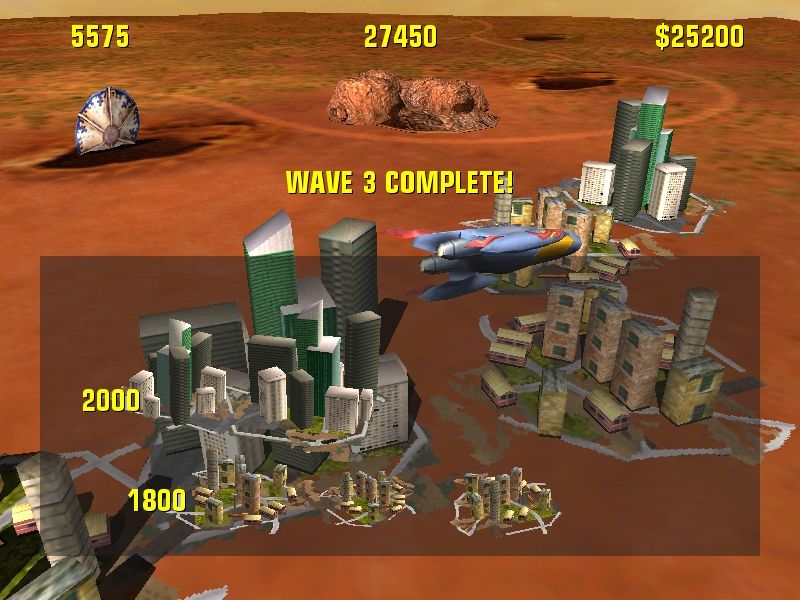
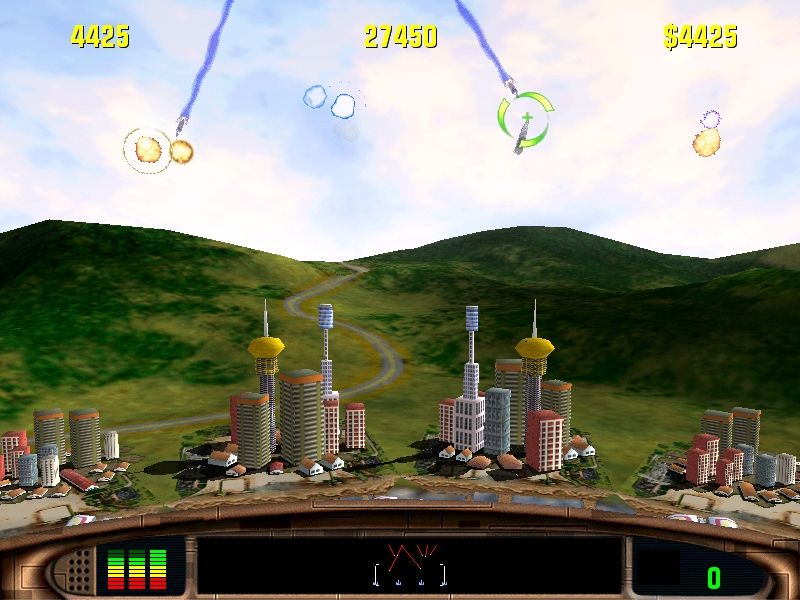
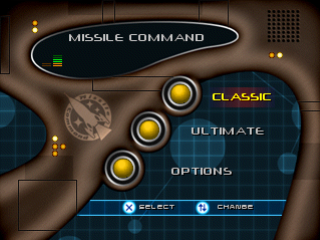
If you were around to play Missile Command when it first appeared in arcades and homes around the country, you're sure to remember how exciting this game was. If you've never played Missile Command, you're in for a treat. The Classic Game presents the original Atari hit updated a little, but every bit as intense and addictive as ever. When you're ready to begin a Classic Game, you can choose between the
.png)


.png)

.png)
.png)

.png)