PlayStation Setup
Set up your PlayStation game console according to its Instruction Manual. Make sure the power is off before inserting or removing a compact disc.
Insert the POINT BLANK 2 disc and close the Disc Cover. Insert game controllers and turn on the PlayStation game console. Follow on-screen instructions to start a game.
Guncon Setup
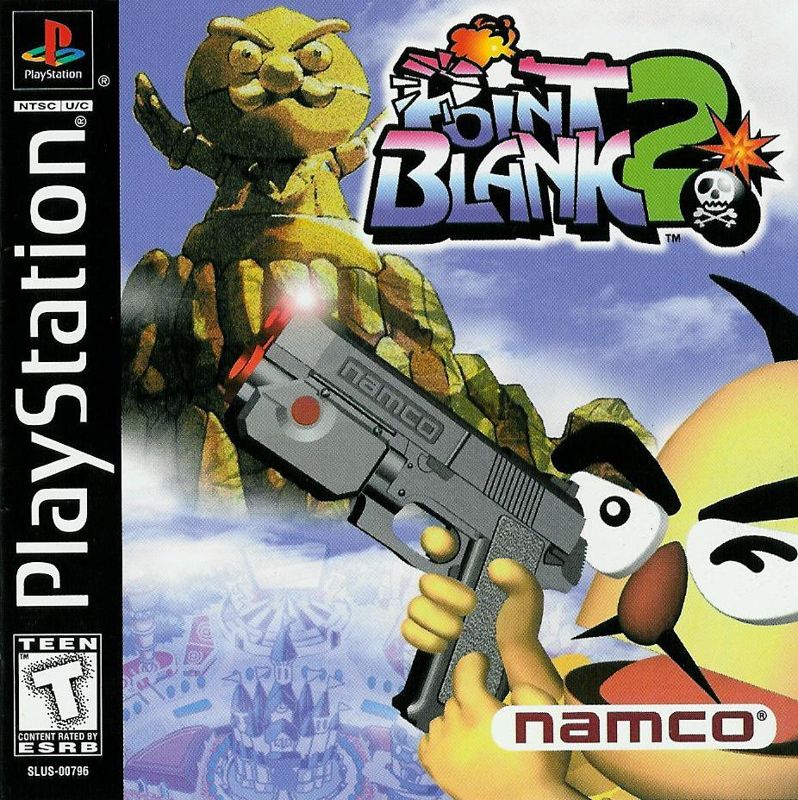
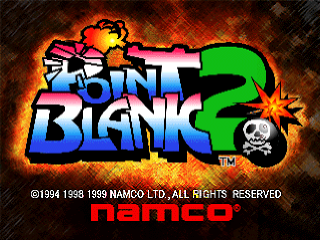
Point Blank 2 is the sequel to Namco's PlayStation gun shooting game, Point Blank. It features new stages and new modes to satisfy your shooting-frenzy cravings. Enjoy Point Blank 2's unique, cheerful atmosphere with your friends and family!
You can connect two Guncons so that two players can play simultaneously. To play with two Guncons, connect the video input plugs to each other, then connect the Guncon plugs to their respective controller ports on the PlayStation game console.
If you are using the Sony PlayStation AV Adapter (Sony Part Number SCPH-1160U), connect the video input plugs in the same way.
•
BUTTON B (on other side)
Before You Play
Before you start playing, you need to calibrate your Guncon. You can do this on the Guncon Calibration Screen that appears after the Title Screen, or after you select Gun Setup in the Options menu. If you start playing without calibrating your Guncon, the aim may be off.
How to Calibrate your Guncon
•
Start the game, and enter "Options." Then shoot "Settings," and next, "Gun Setup."
•
A target will be displayed in the center of the screen. Aim for the center of the target and shoot.
•
After you shoot, an "X" will appear on the screen. (It will be red for Player 1, blue for Player 2.) Compare the X's position on the screen to where you are aiming, to make sure the Guncon is calibrated correctly.
•
Repeat steps 2 and 3 until you are sure the Guncon is calibrated correctly. Then, press the A or B Button on the Guncon. This will return you to the Options Setting Screen.
Starting the Game
The Title Screen
When the opening animation ends, you can pull the trigger or if you press the A or B Button (or the Start button on a controller) during the opening animation, the Title Screen appears. If you are using a Guncon, pressing the A or B Button will bring up the Gun Calibration Screen. After you are finished calibrating, the Mode Select Screen will appear.
The Mode Select Screen
On this screen, you can choose from four game modes and the Options Mode. When you aim at an area in the park, the name of the mode will be highlighted.
•
Options Mode: Adjust various settings.
•
Theme Park Mode: You're the hero in an adventure set in a theme park! (1 player or 2 players)
•
Party Mode: Group fun for 2 to 8 players!
•
Training Mode: Choose any stage and practice, practice, practice! (1 player only)
•
Point Blank Castle: Features one-player and two-player versus modes.
Options
In Options mode, you can save and load game data, and adjust various settings. If you shoot the "Options" area in the Mode Select Screen, the three choices "Save," "Load," and "Settings" appear. Pick one and shoot!
•
Save: Brings up the Save Screen. You can save your game here. (Except for Theme Park Mode data.)
•
Load: Brings up the Load Screen. You can load saved data here. (Except for Theme Park Mode data.)
The Options Screen
The Options Screen gives you four choices. Pick one and shoot!
•
Gun Setup: You can calibrate your Guncon here, or you can use the Gun Setup Screen that appears after the Title Screen.
•
A Button B: Switches button setup
•
Controller: You can adjust your controller setup here. You can choose between two shot sizes and three cursor speeds. Shoot the settings to change them!
•
Cursor Speed: Slow, fast or max
•
Sound: You can switch between stereo and mono sound.
•
Screen: You can adjust the position of the screen by shooting the up, down, left and right arrows. To reset the screen to its original position, shoot the "Reset" button.
Point Blank Castle
You can choose from three different modes in Point Blank Castle, and play with one or two players. If you shoot "Point Blank Castle" on the Mode Select Screen, the Game Select Screen will appear.
How to Start Playing in Point Blank Castle
Pick one of the three games on the Game Select Screen and shoot it to start the game. If any settings need to be adjusted, please follow the instructions on the screen. If you want to return to the Mode Select Screen, shoot the "Back" button. Also, shooting the "High Scores" button will display the current high scores.
Versus Mode
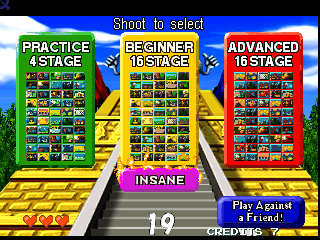
In Versus Mode, there are 16 stages that you can choose from. First, you must select a difficulty level. There are four levels: Practice (8 stages), Beginner (16 stages), Advanced (16 stages),
.png)




.png)


_1.png)

.png)