GETTING STARTED
Set up your PlayStation® game console according to the instructions in its Instruction Manual. Make sure the power is off before inserting or removing a compact disc. Insert the MTV SportsTM: Pure Ride™ disc and close the disc cover. Insert one game controller and turn on the PlayStation® game console. Follow on-screen instructions to start a game. PlayStation® Console Components
•
MEMORY CARD SLOTS (ABOVE CONTROLLER PORTS)
MEMORY CARDS
To save game settings and progress, insert a MEMORY CARD into MEMORY CARD slot 1 of the PlayStation® game console before starting play. You can load your saved games from the same card, or from any MEMORY CARD containing previously saved MTV SportsTM: Pure Rider™ games. To read about how to save and load games, turn to page 18.
MAIN MENU
Press START from the Title Screen to view the Main Menu. In all menu screens, use the Directional Button to scroll through the options, then press the X Button to select.
The Main Menu consists of two areas, the Game Modes Menu and the Options Menu. The game modes can all be selected by pressing the Directional Button ←/→. To access the Options Menu, press ↑/↓, then ←/→. For more information on the game modes, see page 12.
OPTIONS MENU
While on the Main Menu, press ↑/↓, then ←/→ to view the Options Menu.
•
Controller - Press the X Button to configure the controller. You can press ↑/↓ to toggle "Vibration" ON or OFF, and you can choose between three preset configurations by pressing ←/→. Press the X Button to confirm the settings and return to the Main Menu.
•
Sound - Alter the sound settings to your specification:
•
SFX Volume - Increase or decrease the sound effects volume.
•
Music Volume - Increase or decrease the in-game music volume.
•
Audio Type - Select either "Stereo" or "Mono" depending on your speaker setup.
•
Load - Load a previously saved game. See page 18 for more info.
•
Save - Save your current game to a MEMORY CARD. See page 18 for more info.
PLAYING A GAME
From the Main Menu, select a game mode and press the X Button (Refer to pages 12-16 for all game modes).
Next, select an available rider by pressing ←/→ and press the X Button to confirm. You will begin with five selectable riders. Advance through the game modes to unlock additional riders, including Pro riders and fantasy characters.
Now select a board by pressing ←/→, then press the X Button to confirm your selection - 10 are available upon startup. Again, try to unlock the others by playing through the different game modes.
Finally, select an available course.
Note: You can return to the previous screen anytime by pressing the △ Button.
PICK YOUR TUNE
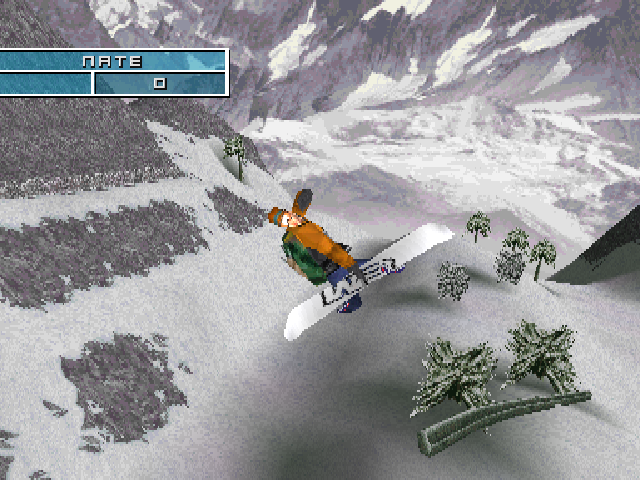
Before you hit the slopes, Pick Your Tune on screen while the game is loading. Choose a song by pressing ←/→.
The Mission Objectives for the course are also displayed. These detail exactly what you need to accomplish in order to advance to the next level and/or unlock riders, snowboards or new runs.
Once the loading is complete, and you have highlighted your song then hit the mountain.
PAUSE GAME MENU
Press START during gameplay to pause the game and view the Pause Game Menu:
•
Resume - Continue the game from where you paused.
•
Restart - End the run and begin from the top of the mountain.
•
Hints - Find out how to pull off the mad tricks. •
Sound - Change the following Sound options:
•
SFX Volume - Increase or decrease the sound effects volume.
•
Music Volume - Increase or decrease the in-game music volume.
•
Track Preview - Change the tune to a different song. Press the X Button to select a song and return to the Pause Game Menu.
•
Display - Turn the Display ON or OFF by pressing ←/→.
•
Exit - Quit and return to the Main Menu. You can save your current progress or quit the game and return to the Main Menu.
GAME MODES
EXPRESS PASS
The ride is never the same with Express Pass. Don't want to select a game mode, rider, snowboard or slope? Just select Express Pass to head straight for the action.
FREE RIDE
If you'd rather ride down a mountain at your own pace - on your terms with no competition - select Free Ride. You can practice tricks all day long with no threat of disqualification. TOUR CHALLENGE
"Challenge" is an understatement, featuring half-pipes, slopestyle and big air events, go up against the stiffest competition in 12 different events, spanning 5 snowboarding tours.
SPECIALIST
Take your pick - Big Air, Slopestyle or Half Pipe - and shred through 12 courses. Each mountain gets more difficult and each level requires you to get more points. Master your skills here by completing your mission objectives and unlocking additional levels. Use skills later on in the Tour Challenge to compete against the best riders in the world.
STUNT MODE
Complete specific tricks to 




.png)
.png)

.png)





_1.png)






_1.png)