CONSOLE INSTRUCTIONS
Top View
Front View
Set up your PlayStation® game console according to the instructions in its Instruction Manual. Make sure the power is off before inserting or removing a compact disc. Insert the RAGEBALL™ disc and close the Disc Cover. Insert game controllers and turn on the PlayStation game console. Follow on-screen instructions to start a game. MULTITAP
When Using the Multitap
Connect the Multitap to controller port 1 or controller port 2. Next, connect the controllers to the controller ports on the Multitap.
When the Multitap is connected to controller port 1, always make sure to connect a controller to controller port 1-A on the Multitap first and then connect additional controllers to each of the other controller ports B, C and D.
GAME MODE
Rageball is divided into three game modes.
TOURNAMENT
The player begins the Tournament with 300 credits and can select from a range of six different teams, at varying costs.
TEAM COST
Once you select a team you will play through the Tournament. The Tournament is divided into five leagues. To move on to the next league, you must finish the season at the top of the league table.
You are awarded the following points for each match played.
Each season you will play ten matches (playing two games against each of the opposing teams). Every five days the stadium changes (there are two different stadiums in each of the league).
There are six different options in Tournament of Main Menu.
Power Up
Highlight the players you wish to power up on the left of the screen using button. On the right of the screen, you can buy extra power ups. These are valued as follow.
The player can power up a team player until their Stamina, Power, Speed, and Skill gauges are full. To increase the teams' abilities beyond points, buy new players in the Action menu. (Buy a new player for better characteristics.) Tactics
Before every match you can select from five different tactics. These effects are for both the formation of player's team and their attitude to play on the Rageball field. (Try to find the best tactic for the style of play.)
League
This option shows league status. Each team in the league is shown on the table. The team with the highest number of points is at the top of the table. The lowest scoring team is at the bottom of the table. This screen is useful when decided on who to bet on in the Action menu. Save
You can save your tournament status at any time before or after a match. (Rageball uses 1 slot on the Memory Card.)
Actions
This is the management part of the game. You have an option to buy the following power-ups for your entire team.
Team Speedup
You can speed up the movement of your team. The longer the speed-up lasts, the greater the cost.
Opponent Slowdown
You can slow down the movement of your opponent. The longer the slow-down lasts, the greater the cost.
Bet on Teams
You can bet on opposing teams to win or lose their next matches. You can bet a minimum of 10 credits. There is no maximum lid on any bet, except for your bank balance.
Marksman
You can hire a marksman in the crowd. A successful shot on an opponent will knock them out for an entire half. Be careful, as you can also tranquilize your own players!
Once a marksman is hired, you can call on him once only during the game by pressing L1 or R1 button. There are varying types of marksman, with a different number of shots/shooting times available. Take a shot with the button.
Buy New Player
In each league, you can select from a range of five different players, prized for their increased power. Save up to get yourself the best team available!
Costs & Gains
You begin the Tournament with 300 credits. You are awarded varying amounts of credits in the following circumstances:
You can gain extra money by betting on your opponents' matches (Under the Actions menu, select Bet on Teams), or by activating shields during a match. You are never able to gain more than 100,000 credits at any one time.
SINGLE MATCH
Play with up to four players simultaneously in Single Match mode, selecting from a range of 2
.png)



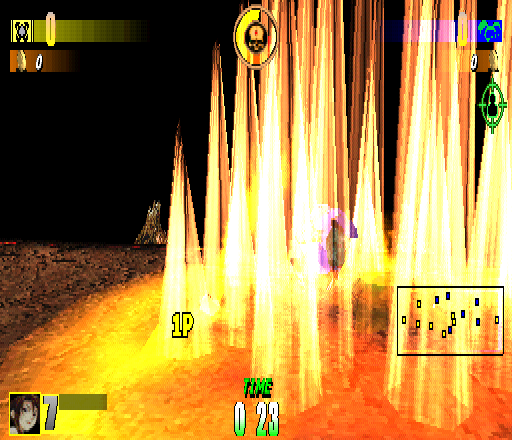
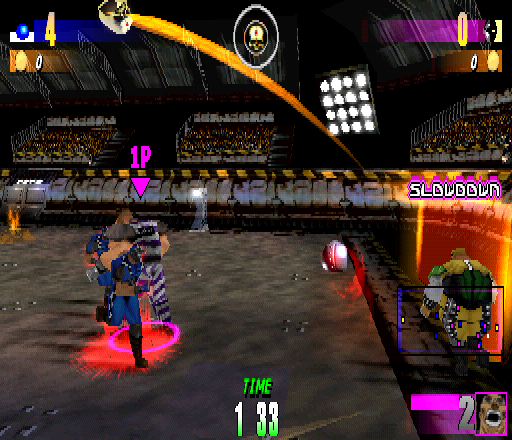
.png)





.png)



_1.png)
.jpg)

.png)

_1.png)
.png)


.png)


.png)





.png)


.png)
.png)
 (En,Fr,De,Es,It).png)

.png)