Set Up
Set up your PlayStation game console according to its Instruction Manual. Make sure the power is off before inserting or removing a compact disc. Insert the STREET FIGHTER ALPHA disc and close the CD door. Insert game controllers and turn on the PlayStation game console. Follow the on-screen instructions to start a game. Super Combo Level Gauge
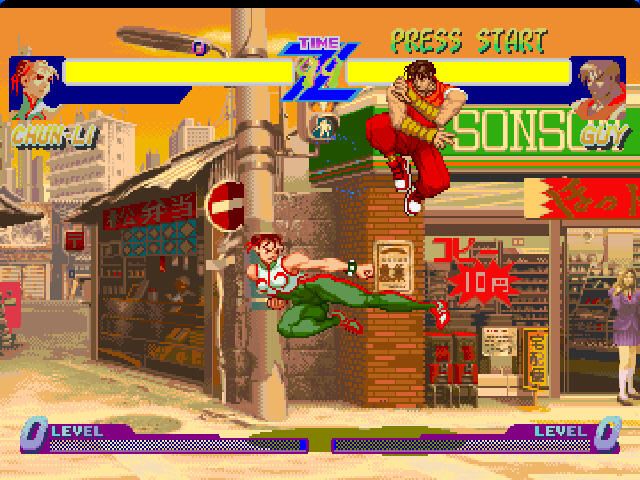
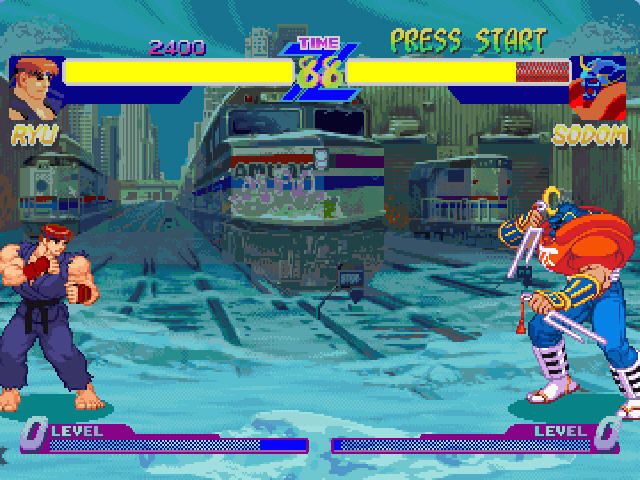
Each time you execute normal moves and special moves, your Super Combo Gauge will build up. Your level will increase when the gauge reaches certain points, allowing you to perform Super Combos and Alpha Counter moves.
When performing Super Combos, the amount of damage inflicted can be controlled by the buttons pressed. With the Super Combo Level Gauge at full power (Level 3), you can perform the Super Combo using 1, 2, or 3 attack buttons simultaneously.
The more buttons you press simultaneously, the more damage will be inflicted, but more power will be consumed from your gauge. As a convenience, you can set one button on your controller to act as 3 Punch and one button to act as 3 Kick buttons for Super Combos.
Street Fighter Alpha!
The champion awaits! Win to survive the ultimate prize in this tournament. There is only one way to win: Knock your opponent's energy meter to smithereens.
Use punches, kicks, skillful special attacks, and Super Combos to become a decisive winner in the best of 3- or 5-round match. Now it's time to prove it to the Alpha Warriors!
Game Modes
There are 3 modes of play and 2 setup modes for Street Fighter Alpha. Each match is a best-of-three round battle.
After a battle, the win/loss screen appears. At the continue screen, press the START button before the time reaches zero to continue. To bypass the continue screen and end the game, press any button other than the START button.
To adjust your button configuration during gameplay, press the START button to pause the game. Then press the SELECT button. Use the Directional Button to highlight the function, then press the button you want to perform that function.
To reset your game at any time without having to reload the disc, press L1, L2, R1, R2, SELECT and START simultaneously. You will be returned to the Street Fighter Alpha title screen.
Mode Select
Arcade Mode
This is the popular arcade mode, where you select a Street Fighter character and fight your way through 8 other computer-controlled opponents. It is a one-player game, but a second player can join in at any time. Press the START button on the opposite controller to join in. The character select screen will appear.
From the title screen, use the Directional Button to highlight this mode, then press the START button to select it. You will then see the character select screen. Use the Directional Button to highlight a character.
If you put the cursor on the "?" mark, the character's faces will keep changing randomly like a roulette. If you press a button, the roulette will stop and you will be able to use the character selected. If you're lucky, there may be some surprises revealed here.
When selecting a character, you may also change the color of your character depending on which button you press. Select Player One's color by pressing L1 or START. Select Player Two's color by pressing X or B1. This works as well for the random character selection described above.
If you have SPEED and AUTO set to FREE in the OPTION mode, you can then select GAME SPEED and set your game in MANUAL or AUTO mode. Use the Directional Button to highlight either NORMAL or TURBO for the speed of your game, then do the same for MANUAL or AUTO mode. Press START to select the option.
•
MANUAL - You must perform all blocking functions, and Super Combos must be performed using the full instructions outlined in ALPHA WARRIORS.
•
AUTO - Auto mode offers 2 features for players:
•
Simple Command - You can execute Super Combos by simply pressing 2 buttons simultaneously. Press Light Punch and Light Kick simultaneously for Super Combo #1. Press Medium Punch and Medium Kick for Super Combo #2, and press Hard Punch and Hard Kick for Super Combo #3. If you press 2 buttons for Super Combos, #2 is executed even if you enter the command for #3. Only Level 1 Super Combos are available in AUTO mode.
•
Auto Guard - Your character will block automatically unless you are attacking. The number of available auto guards is limited per round. After that, you will need to block manually. When the new round starts, the number of available auto guards resets.
V.S. Mode
V.S. MODE is the classic 2-player contest. Use the Directional Button to highlight this mode from the title screen and press START to select it. You will then be presented with the character select screen.
Select character, color, game speed, and MANUAL/AUTO in the same manner as the ARCADE mode.
Training Mode
This mode allows you to study and practice special moves and combos. Your opponent will not block for the first hit, but will block for the following hit. Therefore you can easily determine if you can execute the combo successfully. After a certain amount of time, the opponent will not block your attack.
The Super Combo Level Gauge is fully charged, up to Level 3, and will be consumed as you execute Super Combos. It
.png)

.png)
.png)



.png)






.png)
.png)



.png)




.png)