START-UP INFORMATION
Set up your PlayStation™ console according to the instructions in its Instruction Manual. Make sure the power is off before inserting or removing a compact disc. Insert the TNN Motor Sports™ HardCore 4x4™ disc and close the Disc cover. Insert game controllers and turn on the PlayStation™ console. Follow on-screen instructions to start a game. Console Top View
Controller Front View
1.0 GETTING STARTED
TNN Motor Sports™ HardCore 4x4™ brings real vehicle physics, four wheel independent suspension and incredible 3D graphics home to your PlayStation™. Rampage through six different courses in this hard-charging, white knuckle race to the finish. To begin, simply place the CD into the PlayStation™, close the Disc cover and press the POWER button (RESET if the machine is already on). Using the TITLE screen, you may choose either START or OPTIONS. To choose between START and OPTIONS, simply use the Directional buttons ← → ↑ ↓ (the left side of the controller) to highlight your choice, and press the "X" button. You will then proceed to either the START menu screen, or the OPTIONS menu screen.
•
*WARNING: It is advisable that you do not insert or remove peripherals or Memory cards once the power is turned on.
2.0 OPTIONS
•
The OPTIONS screen allows you to configure the game in various ways: you can adjust the volume of music and sound effects, turn the commentary on and off, customize the controller setup, and adjust the feel of the steering from a "loose" feel to a very "tight" feel.
•
Simply use the Directional buttons to select which function you want to access. Then use the LEFT and RIGHT Directional buttons (← →) to change the settings.
•
When you are satisfied with the settings, use the Directional buttons (↑ ↓) to highlight EXIT and press the "X" button, or press the "START" button to return to the previous screen.
•
These settings will remain active until they are changed or the machine is reset. The options settings are saved along with game saves.
•
TNN Motor Sports™ HardCore 4x4™ is compatible with NeGcon™ and analog steering wheel peripherals.
3.0 START MENU ITEMS
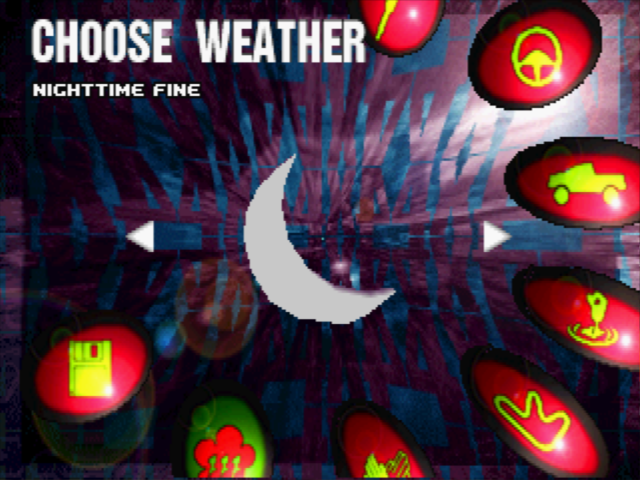
Each of the following icons on the START menu allow you to set various game play features:
START RACE
Selecting this puts you into the race. The default is Single Race, Novice Class and Automatic Transmission.
After making your race selections from the START menu, highlight the START RACE icon and press the "X" button.
SELECT RACE TYPE
There are three race types or modes to compete in:
Race against 5 other trucks, one track at a time.
Race against 5 other trucks on all 6 courses. Win all 6 courses on the Extreme level and get the "hidden" truck. Play another championship with the hidden truck for the fastest times! After each race, you can view your standings and save your results to the Memory card.
The Time Trial allows up to 8 players to compete individually for the fastest time and race up to 6 laps. You can save your Time Trial results on your Memory card.
SELECT TRUCK
Six trucks to choose from, each with different performance specs:
Good on pumice and hardened lava.
Excellent traction and gearing in wintery conditions.
Handles well on rock and sand.
Best traction on sandy terrains.
All around performance for multiple terrain environments.
Great on pavement, pine needles and road kill.
SELECT TRANSMISSION
There are two types of transmissions for gear shifting:
Gears will shift automatically.
Player must control gear shifting manually by using the R1 and/or R2 button (see controller layout).
SELECT RACE TRACK
There are six different courses, each with unique terrain properties:
Multiple terrains in a mountain setting.
There are lots of ruts and bumps in this grand canyon.
Kick up a dust storm as you race through blinding desert sands.
Drive over pavement and mountain terrains.
Feel the scorching heat of the volcano.
Slip and slide through snow covered terrains.
SELECT DRIVER CLASS
Each class indicates the level of driving difficulty. Higher driving classes are unavailable until you have won the Championship Race in your current class. Vehicle damage adversely affects vehicle handling.
In Novice mode, you race 3 laps around the selected track. Damage is set to minimum levels.
In Pro mode, you race 4 laps with normal damage.
In Extreme mode, you race 5 laps with maximum damage.
.png)

.png)
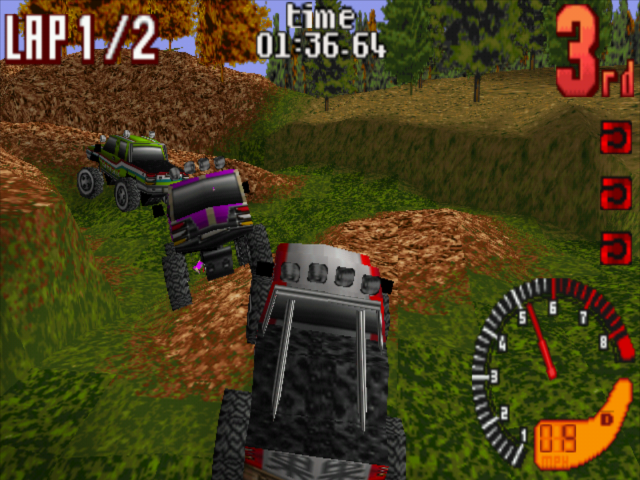
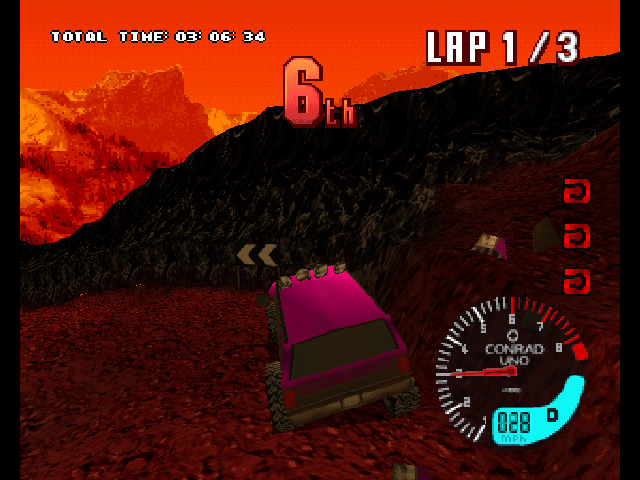
.png)
.png)
.png)

.png)
.png)
_1.png)
.png)
.png)
.png)