STARTING UP
•
Set up your PlayStation® game console according to the instruction manual. •
Make sure the power is off before inserting or removing a compact disc.
•
Insert the Wu-Tang: Shaolin Style disc and close the disc cover.
•
Insert game controllers and turn on the PlayStation® game console. •
Follow the on-screen instructions to start a game.
Mature Content
This game contains mature content which can only be unlocked by entering the password found on page 21. Otherwise, you will only be able to play the edited version of the game.
Follow the on-screen instructions to enter the password, or press START to skip and play the edited version only.
GAME FUNCTIONS
•
++ = double damage (when Rage Meter is full)
Tech Roll
You can quickly get up when knocked down by tapping the Block button upon hitting the ground. Timing is crucial.
Dash
Double-tap the directional buttons in the direction you want to move.
SELECT
(Story mode only.) In the Hubs, press SELECT to bring up the Chambers Screen. (See page 10 for more details on the Chambers Screen.)
Health Meter
The long green bar below your character's name indicates the amount of remaining health. When you are hit, the amount of damage will briefly turn yellow, then disappear. When your health bar is depleted, your character loses a life.
Rage Meter
In combat, your character will increase its Rage meter by inflicting damage on other characters, and by blocking their attacks. The Rage meter is the red bar located underneath the health meter.
When all four buttons are pressed at once (+*+), your character will go into "Double-D" mode. All attack damage is doubled in this mode. An aura of swirling energy balls will indicate Double-D mode until the Rage meter runs down to empty and the effect wears off. If your character loses a life at any time, the Rage meter resets.
Life Meter
The number of yellow dots indicates the number of lives your character has remaining in that match. For example, if you only have one yellow dot remaining and your health bar is depleted, game over!
GAME RESET
To abort a game in progress, press the START button to pause the game. Choose Quit from the menu to return to the Wu-Tang: Shaolin Style title screen.
SOFT RESET
You can reset to the Wu-Tang: Shaolin Style title screen at any time during game-play by holding down SELECT, then pressing and holding START for two seconds. Performing a soft reset will change all game options back to default. You will also lose any Chambers that have not yet been saved.
MAIN MENU
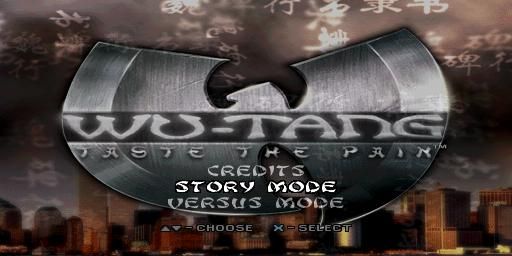
Use the up/down directional buttons to scroll through the menu options, and the * button to select.
•
Story Mode—Play as one of the members of the Wu-Tang Clan on a quest to rescue your master and save the world.
•
Versus Mode—Fight against other human or computer-controlled opponents in the arena of your choice. Up to four players can fight at a time. Games with three to four human players require a Multi Tap accessory.
•
Practice Mode—Choose your character and your opponent, then learn new moves and perfect your technique in the Practice Arena.
•
Options—View and change game settings.
•
Credits—See the names of all the people who made this game.
OPTIONS
GAME CONFIG
•
Guard Damage—If Guard Damage is on, players will take a small amount of damage when blocking the powered-up or Double-D attacks. (See the Rage meter section on page 4 for details on Double-D mode.) Off is the default choice.
•
Blood—Real fighting is messy, but this is a game. Turn off blood for a "clean" fight. On is the default choice (only with Parental Lockout code).
•
Turbo Mode—Sometimes things just need to be faster. Off is the default choice.
•
Fatalities—Feeling squeamish? Turn off fatalities to spare your delicate sensibilities. On is the default choice (only with Parental Lockout code).
CONTROLLER CONFIG
Change the controller setup (with the left/right directional buttons) to one of four different preset configurations, or create a custom control config of your own. You may also turn on/off the vibration feature (DUAL SHOCK™ controllers only).
AUDIO ADJUST
•
Music—Turn music on or off.
•
Music Volume—Adjust the music volume.
•
SFX—Turn sound effects on or off.
•
SFX Volume—Adjust the sound effects volume.
•
Movie Audio—Turn movie sound on or off.
•
Sound Mode—Switch between stereo and mono.
•
Track to Play—Choose an audio track to listen to.
SCREEN ADJUST
Allows the player to adjust the screen. Use the directional buttons to adjust the screen. Press the button when finished.
MEMORY CARD
•
Save—Save current game. See page 11 for more details on how to save a game from Story mode.
IMPORTANT NOTE: You may only have ONE saved game on a memory card!
RECORDS
•
Story Mode—This screen shows the high scores for Story mode. When a player completes Story mode, they are given a title. Three factors
.png)

.png)

.png)
.png)





.png)
.png)







.png)


.png)
.png)