Setting Up
Set up your PlayStation®2 computer entertainment system according to the instructions supplied with your system. Check that the system is turned on (the on/standby indicator is green).
Press the OPEN button to open the disc cover. Place the ATELIER IRISTM 3: GRAND PHANTASM disc with the label side facing up in the disc holder, and then close the disc cover. Attach game controllers and other peripherals as appropriate.
Follow the on-screen instructions and refer to this manual for information on using the software.
Memory Card (8MB) (for PlayStation®2)
To save game settings and progress, insert a memory card (8MB)(for PlayStation®2) into MEMORY CARD slot 1 of your PlayStation®2 system.
You can load saved game data from the same memory card or any memory card (8MB) (for PlayStation®2) containing previously saved games.
How to Begin
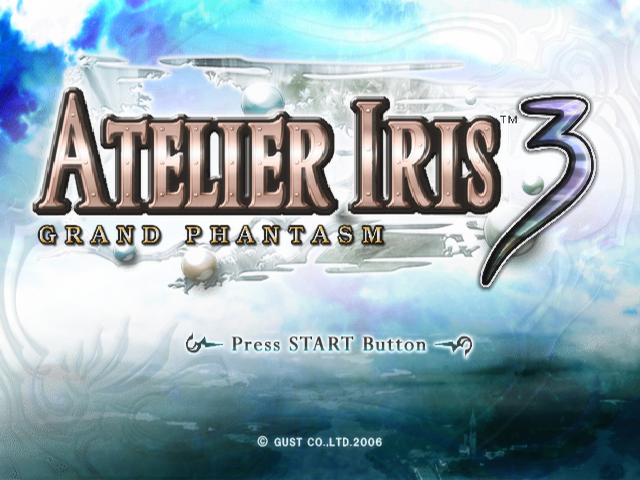
Turn on the PlayStation®2 and insert the disc. After the opening sequence, press the START button on the title screen. You can also skip the opening sequence by pressing the START button.
The following options will be displayed:
•
NEW GAME: Play the game from the beginning.
•
LOAD GAME: This will load a previously saved game so that you can continue your game. A list of all the saved data will be displayed, so you can select the file you wish to play with the directional buttons or left analog stick and press the X button to confirm.
•
*Saved data will not be displayed unless a memory card (8MB)(for PlayStation®2) with this game content is inserted in the MEMORY CARD slot 1.*
•
EXTRA: This option will only be displayed after you have completed the game. You will be able to enjoy various bonus materials.
•
*Saved data will not be displayed unless a memory card (8MB) (for PlayStation 2) with this game content is inserted in the MEMORY CARD slot 1.* •
SYSTEM: This will allow you to change your gameplay settings.
•
Message Speed: Changes the speed that the message is displayed in the message window.
•
Vibration: Switch between vibration ON or OFF.
•
Voice: Turn voices during events ON or OFF.
•
BGM: Control the BGM volume.
•
Sound Effects: Control the sound effects volume.
•
Language: Choose between English and Japanese voices.
•
*You can bring up the system menu in-game by selecting the [Config] command in the main menu.*
Save & Load
Access the Diary in Iris' Workshop by pressing the X button to Save and Load the game. You can also resume a game by selecting [Load Game] on the title screen.
Save
When you select [Save], the Save screen will appear. Select the place you would like to save your file, and confirm. If you select a file that contains previous data, you will overwrite the old file, so be careful.
You can only see 3 data files at a time, but you can scroll up or down with the directional buttons to see the others.
•
*When saving game data for the first time, the game will require at least 300KB of memory in memory card (8MB) (for PlayStation®2). This initial save will secure data space (300KB) for up to 12 save files for this game.*
Load
When you select [Load Game] during the title screen, or [Load] in the Diary, the loading screen will appear. Select the file you would like to load, and confirm. The game will resume from the moment it was saved.
•
*This game requires a memory card (8MB) (for PlayStation®2) to save and load game data.*
•
*Please set the memory card (8MB)(for PlayStation®2) in slot 1. You will not be able to Save or Load from memory card slot 2.*
•
*If you turn off or reset the PlayStation®2 console, or pull out the memory card (8MB)(for PlayStation®2) while saving or loading game data, the recorded data may become corrupt. Please refrain from doing this.*
Field
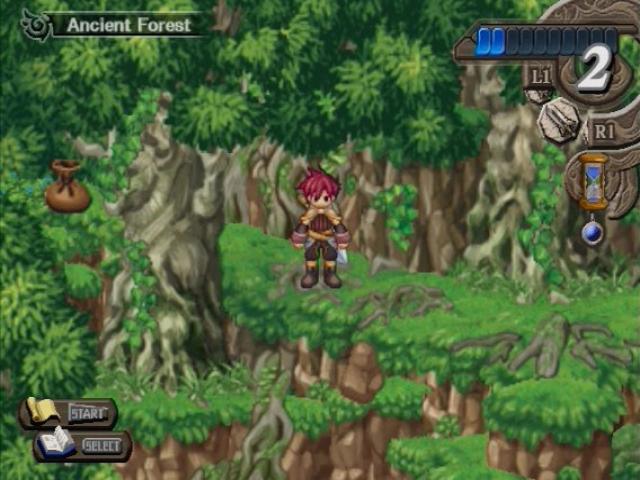
In the town or in the Alterworld, move the main character with the directional buttons or the left analog stick, and talk to people to gather information, go shopping, or get items. You will also meet monsters in the Alterworlds.
•
directional buttons & left analog stick: Move
•
A button: Open Main Menu
•
SELECT button: Open Quest Notes
Talk/Examine
When you meet a person in town, press the X button to talk to them. You can talk across the counter in the shops.
You can also examine Treasure Chests and other objects on the Field by pressing the X button.
Dash / Jump
By greatly tilting the left analog stick, or by using the directional buttons, you can make the main character move quicker.
You can also use the O button to jump, allowing the character to reach higher areas.
Action



_1.png)
.png)
.png)

 (Disc 1).png)


.png)
.png)

.png)
.png)



.png)