Getting Started
Set up your PlayStation 2 computer entertainment system according to its Instruction Manual. Ensure the MAIN POWER switch (on the back of the console) is turned on. Press the RESET button. When the power indicator lights up, press the OPEN button to open the disc tray.
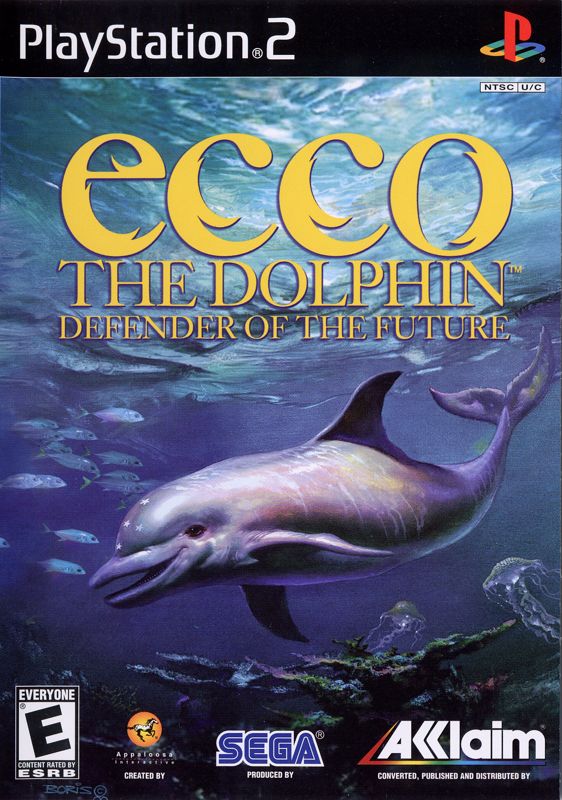
Place the Ecco the Dolphin™ Defender of the Future disc on the disc tray with the label side facing up. Press the OPEN button again to close the disc tray. Attach game controllers and other peripherals as appropriate. Follow on-screen instructions and refer to this manual for information on using the software.
Memory Card (8MB) (for PlayStation®2)
Ecco the Dolphin Defender of the Future only supports MEMORY CARD slot 1. To save game settings and progression, insert a memory card (8MB) (for PlayStation®2) into MEMORY CARD slot 1. The game features an AutoSave system and will automatically save your progression at certain points. Inserting or removing the memory card after switching the console on may cause data to be overwritten or lost.
Ecco the Dolphin Defender of the Future also supports manual save and load of game data from the Main Menu. After performing a manual save/load, the game will again AutoSave your progression at the relevant points. Starting Up
Ecco the Dolphin Defender of the Future is a one-player game played using the DUALSHOCK®2 analog controller. Connect the controller to be used to controller port 1 of the PlayStation®2 computer entertainment system. DUALSHOCK®2 Analog Controller Configurations
•
left analog stick (L3 button when pushed down)
•
right analog stick (R3 button when pushed down)
Charging
Charging makes targeting and hitting targets easier. Since homing in on a target is automatic, it is advised that you let go of the directional controls for the duration of the charge for correct targeting. Interfering with the homing by steering Ecco may lessen the chance of a successful hit.
The Sonar
Press the Square button.
Ecco's sonar can be used in many different ways. The main function of the sonar is communication. Use the Square button to activate the sonar.
Talking with the Sonar
Press the Square button.
Using his sonar, Ecco can communicate with whales, dolphins, and other intelligent beings. To talk to other mammals, face their direction and press the Square button.
Interacting with Other Creatures
Press the Square button.
Not all animals in the ocean can communicate with the dolphin. Sharks, Rays, Fish, and other creatures will not understand a dolphin's language. However, all animals will react to Ecco's sonar in their own particular ways.
By using his sonar, Ecco can affect the behavior of these creatures. He can get the attention of a shark, herd turtles together, or chase away schools of fish. We encourage you to explore and experiment with the sonar's effects on various animals, as these abilities will become very useful in many different gameplay situations.
Special Sonar Abilities
Press the Square button.
As the game progresses, Ecco will learn special abilities that will alter and enhance the functionality of his sonar. He will learn to use his sonar as both a defensive and offensive weapon. He will also learn new ways of interacting with various sea creatures.
These special abilities will allow the dolphin to control the behavior of various animals in a much more precise and direct fashion than before. The use of these special sonar abilities is automatic. If Ecco acquires the ability to control a certain creature, sonaring that particular animal will automatically affect its behavior in the desired way. See Songs on page 13 for details.
Sonar as a Tractor Beam
Double Press and Hold the Square button.
Later in the game, when Ecco acquires the Labour Harness, he will be able to hold onto certain objects with the use of the Harness' sonar-tractor beam. To activate the tractor beam, double-press and hold down the Square button.
Sonar Map
Press and Hold down the Square button.
Ecco can use his sonar to draw a Sonar Map of his surroundings. The Sonar Map can be activated by pressing down the Square button until the map appears. The map will display the level or a part of the level (depending on level size).
Important objects like Ecco, Glyphs, and Dolphins are marked on the map. To return to the game from the map, press the Square button.
Next Objective
Hold the L3 button.
Ecco can help the player to navigate and solve puzzles. Hold down the L3 button to turn Ecco to point in the direction of your next objective. This works very well when used in larger levels where there is a lot of open space. The Camera
Press the Triangle button to toggle.
Trailer Camera
This is the default camera mode. The camera stays right behind the dolphin at all times and points in the direction Ecco is facing. This camera is best suited for general gameplay due to its responsiveness and ease of targeting.
Remote Camera
This camera looks at the dolphin at all times and follows him at a fixed distance. The camera will not try to stay behind the dolphin;
.png)

.png)
.png)
.png)


.png)







.jpg)

.png)