Getting Started
Set up your PlayStation®2 computer entertainment system according to its Instruction Manual. Ensure the MAIN POWER switch (on the back of the console) is ON.
Press the RESET button. When the power indicator lights up, press the (OPEN) button to open the disc tray. Place the Full Spectrum Warrior™ disc label-side up. Press the (OPEN) button again to close the disc tray.
Attach game controllers and other peripherals as appropriate. Follow on-screen instructions and refer to this manual for software information.
PlayStation®2 System Components
*Note: Illustration may not match all PlayStation 2 console types. For owners of SCPH-70000 series PlayStation 2 systems, refer to the setup instructions supplied with your system.* Memory Card (8MB) (for PlayStation®2)
To save game settings and progress, insert a memory card (8MB)(for PlayStation®2) into MEMORY CARD slot 1 of your PlayStation®2.
You can load saved game data from the same memory card (8MB)(for PlayStation®2) or any memory card (8MB) (for PlayStation®2) containing previously saved games.
Commands Overview
Cursors
There are three cursor states in Full Spectrum Warrior. The current cursor state determines what command you are issuing if you press the button.
•
No Cursor (Default State): Pressing the button will cause your team to turn toward the direction you're facing.
•
Movement Cursor Active (): Pressing the button will issue a Rush order to that location. Your soldiers will take up the indicated formation. If you press and hold the button while aiming at the designated target, the soldiers will Bound rather than Rush.
•
Fire Sector Cursor Active (e) (by pressing the button): Pressing the button will issue a point fire order. If you press and hold the button, you will issue a suppression fire order instead.
MOUT: Military Operations in Urban Terrain
You command a dismounted light infantry squad, a highly trained group of soldiers who understand how to operate in a hostile, highly populated environment. Everything about your squad—from its soldiers to its equipment to its tactics—is the result of careful planning and years of experience on the battlefield. Respect that experience, soldier, since it's what will keep your soldiers alive. This field manual provides you with the basics to get you started. The rest you'll pick up in hands-on training.
The Fireteams
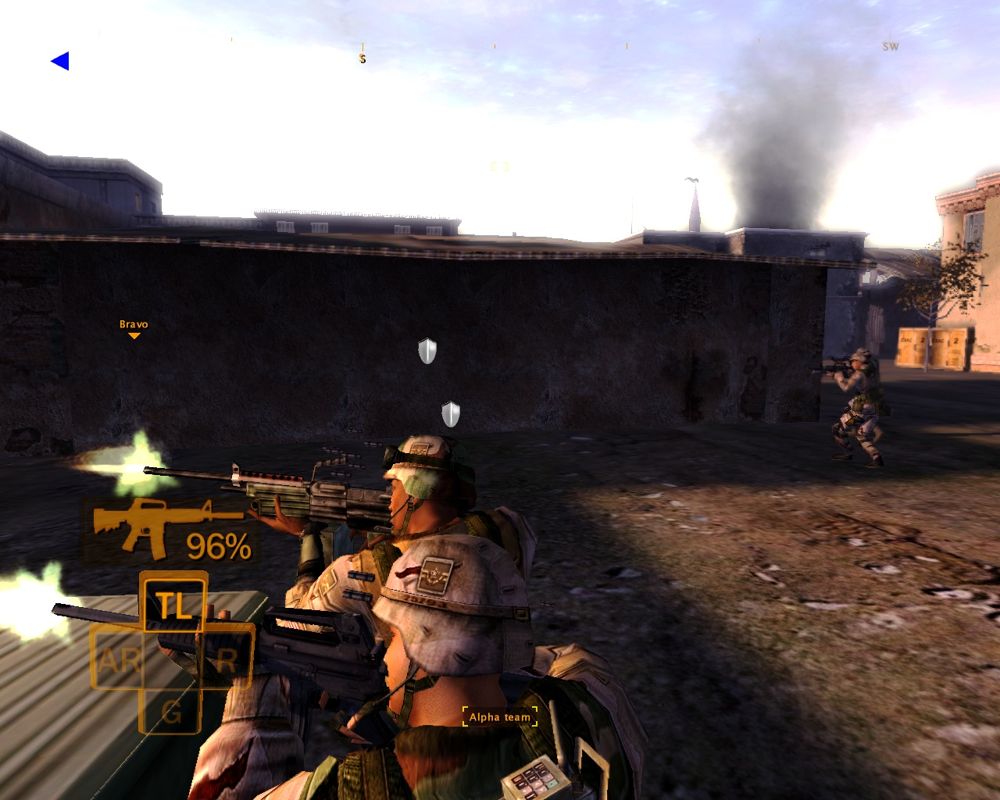
Your squad has two teams, Alpha and Bravo. You'll use these two teams together to move safely through dangerous environments that would be deadly for a single team.
Each team has four soldiers in distinct positions. They have been taught to work together, each with assigned duties and set scanning sectors. Your job is not to tell each man his responsibilities on the team. We spent years training them so you can focus on larger issues.
Team Leader (TL)
The Team Leader is the highest ranking infantryman on your team. He's an experienced soldier who has served in all three fireteam roles. He issues commands to the team: both the commands you give and other spontaneous commands that will save his men's lives under fire.
Your TL performs several special functions explained later in this guide, including checking corners, reporting to the platoon leader, and consulting the Global Positioning System.
Automatic Rifleman (AR)
The Automatic Rifleman, or SAW gunner, wields the M249 Squad Automatic Weapon. The AR has field experience, and steps up as the Team Leader if the TL is incapacitated.
In addition, the high powered SAW enables the AR to tie down enemies and help your team move safely under fire.
M203 Gunner or Grenadier (G)
The M203 Gunner carries an M class rifle with the M203 Grenade Launcher attachment. This enables him to fire normal rounds as well as more specialized, powerful M203 shaped charges.
He can send these grenades down-range much farther than a soldier can throw frag grenades, and they can take down an enemy's cover with a single strike.
Rifleman (R)
The Rifleman has the least experience of soldiers on the fireteam, but don't underestimate him—he's had extensive training. The Rifleman fires rounds from his M class rifle where you direct him, and he also gives aid to downed soldiers in the field.
Assessing the Environment
Zoom
You can zoom in on your current view by pressing and holding the L1 button. You can still move the right analog stick while zoomed to look around.
*TIP: Zooming can also help you aim the M203 toward distant targets.*
Fog of War
When you press and hold the R1 button, you activate the 3D fog of war. The world is clear and bright where a soldier is looking, and out of focus in areas where no one is scanning for targets.
By checking the fog of war, you can get a good idea of where you're vulnerable to attack.
Moving Your Soldiers
Moving safely in the environment is the most important element of successful command. The soldiers on your teams have been trained in movement formations, so your role is to select the best position for them on the field. They will automatically move to the formation selected and take up their scanning sectors, each man covering an arc of view.
.png)

.png)