Console Ports and Buttons
Getting Started
Set up your PlayStation®2 computer entertainment system according to its Instruction Manual. Ensure the MAIN POWER switch on the back of the console is turned on.
Press the RESET button. When the power indicator lights up, press the OPEN button to open the disc tray.
Place the Lemony Snicket's A Series of Unfortunate Events™ disc on the disc tray with the label side facing up. Press the OPEN button again to close the disc tray. Attach game controllers and other peripherals as appropriate. Follow on-screen instructions and refer to this manual for information on using the software.
Memory Card
To save game settings and progress, insert a memory card (8MB)(for PlayStation®2) into MEMORY CARD slot 1 of your PlayStation®2 system.
You can load saved game data from the same memory card or any memory card (8MB) (for PlayStation®2) containing previously saved games.
Main Menu
When you first start Lemony Snicket's A Series of Unfortunate Events, press START to go to the Main menu. You will have four choices: •
New Game—Start a game from the beginning. After selecting New Game, choose a game file to save on and press the button to start.
•
Load Game—Select a game saved on your memory card (8MB) (for PlayStation®2). After selecting Load Game, choose the game file you want to load and press the button to continue.
•
Options—Change gameplay settings. Select Options from the Main menu to modify the following settings:
•
Music Volume—Modify the music volume.
•
Sound Volume—Modify the sound volume.
•
Vibration—Turn the Vibration feature on or off.
•
Default—Reset all options to their default settings.
•
Extras—Use this menu to return to previously completed levels, watch the credits, and view bonus materials you've unlocked.
•
Load Extras—Choose a game save file to access previously unlocked extras.
•
Bonus Material—View bonus materials.
•
World Map—Return to levels you've already completed.
•
Credits—View the game credits.
Playing the Game
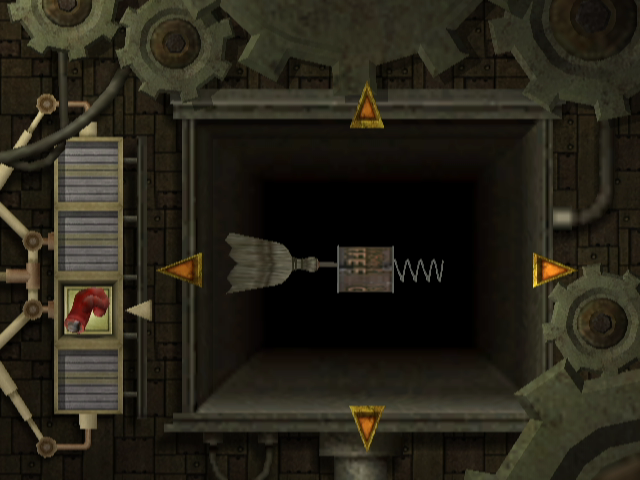
During gameplay, you'll need to use each of the three orphans' individual strengths and abilities to progress. Always look for objects that can be used to build Violet's inventions.
Once you build the inventions, find creative ways to use them to complete missions.
If you are unsure what to do, press the START button to pause the game and select "What now?" to see your current objective. Your heads-up display also provides important information.
Heads-Up Display (HUD)
HUD Elements
•
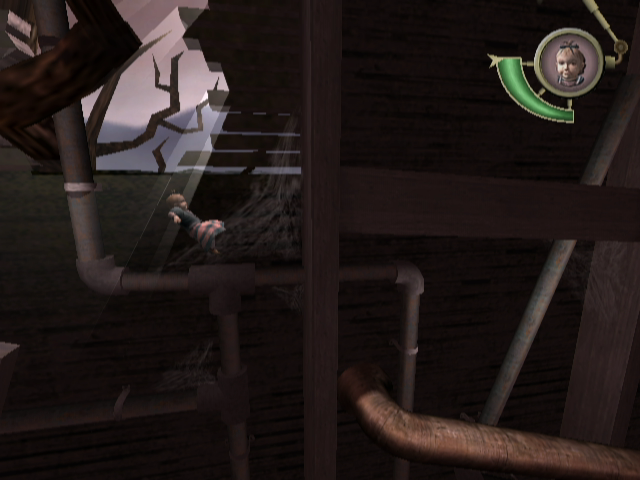
Character Portrait—Located at the top right-hand corner of the screen, it shows which character you're controlling.
•
Misery Meter—Located just under the character portrait. As your character takes damage, the line decreases. If the meter falls to empty, you'll return to an earlier point and have to try again.
•
Timer—Displayed only during timed missions.
•
Boss Meter—Indicates the amount of the boss' health. It reduces as the boss takes damage.
•
Invention/Collectible Display—Appears on the right or left side of the screen when an invention or collectible part is picked up. It shows collected objects and those still needed.
•
Puzzle Pieces—The puzzle piece counter appears just to the left of the character portrait any time an orphan picks up a puzzle piece. You can also view it in the Pause menu.
In-Game Pause Menu
To access important information and options during gameplay, press the START button to bring up the Pause menu with the following options:
•
Resume Game—Return to gameplay.
•
Secret File—View picture clues you've unlocked to help find secret rooms.
•
What Now?—Get more information about your current mission.
•
Options—Change gameplay settings.
•
Quit Game—Quit to the Main menu.
Secret File Menu
This menu displays picture clues pointing to secret rooms hidden throughout the game. In each secret room, you'll find a VFD package that will unlock new bonus materials in the Main menu.
•
Picture Clues—Scroll through unlocked picture clues at the bottom of the screen to bring up a larger version at the top.
•
Puzzle Pieces—Along the bottom of the screen, you can view the number of colored puzzle pieces you've collected. Each time you collect 25 puzzle pieces of the same color, a picture clue will be unlocked for you to view here. Use these clues to find secret rooms.
Game Objects
•
Breakable Objects—Like recording devices, coded communications, and moldy fruit, Puzzle Pieces and Memories are often hidden inside boxes and pots, which can be broken using the Brilliant Bopper invention.
•
Moveable Objects—Some crates, stones, pots, and other objects can be moved to clear new paths or solve puzzles.
.png)

.png)