GETTING INTO THE GAME
MODE SELECT
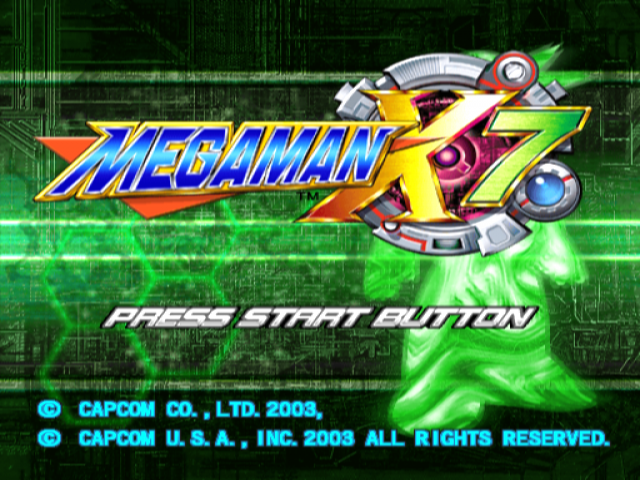
At the Title screen, press the button to open the Mode Select screen and its list of options.
•
Press the directional buttons to select an option.
•
Press the X button to confirm your selection.
Your Mode Select options are:
•
GAME START - Start a new game from the beginning. You'll choose a player, and then...on to the game!
•
CONTINUE - Resume a previous MEGA MAN X7 game you've saved to a memory card (8MB) (for PlayStation 2). The game resumes at the point where it was saved. •
You must have a memory card containing at least one previously saved MEGA MAN X7 game inserted in MEMORY CARD slot 1 in order to resume saved game data.
•
OPTION - Adjust certain game settings, alter the button control configuration and sound settings, and adjust the screen's position. See page 8 for help.
STAGE SELECT
After you clear stages, you can replay them by selecting them again on the Stage Select menu. You must clear at least one stage in order to make selections.
•
Use the directional buttons to highlight a stage, and press the X button to confirm your choice.
•
As you highlight each cleared stage in the Rescue File screen, the menu shows the Reploids you've already saved. A good reason to replay a stage is to save more Reploids and collect items you missed the last time around.
•
You can also save your game or load a previously saved game from this menu. See page 9 for instructions.
PLAYER SELECT
You can choose your player before you start a game, and at any time during the game. You'll choose two characters as your main and sub players.
•
On the Player Select menu, use the directional buttons to highlight a player, and press the X button to confirm your choice.
•
MAIN PLAYER - Appears first in the stage.
•
SUB PLAYER - Press the L2 button when you want to switch to your second player to take advantage of his special weapons and powers.
•
At first you can only choose Zero and Axl. As you pass certain milestones in the game, you'll unlock X as a third player choice.
OPTION MENU
On this menu you can adjust certain game settings.
•
Use the directional buttons / to highlight an option.
•
Press the X button to open a sub menu.
•
Use the directional buttons again to change the setting.
GAME SETTINGS
•
Game Level sets the game's difficulty. The enemy's strength and offensive power increase as you increase the level.
•
Auto Charge, when set ON, automatically charges your shots while you're not firing during play.
•
Auto Repeat, when set ON, automatically fires normal shots when you press the Normal Attack button during play.
•
Vibration, when set ON, causes the controller to vibrate in response to game events.
•
Default restores the original game settings.
BUTTON SETTINGS
Modify the controller's button assignments.
•
First, use the directional buttons to highlight an action, then press a button on the controller to assign it to that action. •
Each button can have only one control assignment.
SOUND SETTINGS
•
Sound Mode sets the game sound to match your speaker setup: Stereo or Mono.
•
Voice sets the game language to English or Japanese.
ADJUST
•
Adjust the screen's position by pressing the directional buttons / and /.
SAVING AND LOADING GAMES
SAVING GAMES
You can save your game data on the Stage Select screen that appears when you clear a level. Game data includes all progress so far in the game except for your remaining number of Lives. (See page 6 for more information.)
LOADING GAMES
You can load previously saved game data from the Stage Select screen that appears when you clear a level. You resume the game at the point where it was saved. (See page 6 for more information.)
SAVE/LOAD REQUIREMENTS
•
To save or load game data, insert a memory card into MEMORY CARD slot 1 before starting play.
•
To save, the memory card must have 40KB of free space available. •
To load, the memory card must contain at least one MEGA MAN X7 saved game.
•
You can save up to five MEGA MAN X7 games on one memory card, as long as enough free space is available. •
While saving or loading game data, do not reset the game, turn off the power or remove the memory card.
AXL'S SPECIALTIES
AXL BULLETS
•
Press the Normal Attack button to fire these shots.
ROLL
•
While dashing, press the Dash button again to start rolling.
•
While rolling, press the Normal Attack button to shoot.
COPY SHOT
•
Press the Special Attack button to fire Copy Shots.
HOVER
•
Press and hold the Jump button to start hovering in the air.
•
While hovering, press the Normal Attack button to shoot.
SPECIAL ABILITIES (COPY SHOT)
After defeating certain enemies with Copy Shot, Axl may acquire special DNA programs for Transformation and Summons.
•
Transformation: When Axl acquires this program, he immediately assumes his enemy's abilities and attacks. Use them quickly and make the best of them! The transformation lasts for a short set time limit, or until you enter the next stage, whichever comes first.
•
Summon: When Axl acquires this program, he immediately summons an enemy to provide a special support ability. These numerous abilities include Shield, which prevents enemy attacks


_1.png)

.png)

.png)
_1.png)
.png)


_1.png)