GETTING STARTED
Game Startup
Game Intro Sequence
Use the game demo sequences as sneak previews of new stages. Note the underwater structure and find the fish holding areas!
Main Menu
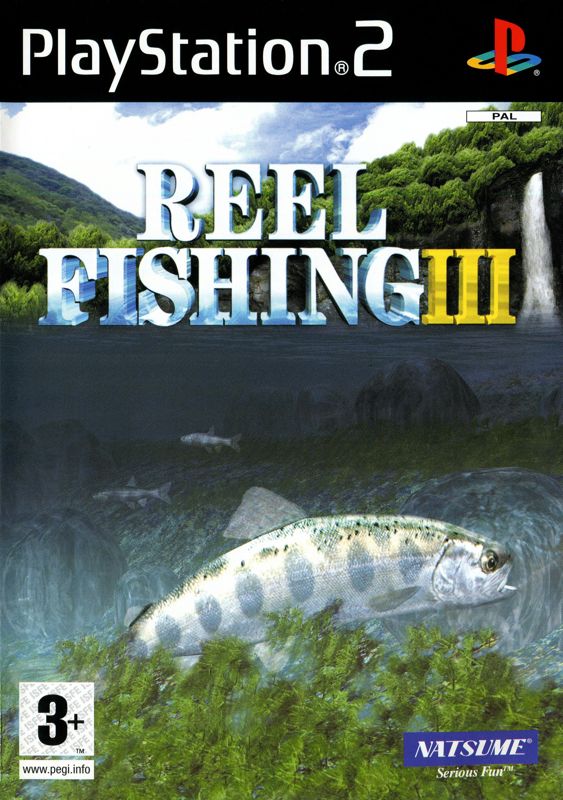
Starting Reel Fishing III is easy. You have three choices: New Game
Select this if you're playing for the first time.
Load Game
The Load Game option allows you to load previously saved Reel Fishing III game files from a PlayStation 2 8MB Memory Card. New games have four memory slots available for saving your progress. You can use the slots for saving the data for up to four anglers or you can save your individual game by seasons—one file each for spring, summer, fall and winter. 369 KB is required to save a game.
Options
Make the following game modifications on the Options screen:
•
Sound: Mono/Stereo/Surround
•
BMG: Adjust Music Volume
•
Nature Sound: Adjust Wilderness Volume
•
Sound Effects: Adjust fish, tackle and reel Volume
•
Exit: Return to the previous menu
STARTING A NEW GAME
How to Start a New Game
Your childhood pal sent you a letter asking if you would look after his fishing lodge while he's away. You have everything you need—food, shelter and even a four-legged companion.
Your friend practically wrote a book of notes on how to take care of everything. All you want is to spend every moment possible recalling everything you learned long ago about fishing.
NOTE
What's up with fishing holes? To find out, press SELECT while flipping through the Fishing Notebook pages. You'll learn facts you need to know before you go.
Tutorial: Casting and Hook Setting
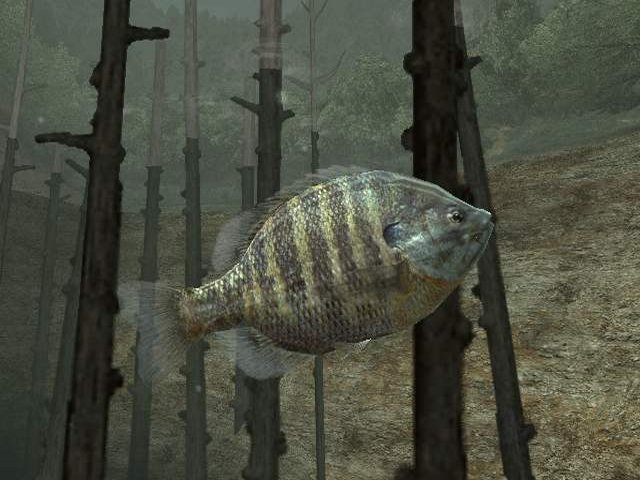
Once you're unpacked, stroll down to the pier and learn how to cast and set the hook using a lure rod. This quiet corner of the lake is stocked with plenty of Bluegill and Bass so you won't have to wait long for a strike. The tutorial shows you which buttons to press.
GAME PLAY BASICS
Fishing
NOTE
Arriving at a fishing hole with the wrong rod, tackle or no bait is a drag. When this happens, press the Triangle button to select Tackle on your Fishing Menu.
Casting
No matter which rod you select, casting is as easy as pressing and holding the X button. The longer you hold, the farther your lure or fly will soar across the waves. Just remember to aim.
Your cast automatically cancels whenever you hit a dock, a rock or a stream bank.
•
X button: Press and hold to cast line. Duration determines range.
•
button: Quickly retrieve line (use to avoid unwanted fish).
Twitching and Trolling
After you cast you'll need to twitch your rod or troll with your reel to transform an artificial lure or fly into something that looks like live fish food. Press the X button to reel and move the Left stick to twitch. The Tackle Room has tips on how to use your lures.
•
X button: Press and hold to reel in line.
•
Left Stick: Left or Right to change lure direction.
How to Set the Hook
Setting the hook is a beginner's biggest challenge. Different fish strike bait and lures in different ways, so the timing varies.
Wait for your DUALSHOCK®2 controller to vibrate, then press the X button or push the Left stick Down to set the hook. Do it right and you'll hear a ring.
•
Left stick: Lower rod to apply hook pressure.
How to Play the Fish
How well you set the hook determines how long you can play the fish. A poorly set hook may slide out after a few moments.
Press the X button to reel in the fish. If the fish turns to run, push Up on the Left stick to apply pressure. Begin reeling again as the fish slows.
NOTE
Patience is the biggest virtue when it comes to landing a lunker. Don't rush a fight. A poorly set hook often slips from fish lips while under excess stress.
•
X button: Press and hold to reel in your line.
•
Left stick: Up or Down to change tension. Left or Right to change direction.
Catch or Release?
Once you catch a fish, you'll need to decide what to do with it. You can release it back into the water or you can place it in your livewell and raise it in the Aqua Room tanks.
Careful feeding can produce lumbering lunkers. You can later release these big fish and try to catch them again. Keep doing this and stock large fish at every location.
Your Livewell
Turn to page 21 for complete details on how to use your livewell.
Fly Fishing
Most people envision surface-floating dry flies when they think of fly-fishing, but most fish caught on fly rods strike at nymphs and wet flies. Twitching the fly rod (Up on the Left stick) attracts fish.
•
X button: Press and hold the X Button to begin false casting. The more false casts, the farther your tippet will travel after you let go.
Lure and Bait Fishing
Artificial lures and natural baits use identical rods and poles, but lures require trolling or other action to convince the fish to bite.
Fishing Menu
Whenever you're out on a lake or stream, press the Triangle Button to access your Fishing Menu. Fishing success depends on your ability to
.png)

.png)
