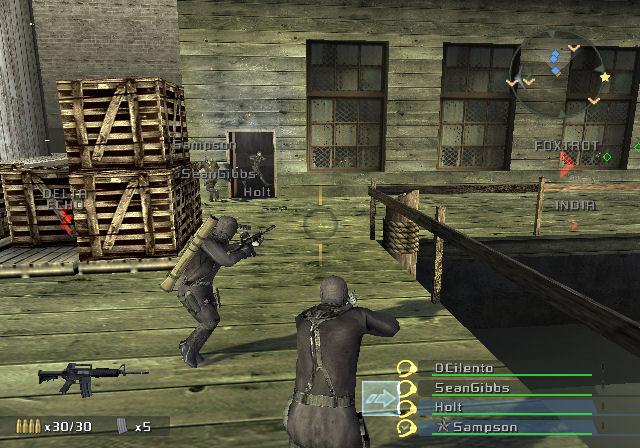
The Commands
As the SEAL team's squad leader, your success in missions will ultimately depend on how well your squad works as a team. Utilizing the array of tactical commands at your disposal in SOCOM U.S. Navy SEALs: Combined Assault is essential to you and your team's survival.
These commands can be issued using both voice commands via the SOCOM headset (or a USB headset for PlayStation®2) and through button controls.
Issuing Voice Commands
You will need a SOCOM headset or a USB headset for PlayStation®2 to issue voice commands to your SEAL team and receive commands and intel updates from SOCOM during single player missions.
To send a voice command to your team, first press [SELECT] to open the Team Command Menu. Say the command exactly as it appears on the menu out loud until you become comfortable with them.
Voice commands can also be given without bringing up the Team Command Menu. During gameplay, press and hold [L2] until you hear the mic turn on in the headset, say the command as intended, and then release.
When executed correctly, the command issued will appear at the top of the screen, and the receiver of the command will sound off to you. A command consists of three basic components spoken with a normal voice into your headset microphone.
•
SAY WHO YOU ARE COMMANDING.
This is the first part of a command and the first menu you see displayed onscreen.
•
Say "FIRETEAM" if you are directing an order to all three members.
•
Say "BRAVO" if you intend to issue an order to only the two members of Bravo Element.
•
Say "ABLE 2" if you want only Jester to take action.
•
Say "BRAVO 1" if you want only Killjoy to take action.
•
Say "BRAVO 2" if you want only Simple to take action.
This is the second part of the command to communicate what you want done. The menu will appear to prompt you.
•
SAY WHERE OR HOW YOU WANT THE ORDER CARRIED OUT.
In some cases, you need to further define your order. It may be a type of explosive you want deployed.
Issuing Commands Using Button Controls
As an alternative to using the headset, you can also issue commands using buttons.
1.
OPEN THE TEAM COMMAND MENU.
by pressing [SELECT].
2.
DESIGNATE WHO WILL RECEIVE THE ORDER.
Highlight your choice using the directional buttons ↑/↓ then press [X] to make your selection and enter the commands submenu.
3.
SELECT WHAT YOU WOULD LIKE YOUR TEAMMATE(S) TO DO IN THE COMMANDS SUBMENU.
Highlight your choice using the directional buttons ↑/↓, then press [X] again to execute the command.
Listening
You will hear three types of communication during single player games.
•
Team member communications that include acknowledging your orders or giving situation reports including kills, warnings and personal status.
•
Objective status reports and new Intel important to the mission.
•
Warnings when you drift out of the mission area.
Command List
Once you've chosen who will be receiving the order, you can then issue a variety of movement, position and tactical commands.
Movement and Position Commands
You can use movement and position commands to send team member(s) to a position or alert them to something at a specific location. To execute a movement or position command by button control, position the crosshairs on the destination of interest and select the element you are directing and the desired command from the Team Command Menu.
If using voice commands, say the element name followed by the command. For example, position your crosshairs to point toward a location and issue the command “BRAVO...MOVE TO.”
SEALs move to location designated by your crosshairs.
SEALs will approach with cover and shadow to the location designated by your crosshairs in the prone position.
Cover a specific target by pointing your crosshairs at the target and issuing this command. Your SEALs will move within effective shooting range of the selected target and fire upon any hostiles near the target.
Teammates will cover the area your crosshair is pointing at, calling out any enemies they see.
You take point while the designated teammate(s) follows behind you, assuming your body position. For example, if you go prone, they follow suit. This command does not use crosshair location.
Designated teammate(s) hold current position until otherwise instructed. This command does not use crosshair location.
Crosshairs on DOORWAY: Open the door and clear the area on the other side.
Teammate(s) will open a door, deploy flashbang grenades, and clear the area on the other side.
Teammate(s) will open a door, deploy M67 or HE grenades, and clear the area on the other side.
Crosshairs on HOSTILE ENEMY: Engage enemy target until it has been eliminated.
Engage enemy target with close quarters combat until it has either been eliminated or has surrendered.
Subdue enemy target using non-lethal force until


_1.png)