GETTING STARTED
Set up your PlayStation®2 computer entertainment system according to its instruction manual. Make sure the main power switch (located on the back of the console) is turned on.
Press the RESET button. When the power indicator lights up, press the OPEN button and the disc tray will open. Place the SMUGGLER'S RUN disc on the disc tray with the label side facing up.
Press the OPEN button again and the disc tray will close. Attach game controllers and other peripherals, as appropriate. Follow on-screen instructions and refer to this manual for information on using the software.
STARTING UP
DUALSHOCK™2 ANALOG CONTROLLER CONFIGURATIONS
•
LEFT ANALOG STICK (L3 BUTTON WHEN PUSHED DOWN)
•
RIGHT ANALOG STICK (R3 BUTTON WHEN PUSHED DOWN)
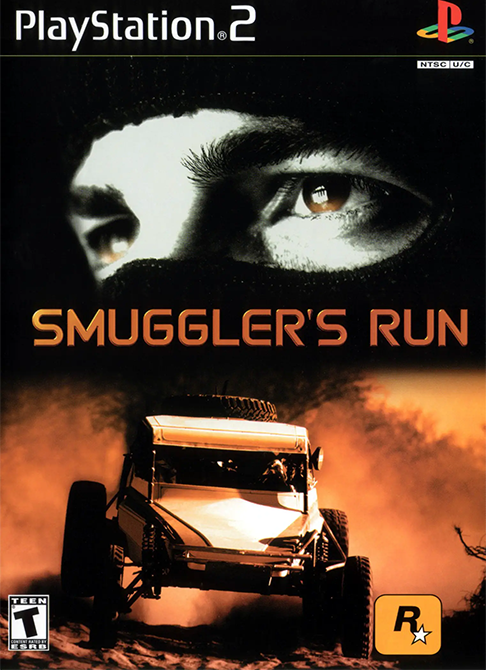
WELCOME TO SMUGGLER'S RUN
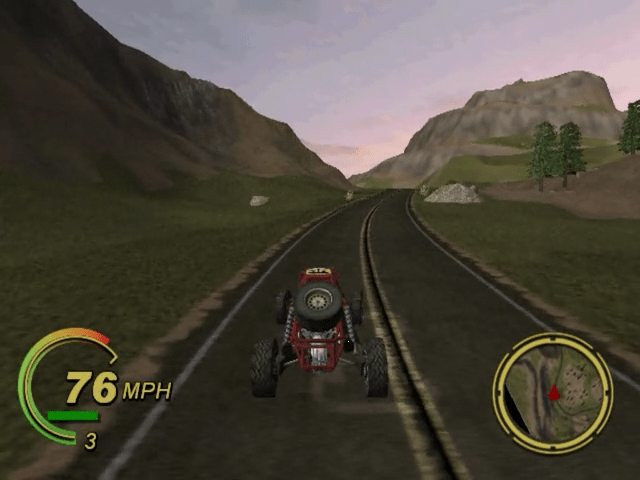
Radar coverage is too good these days, so many smugglers like you have climbed back into off-road vehicles. You've found success by out-driving law enforcement across some of the most inhospitable terrain in the world. In the early days, you were a greenhorn freelance smuggler, fearless (or stupid) enough to join this off-road game of life, death, and serious cash. Somehow you survived long enough to get damn good.
Now, as a hardened smuggler, it's all about dollar bills. You've done so much "transporting" that it doesn't matter what you deliver, just as long as there are thrills along the way and a good paycheck at the end of the day.
With your "don't ask, don't tell" policy, you are totally neutral against any moral ramifications of packages or client actions. You just want to deliver the goods and get the hell outta there.
You still make some runs by yourself, but rival bands of smugglers and swarms of cops make the loner's life challenging. This, and the attraction of bigger jobs, entices you to partner up with a band that made you a good offer. You gotta respect supply and demand, and you're in demand for contributing to the supply.
Even as part of a rag-tag but feared band, you always face competition. Either a rival band or a bunch of thugs with badges work hard to take what you've got. For every run you pull off, you get more green, which you can use to add to your collection of "company cars" (anything but street legal).
Do you do it for the thrill of off-road racing, the glory of winning, the money, or the travel opportunities? Maybe it's a little of each. INITIATION
1. Set up your PlayStation 2 according to the instructions in its instruction manual. Connect a DUALSHOCK™ ANALOG CONTROLLER and/or a DUALSHOCK 2 ANALOG CONTROLLER. If you wish to save your SMUGGLER'S RUN game, insert a MEMORY CARD (8MB) (FOR PLAYSTATION®2) with at least 324 KB of free space into MEMORY CARD SLOT 1. SMUGGLER'S RUN only supports MEMORY CARD SLOT 1.
2. Press the main power switch ON. The indicator will be red.
3. Press the A button. The disc tray will open, the indicator will turn green, and the indicator will flash blue. The indicator will stay a solid blue when the disc tray has stopped moving.
4. Insert the SMUGGLER'S RUN disc, label side up, into the PlayStation®2, and press the button. The disc tray will close.
5. If the PlayStation®2 logo, and subsequently the Rockstar logo, do not appear, press the button. The disc tray will open. Ensure that the SMUGGLER'S RUN disc is properly inserted, and press the button again.
If the game does not load, press the main power switch OFF. Ensure that your PlayStation®2 is set up correctly, press the main power switch ON again, and then press the button.
6. It is also recommended that you do not insert or remove peripherals once the power is turned on. Do not reset, power down, or remove the memory card from the PlayStation®2 during loading/saving, as this may destroy data.
LOADING/DELETING A SAVED GAME
Insert a MEMORY CARD (8MB) (FOR PLAYSTATION®2) with previously saved games into MEMORY CARD SLOT 1. Select SMUGGLER'S MISSION from the main menu and press X.
You will be presented with the LOAD OR NEW GAME screen and a list of saved games, unless the memory card is unformatted. In that case, there are no files to load. Use the DIRECTIONAL BUTTONS to highlight the file you want to load and press the X button. Press the A



.png)
.png)
_1.png)
.png)

_1.jpg)





 (En,Fr,De,Es,It).png)


