GETTING STARTED
Set up your PlayStation®2 computer entertainment system according to the instructions in its Instruction Manual. Make sure the MAIN POWER switch (located on the back of the console) is turned on.
•
When the power indicator lights up, press the open button and the disc tray will open.
•
Place the (SPYHUNTER®) disc on the disc tray with the label side facing up.
•
Press the open button again and the disc tray will close.
•
Attach game controllers and other peripherals, as appropriate.
•
Follow on-screen instructions and refer to this manual for information on using the software.
PROFILE MENU
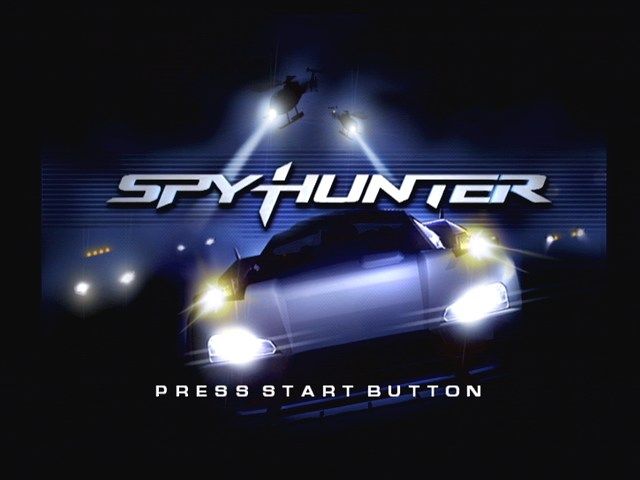
At the game's Title Screen, press the START button to access the game's Profile Menu.
STARTING A NEW PROFILE
You are able to create and save up to three player profiles. When you are playing for the first time, you will have to create a profile.
•
Highlight a blank profile and press the button.
•
Next, you will enter your profile name. Your profile name can be up to seven characters in length.
•
To enter your name, highlight the character you want to use and press the button.
•
When you are finished entering your profile name, highlight DONE and press the button.
•
If you wish to delete a profile, highlight the profile to be deleted and press the button.
CONTINUING A GAME
This game contains an Autosave feature. This will automatically save your game progress, provided you have a memory card (8MB) (for PlayStation®2) inserted in MEMORY CARD slot 1.
When you continue a game, highlight your saved profile from the Profile Menu and press the button. After you have pressed the button, you will access the game's Main Menu.
OPERATIONS
The Operations Menu contains your mission data. This menu will show you what missions you currently have unlocked and will give you a brief description of that particular mission's objectives. When you are ready to accept a mission, press the button.
TWO-PLAYER
Two players can compete against each other in three mini-games. Check out Page 13 for a list of the three games and their descriptions.
SYSTEM OPTIONS
This is the Options Menu portion of the game. You can adjust sound levels, enter cheats, watch videos and listen to the game's soundtrack. Some video and audio items must be unlocked before you can view or listen to them. See the next page for more information.
DOSSIER
Your mission dossier gives you the status of your current and past missions. Here you can check your level objectives (how many you've accomplished or need to) as well as your best mission time.
SYSTEM OPTIONS
At the Main Menu, highlight SYSTEM OPTIONS and press the button to access the System Options Menu.
SETTINGS
The Settings Menu allows you to adjust some of the features you'll experience while you play the game. To adjust a setting, highlight the setting and press Left or Right on the directional buttons.
To activate your new settings, press the button. To cancel your settings and return to the System Options Menu, press the button.
•
SOUND - This controls the sound output of the game. Choose from Stereo, Surround, Headphones or Mono.
•
FX VOLUME - This controls the volume of the game's sound effects.
•
MUSIC VOLUME - This setting controls the volume of the game's background music.
•
VOICE VOLUME - This setting will control the volume of the Interceptor's voice, Leonie.
•
VIBRATION - This setting determines whether you would like your controller's Vibration Function ON or OFF.
CONTROLLER
The controller setting allows you to change the configuration of your controllers. There are three controller settings you can select from. Each setting will be displayed on the screen. Each configuration is listed on Pages 5-6 for easy reference.
EXTRAS
This sub-menu doesn't allow you to change any settings or options. Instead, this is where you can view unlocked Music and Movies as well as activate any Cheats you have.
TWO-PLAYER MODE
SPYHUNTER's Two-Player game mode allows two players to compete against each other in three unique mini-games. Each mini-game will end when a player reaches the end of the level. Be sure to check out the loading screen before you begin to play. This screen will tell you what you need to do in order to win the game.
During your game, each player can use their Interceptor's arsenal of weapons to slow down or annihilate their opponent. Kills are kept track of, but these points will not declare you a winner at the end of the race. All Two-Player games will be played on one of the mission locations. Please note that your Interceptor will only be equipped with weapons that are available in those locations.
SPY2 HEAD TO HEAD
The object of this game is to reach the finish line first. Use whatever weapons you can to leave your opponent in the dust.
GLOBE TROTTER
It's not the fastest player who wins, it's whomever can collect the most SATCOMs during the game.
CHICKEN HUNTER
Why did the chicken cross the road? To give you points
.png)

.png)









.png)


_1.png)


.png)









.png)