Power Switch Setup
Ensure the POWER switch is in the OFF position. Insert the Nintendo GAME BOY® ADVANCE Game Pak into the slot on the back of the Game Boy® Advance system, making sure the label faces AWAY from the play side.
Slide the POWER switch to the ON position to turn on the power. Follow the gameplay instructions provided throughout this manual.
Getting Started
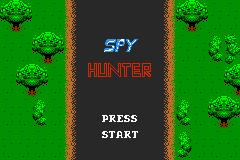
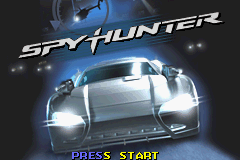
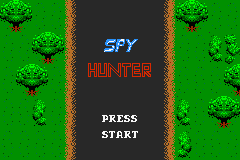
After turning the POWER switch ON, the game credit screens will appear. If you do not see the credit screens, follow the directions on the opposite page. When the SpyHunter title screen appears, press START to proceed.
The first time the game is started, a language text select menu will appear. Select the language of your choice; this setting may also be changed later via the game options menu.
Changing Language Selection
If you accidentally enter the wrong language selection, turn the power off and then back on. Press and hold START during the display of the copyright page.
Release START when the Midway logo screen is displayed. The language menu will be available after the display of the SpyHunter logo page, where you can select a new language and continue. Agent Profile Creation
Press the A Button to proceed to the Agent Select menu. Enter your name to create an agent data profile.
NOTE: Game information is saved during this procedure.
Profile Menu
In this menu, you can create a new profile, select an agent profile for use, or delete an agent profile. New profiles can be entered by highlighting and selecting a blank profile slot.
Use the Control Pad and A Button to enter the agent name. If you make a mistake, you can use the B Button to delete the last character entered. Select END when finished.
Mission and Mode Selection
From this menu, you can select your mission and mode of play. Use the Control Pad to highlight a mission and press the A Button to select. Only unlocked missions can be selected.
When a player completes the primary objective in a mission, it will unlock the next mission for the agent.
Play Modes
Up to three modes of play can be selected from this menu: Normal Agent, Special Agent, and Super Agent. You can select the mode of play by using the L or R Buttons.
•
Normal Agent: The default mode of play. Use this mode to complete mission objectives, collect power-ups, and unlock features.
•
Special Agent: Allows an agent to test driving and shooting skills. Use this mode to see various mission locations without Nostra enemies. The agent is challenged to activate satcoms and eliminate chickens while racing down the location. •
Super Agent: This mode is more challenging than Normal Agent. Enemies are tougher, and objectives have been relocated. To unlock this mode, you must complete all mission objectives in Normal Agent mode.
Saving Game Data
SpyHunter uses an "auto-save" feature. This means the game will automatically save your progress for each agent profile.
System Options
At the Main Menu, highlight SYSTEM OPTIONS and press the A Button to access the System Options Menu. There are three settings to change in this sub-menu:
•
Sound FX Volume: Controls the volume of the game's sound effects.
•
Music Volume: Controls the volume of the game's background music.
•
Brightness: Adjusts the brightness level on the screen.
Press Up or Down on the Control Pad to navigate each option. To change the option, press Left or Right on the Control Pad.
Controls
You may choose from two different control configurations here: STANDARD and ALTERNATE. Make sure the one you want to use is highlighted on the screen and press the A Button.
Each control configuration is listed on Page 4.
Cheats
This sub-menu displays game cheats you've unlocked. To activate a cheat, highlight the cheat and press the A Button.
Language Settings
You can set the language of the game here. There are five languages to select from. Highlight the language you want to use and press the A Button.
Arcade Mode
Challenge your skills by selecting this game mode of play. How far can you get before the Nostra enemies get you? This mode allows you to race down an endless road, destroying enemies and collecting points.
Agents collect power-ups along the way to help them on their mission. Top players get to enter their initials in the Top Agent Hall of Fame records.
Only qualified agents are allowed to participate in this game mode, and it must be unlocked first. To unlock Arcade Mode, complete the primary objective in each mission while in Normal Agent mode.
Objectives
Each mission has a set of objectives the agent needs to complete.
•
Primary Objective: A single objective that must be completed for the mission to be successful. The primary objective must be completed to gain access to the next mission level. Completing all primary objectives in all missions unlocks Arcade Mode at the Main Menu.
•
Secondary Objectives: Smaller objectives the agent must complete along the way. These are not required for mission success.
NOTE: All primary objectives and secondary objectives must be completed to unlock the Super Agent mode.
Interceptor Morphing
The G-6155 Interceptor has the remarkable ability to transform itself from a land-based vehicle to a water vehicle depending on the current terrain. This feature makes the Interceptor dangerous to NOSTRA. New IES technology allows the Interceptor to jettison its outer frame if damaged badly, becoming a small, one-man vehicle. This lighter, faster form lacks the Interceptor's full defensive weapons arsenal, but offensive weapons remain unchanged.
Satcoms
Throughout some missions