GETTING STARTED
Set up your PlayStation® 2 computer entertainment system according to the instructions in its Instruction Manual. Make sure the MAIN POWER switch (located on the back of the console) is turned ON.
Press the RESET button. When the power indicator lights up, press the OPEN button and the disc tray will open. Place the STOLEN disc on the disc tray with the label side facing up. Press the OPEN button again and the disc tray will close.
Attach game controllers and other peripherals, as appropriate. Follow on-screen instructions and refer to this manual for information on using the software.
MEMORY CARD (8MB) (FOR PLAYSTATION® 2)
Stolen allows you to save your progress in the game to your memory card (8MB) (For PlayStation® 2) at any time. It is extremely advisable that you choose to use a memory card (8MB) (For PlayStation® 2) in order to maximize your playing experience.
In game you can save your progress to the memory card (8MB) (For PlayStation® 2) at any time. To save, press the START button to access the pause menu. Within this menu, press L1 button once to take you to the menu where you can select SAVE GAME.
Using this menu, you have full access to the data saved to your memory card (8MB) (For PlayStation® 2). Any saved games will be displayed. If you wish to overwrite a previous save game, select it and press and you will then save your current game position over it.
Each individual save you make to the memory card (8MB) (For PlayStation® 2) will require additional free space.
Do not insert or remove accessories or memory cards (8MB) (For PlayStation® 2) once the power is turned ON. Ensure there is enough free space on your memory card (8MB) (For PlayStation® 2) before commencing play.
OPTIONS
•
USE AUTOCAM: Press to select YES/NO. Select NO if you do not wish the camera to try to move behind Anya.
•
VIBRATION: Press the button (or use the / directional buttons) to select either YES or NO for controller vibration.
SOUND
•
SPEECH VOLUME: Press to decrease the volume or to increase the volume of the game speech.
•
MUSIC VOLUME: Press to decrease the volume or to increase the volume of the game music.
•
SFX VOLUME: Press to decrease the volume or to increase the volume of the game sfx.
•
SPEAKER MODE: Press or on the D-PAD to toggle between Mono, Stereo or Dolby Pro-logic 2 sound output.
VIDEO
Press the button to activate this function. Use the directional buttons to move the screen, or until you are happy that the display fits your TV screen. You may also check the color settings on your television before proceeding. Finally press the button to confirm your selection.
THE PAUSE MENU
Press the START button during the game to pause play and display the primary and secondary options, along with the game Global Positioning Satellite map (GPS).
Press L1 to display the following on screen options and / on the D-PAD to scroll between them:
•
SAVE GAME: If you have a memory card (8MB) (For PlayStation® 2) inserted into MEMORY CARD slot 1, then you may choose to save the game by pressing the button.
•
RESTORE GAME: Press ✖ button to restart the current game at the previous player save-point.
•
CONTROLS: Press ✖ button to toggle control configuration.
•
SOUND: Press ✖ button to toggle sound configuration.
•
EXIT GAME: Press ✖ button to exit the game and return to the main menu.
Press R1 to display the following on screen options:
•
LOOT: Press ⬆/⬇ to select a collected item and press ✖ view it within the viewer and to check its value.
•
RATINGS: Press ✖ button and ⬆ or ⬇ on the D-PAD to select and then view the player ratings per level.
PLAYING THE GAME
CONTROLLING ANYA
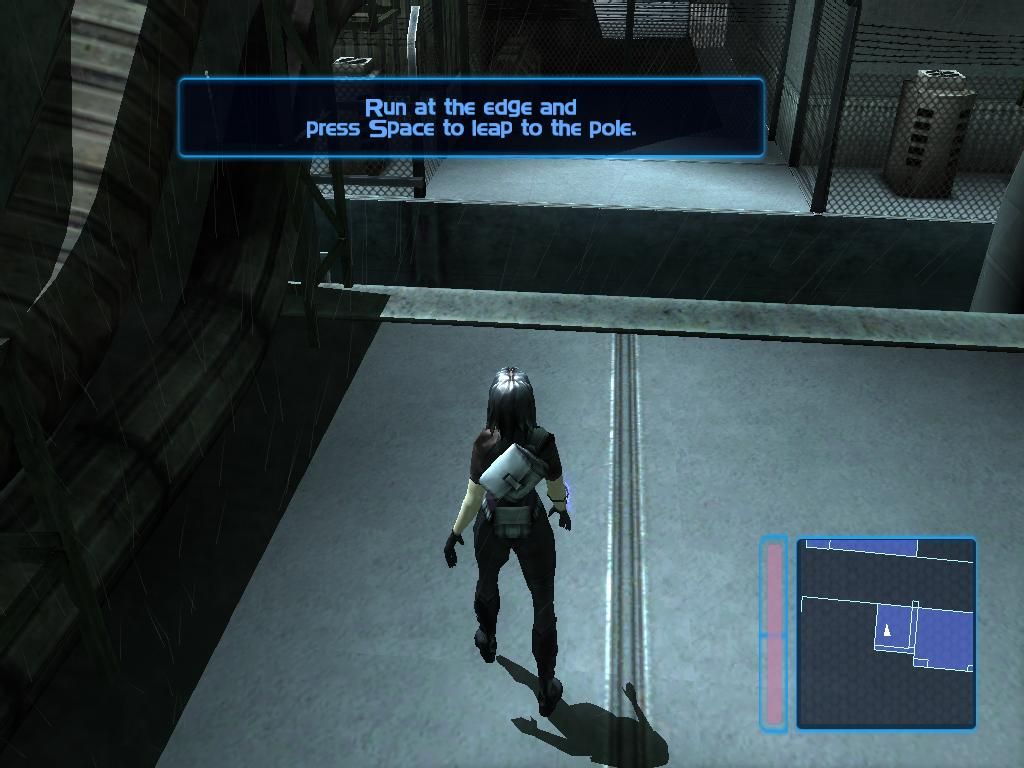
Anya is an athletic thief and as such, has a vast repertoire of agile moves at her disposal when climbing and somersaulting across the cold, grey urban terrain. Before the stealing begins, she must find a way to enter various locations unseen and unheard.
She has two speeds of walking: sneaking and fast walking. Both of these speeds are completely silent. Anya's run is used for escaping, running to jump over objects, etc. When Anya runs, the enemies will hear her after a few seconds of continuous running.
The walk is controlled by moving the LEFT ANALOG stick. Slight input results in the sneak, medium input results in the fast walk. Full input makes Anya run.
GPS Map
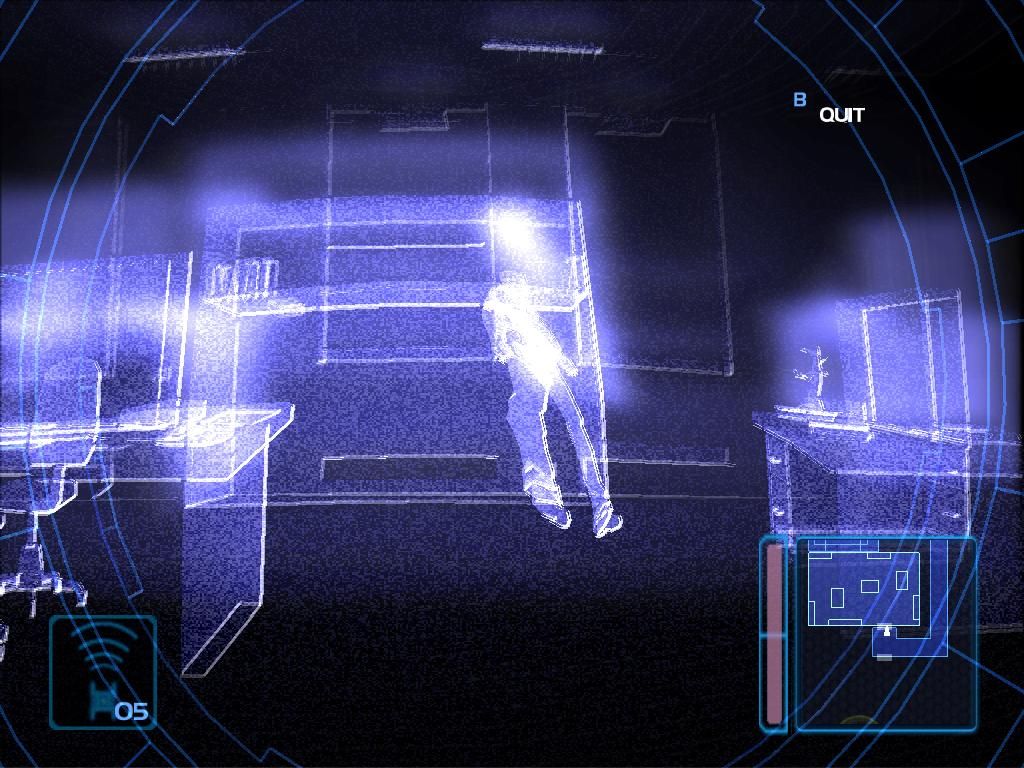
The map reveals where Anya is at any time. It also reveals the position of both guards and security cameras once they have been tracked. If the player is detected by any of the security measures and an alarm is triggered, the GPS map will turn red.
MISSION FAILED RETRY? / GAME OVER
If you lose all of your health, you will see the mission failed screen.
Use ←/→ and ⛌ button to choose YES to continue your game from the last saved area, or NO to quit back to
.png)

.png)
.png)
.png)
