GETTING STARTED
Set up your PlayStation®2 computer entertainment system according to the instructions in its Instruction Manual. Make sure the MAIN POWER switch (located in the back of the console) is turned on.
Press the RESET button. When the power indicator lights up, press the Open button and the disc tray will open. Place the Street Hoops disc on the disc tray with the label side facing up. Press the Open button again and the disc tray will close.
Attach game controllers and other peripherals, as appropriate. Follow on-screen instructions and refer to this manual for information on using the software.
Memory Card
Street Hoops requires a memory card (8MB) (for PlayStation®2) to save your games. A saved game's data takes up 250 KB.
You can obtain a memory card (8MB) (for PlayStation®2) through the retailer where you purchased your PlayStation®2 game console or this game.
CONTROLLER SETTINGS
DUALSHOCK®2 analog controller Configurations
The explanations in this manual are based on the default settings. The vibration function can be turned On or Off by selecting Vibration in Game Options from the Game Settings menu regardless of whether the mode indicator on the controller is On or Off.
Street Hoops supports the DUALSHOCK®2 analog controller.
•
left analog stick (L3 button when pushed down)
•
right analog stick (R3 button when pushed down)
World Tournament
You can unlock the other 7 players and their move sets by beating them throughout the mode. You'll also be able to unlock additional courts and teams.
Winning isn't enough to unlock everything; you'll need to pay cash for the courts and players as well. Nothing's free! If you don't have enough money to unlock a court, go back to a court that you played on before to try to earn some cash, or go play a pick up game and earn some money there.
Some teams and courts will not be unlocked until you play through World Tournament a few times, so be sure to keep playing in order to find all the teams and courts!
Lord of the Court
In Lord of the Court, you play as the Home team and the other teams will come to your house to challenge you. As you defend different courts, you'll unlock movies and even a secret character or two.
Select New or Continue to either start a new Lord of the Court or continue with your current Lord of the Court progress. Press the X button to accept, the Triangle button to back out.
Note on World Tournament and Lord of the Court
These are 1-player modes with the ability to have other human users play on your team. The earnings from these modes will be saved to the progress for the first user only. Progression through these modes will be by the first user as well. Other human users are teammates from game to game.
Street Hoops also uses an autosave feature, which will automatically save your progress in World Tournament and Lord of the Court modes. This information will be saved along with the progress for the first user.
Full Court & Half Court Pick-Up
Full Court and Half Court Pick-Up allow you to select the court, teams and play mode that you and your opponent will face off at. In this mode, certain courts and players will be locked out until you unlock them in World Tournament.
For winning pick-up games, you'll earn $100 per user.
Setting Up a Pick-Up Game
Once you have selected a Pick-Up Game mode, set the number of players that will face each other. Scroll up or down to choose from 5 on 5, 4 on 4, or 3 on 3 for Full Court play. For Half Court, you can select 3 on 3, 2 on 2, or 1 on 1. Press the X button to accept, the Triangle button to back out.
Once you have selected the number of players, you may now choose which court to play on. Scroll left or right by pressing the directional buttons left or right. To see a preview movie of the court, press the Circle button. Press the X button to accept, the Triangle button to back out.
Select Teams
Once you have chosen a court you may now choose your team. To scroll through the various teams, press the directional buttons left or right. To switch between the Away or Home team press the L1 or R1 buttons.
For World Tournament you will automatically, and always, be the Away team while in Lord of the Court you will automatically, and always, be the Home team. In order to see your team's roster and swap players press the Circle button. To select the position, press the directional buttons up or down. To scroll between the available players, press the directional buttons left or right.
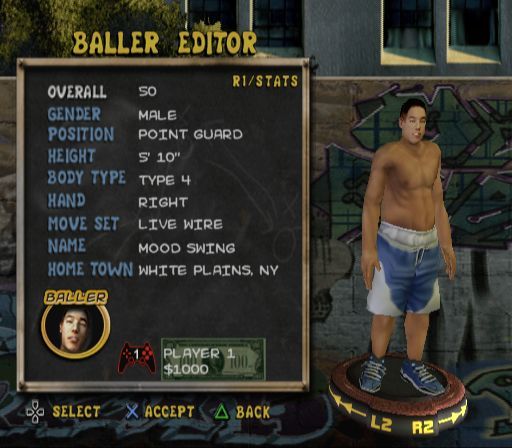
Your created Baller will appear in the position that you created them for. Once you have found a player you are happy with, press the Square button to insert them into the lineup. When done, press the X button to accept, the Triangle button to back out.
**Controller Select
.png)



.png)







.png)

.png)

.png)


_1.jpg)



.png)