GETTING STARTED
1. Set up your PlayStation®2 computer entertainment system according to the instructions in its Instruction Manual.
2. Make sure the MAIN POWER switch (located at the back of the console) is turned ON.
3. Press the RESET button. When the power indicator lights up, press the OPEN button and the disc tray will open.
4. Place the Knockout Kings 2001 disc on the disc tray with the label side facing up. Press the OPEN button again and the disc tray will close. 5. Attach game controllers and other peripherals, as appropriate.
6. Follow on-screen instructions and refer to this manual for information on using the software.
OPTIONS MENU
Default options are listed in bold in this manual.
RULES
Select Difficulty (EASY/NORMAL/HARD), Number of Rounds (1-15; 12 is the default), Time (REAL TIME/DOUBLE TIME), Saved by the Bell (YES/NO), 3 Knockdown TKO (YES/NO), Flash Knockdowns (YES/NO), and Variable Knockdowns (YES/NO).
A boxer can be saved by the bell only at the end of the final round.
AUDIO/VIDEO
Set Output (STEREO/MONO), SFX & Music volumes, Slugfest Music, Fight Commentary, Pre-fight Introductions, and Round Intermissions.
CONTROLLER
Toggle vibration and autoblocking ON/OFF.
MEMORY CARD
Delete, save, and load options or restore defaults.
FIGHTING STYLES
Knockout Kings 2001 has three fighting styles: go the traditional route and choose boxer style, don't pull any punches with slugger style, or duke it out with Ali's freestyle. Experiment with different styles to see which one suits your playing the best. BOXER
The classic boxing style. This boxer keeps his arms up at all times and throws punches from that position. He throws most of the standard boxing punches and has a good selection of combinations to choose from.
SLUGGER
Sluggers are all about big punches. The slugger's punches do more damage than a boxer's, but they take longer to throw. The slugger style has less of a selection of combinations to choose from.
FREESTYLE
Fight like Ali. The footwork is on the toes, almost dance-like. His hands are relaxed and at his side, but come up quickly to parry or attack. The freestyle is most similar to the boxer style but has different combinations available.
STARTING AN EXHIBITION FIGHT
It's time to step into the ring and face the music. This is your chance to cut your teeth before launching into a career. Fight as your favorite boxer and prove you can handle the pummeling.
QUICK START
To get into the ring now, without messing with the details, choose PLAY NOW from the Main menu.
To start an Exhibition fight:
1. From the Main menu, select MODES. The Game Modes menu appears.
2. Choose EXHIBITION. The Select Weight Class screen appears.
3. Press the D-Button to select either lightweight, middleweight, heavyweight, or female. The Select Boxer screen appears.
4. To choose a boxer, press the D-Button until your boxer is shown. Press to select that boxer. Press the D-Button to choose an opponent, then press to advance to the Select Venue screen.
5. To play a 2-Player bout, the second user must press START on the controller plugged into Controller port 2.
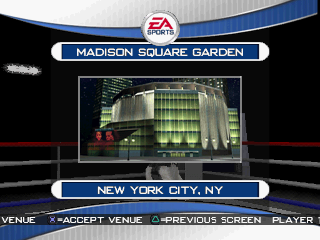
6. To select an arena, press the D-Button and press when your arena is shown to advance to the Controller Select screen.
7. To choose a controller, press the D-Button and position the controller icon under your boxer. Then press to confirm and advance to the ring.
•
To toggle autocombos ON/OFF, press
•
To skip the introductions and get straight to the fight, press START.
PENALTIES/STOPPAGES
The big differences between the Slugfest and the Exhibition modes are penalties and stamina. In Exhibition mode, watch the low blows, kidney punches, etc. If the ref catches you, he'll warn you at first and then penalize you with each following infraction. Rack up too many penalties and he'll disqualify you.
The ref can also stop the fight if a boxer is cut and bleeding too much.
To set the length of an Exhibition bout, select OPTIONS from the Main menu, go to RULES, then set the Number of rounds.
PAUSE MENU
The Pause menu allows you to change the fight camera angle, view a replay of the last few blows, or stop the fight. Press START to access the Pause menu.
RESUME FIGHT
Get back in the ring and continue fighting.
CAMERA
Select a camera angle from which to view the fight.
INSTANT REPLAY
See exactly where that punch came from.
REVIEW STATS
Check out the current fight stats.
CPU/PLAYER SELECT
Toggle Player/CPU control for each fighter (except in Career Mode).
SLUGFEST MUSIC
(Slugfest only) Choose a tune to fight to.
THROW IN THE TOWEL
Stop the fight and return to the Main
.png)


.png)


.png)


