GETTING STARTED
Set up your PlayStation®2 computer entertainment system according to the instructions in its Instruction Manual. Make sure the MAIN POWER switch (located on the back of the console) is turned on. Press the RESET button.
When the power indicator lights up, press the OPEN button and the disc tray will open. Place the Superman™: Shadow of Apokolips disc on the disc tray with the label side facing up. Press the OPEN button again and the disc tray will close. Attach game controllers and other peripherals, as appropriate.
Follow on-screen instructions and refer to this manual for information on using the software.
MAIN MENU
START NEW GAME
Press the button to begin your career as a super hero. After an introductory movie, you find yourself alone atop the Daily Planet building. Time to save the world!
CONTINUE GAME
Choose this option to load a saved game. You must have a memory card with a saved game on it in MEMORY CARD slot 1.
LEVEL ATTACK
Here you can replay any level you have completed. To do this you must have a memory card with saved games on it in MEMORY CARD slot 1. First select a saved game; then select a level from that game.
Upon completion of the level, you are returned to the Level Attack screen. Replaying levels will not affect the status of the saved game (either the game time or the number of failures).
OPTIONS
Select this to access the Options Menu. From there you can customize various game settings:
•
Sound Settings – Set volume levels for Sound FX, Music and Speech.
•
Screen Setting - Adjust the screen position.
•
Vibration - Toggle vibration ON or OFF.
•
Cheats - Enter cheat codes for the game.
•
Language - Set the language for the in-game text and speech.
•
Save Options - Save options to the memory card in MEMORY CARD slot 1.
•
Load Options - Load options from the memory card in MEMORY CARD slot 1. Note: Saved options found on a memory card are automatically loaded when the game boots.
SPECIAL FEATURES
As you progress through the game, you might find some interesting things in the Special Features Menu. Keep checking here for your rewards.
HOW TO PLAY
As the Superman: Shadow of Apokolips game progresses and the story unfolds, Superman must tackle a variety of situations, which come in the form of objectives. Sometimes there will be a number of objectives to deal with at once, other times completing one objective reveals a new one.
If you're unsure of what to do next, press START to see your current objectives. Pay close attention to any cut-scenes, which provide you with important clues to help you unravel the Metropolis mystery.
At all times, Superman must ensure the safety of the innocent. Whether this means rescuing people from danger or removing the source of danger, this is his clear priority at all times.
Superman will encounter much opposition at times. However, force is not always the best course of action. Superman's powers provide him with many options for dealing with disaster beyond brute force. Sometimes it's wiser to stop and think about how you could defuse the situation safely rather than rush headlong into a fight.
HOW TO FAIL
There are a number of ways that Superman can fail in his quest to protect Metropolis:
•
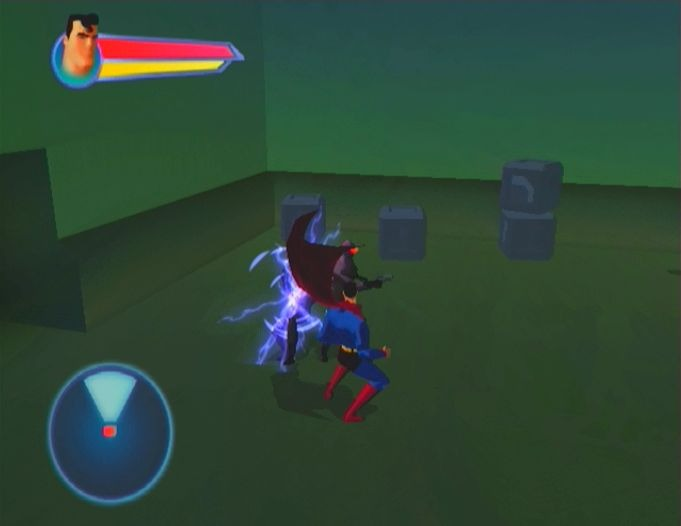
Health Reduced to Zero - Although Superman is extremely tough, he can come across some serious opposition. Attacks on Superman can eat away at his health — once the health indicator in the upper left corner is fully depleted, you fail. If Superman's health is getting low, it is often best to retreat and allow it to recharge.
•
Innocents Hurt - If at any point, bystanders come to harm when Superman could have prevented it, you fail. Superman must protect the innocent at all costs.
•
Failed Objective - Superman has clear objectives throughout the game. If you do not complete an objective, you will fail. Sometimes objectives may be time-based, and at other times they will be a test of Superman's strength.
If Superman encounters failure, the game restarts at your last success.
Super Vision
You can gain precise control over Superman's highly sensitive eyesight by shifting into First-Person View (hold down the L2 button). In this mode you are able to look up, down and around, and peer far into the distance.
Use the left analog stick to look around and use the right analog stick to zoom in and out. To switch out of Super Vision mode, release the L2 button. Note: You cannot fight or move while you are using Super Vision, but you can use your Heat Ray on distant targets, as well as peer through objects using X-Ray Vision.
X-Ray Vision
While in First-Person View, press the button to see through certain objects. Note: X-Ray Vision is useless on anything lined with lead.
Super Power Moves
Superman also has a number of special Super Power Moves available, which you activate by pressing and holding down the button and the button simultaneously. Depending on what you are doing, Superman will perform a different move:
•
On the Ground - Superman goes into a Super Spin. While spinning, you can use the left analog stick to move Superman into enemies and objects to knock them away.
•
Hovering - Superman suddenly and forcefully drops to the ground. Enemies
.png)

.png)
.png)
.png)