GETTING STARTED
Set up your PlayStation®2 computer entertainment system according to its Instruction Manual. Ensure the MAIN POWER switch (located on the back of the console) is turned on.
Press the RESET button. When the power indicator lights up, press the Open button to open the disc tray. Place the Tony Hawk's Pro Skater™ 4 disc on the disc tray with the label pointing up. Press the Open button again to close the disc tray. Attach game controllers and other peripherals as appropriate. Follow on-screen instructions and refer to this manual for information on using the software.
PlayStation®2 Components
Lip Tricks
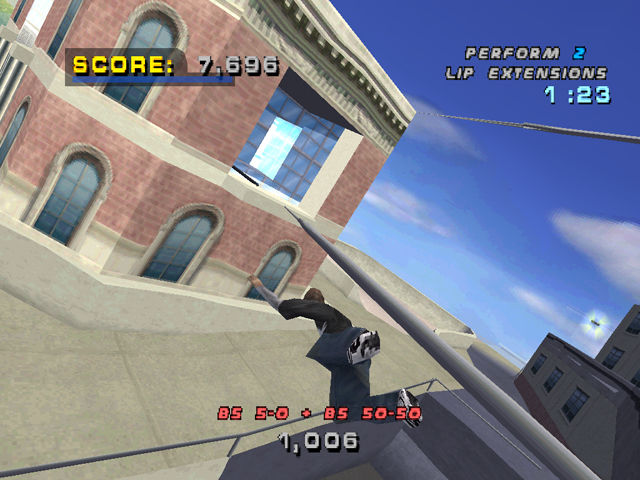
To perform a lip trick, skate straight up a ramp or quarterpipe and press the A button with a directional button at the lip (or top edge) of the ramp. Press and on the directional buttons to balance.
Manuals
To perform a "Manual," quickly press then ↑ on the directional buttons. You can also perform a "Nose Manual" by quickly pressing then on the directional buttons. Press and on the directional buttons during a manual to balance.
Reverts
To "Revert" when landing back down onto a ramp, press the R2 or L2 button right as you hit the ramp surface from coming out of an aerial maneuver.
No Comply
To perform a "No Comply," quickly tap on the directional buttons just before tapping or releasing the X button.
THE ADVANCED CONTROLS
Nollie
The "Nollie" is an ollie (or jump) performed on the front of the board instead of the rear. To perform a "Nollie", first press the L2 button to get into position, then press the X button.
Switch Stance
The skater will score more points when performing tricks in "switch" stance, which is the opposite of the skater's normal stance. To get into "switch" stance, press the R2 button.
Wallrides
To perform a wallride, approach a wall at a 45-degree angle and ollie into the wall while holding down the A button. Press the X button to wallie. Tap ↑↑ and press the X button to wallplant.
Boneless/Fastplants/Beanplants
To perform a "Boneless", "Fastplant" or "Beanplant" (varies between pro skaters), quickly tap ↑↑ on the directional buttons and release the X button.
Spine Transfers
To transfer over a "spine" (two quarter-pipe ramps placed back to back), press the R2 or L2 button when launching off of one side of the "spine."
Trick Scoring Tips
Spinning (540, 720) while in the air performing tricks will net bigger scores. Press L1 and R1 buttons to spin around faster.
Every trick in a combo adds to your score multiplier. Nollie tricks score more points than regular ollie tricks.
Trick across gaps (the blue text transfers) to maximize your combos. Explore the hidden combos to find new tricks.
You can combo every type of trick—lip tricks, manuals, vert tricks, grinds, etc.—and use Revert to link them all together. New to Tony Hawk's Pro Skater™ 4 are spine transfers and skitching, and you can link those in your combos too! THE SPECIAL METER AND SPECIAL TRICKS
As you score points in Tony Hawk's Pro Skater™ 4, your Special Meter (the meter in the top left of the screen) will fill up. When the meter is glowing yellow, you will be able to perform special tricks that you normally cannot perform. The Special Meter increases as you perform tricks, so you will be able to bust some special tricks in the middle of your first combo. Special tricks are performed using multiple direction presses on the directional buttons with the corresponding face button. Try playing through Career Mode to earn more special tricks.
CAMERA CONTROL
You can use the right analog stick to move the camera and check out what's around you when you're skating. If you find an angle you really like, you can push down on the right analog stick (the R3 button) and lock the camera into place.
Pressing the right analog stick down again will release the camera back to the default position. Alternately, pressing the SELECT button will switch between different camera positions. Continue pressing the SELECT button to return to the default camera position.
THE SKATE SHOP
The Skate Shop, or the Main Menu of Tony Hawk's Pro Skater™ 4, allows you to select from all the different game modes. Pressing ↑ and on the directional buttons will move the cursor to the desired menu option. Press the X button to select the menu option highlighted. THE MODES OF PLAY
CAREER MODE
This mode requires the skater to complete multiple objectives within each level to advance to the next. This mode will allow you to increase your stats, earn new special tricks, collect some cash, gain pro points, unlock new levels, and eventually take on the ultimate pro challenges.
SINGLE SESSION
Choose a level and try to do your best skating within a two-minute session. You can set high scores and new records in this mode. The College is open for skating right from the start. In order to choose alternate levels, you
.png)


.png)
.png)









_1.png)





.png)
_1.jpg)


.png)