Getting Started
*Note: Illustration may not match all PlayStation 2 console types. For owners of SCPH-70000 series PlayStation 2 systems, refer to the setup instructions supplied with your system.* Follow on-screen instructions and refer to this software manual for more information. Make sure the MAIN POWER switch (located on the back of the console) is turned ON.
Press the RESET button. When the power indicator lights up, press the OPEN button and the disc tray will open. Place the Top Spin disc on the disc tray with the label side facing up. Press the OPEN button again and the disc tray will close. Attach game controllers and other peripherals, as appropriate. Follow on-screen instructions and refer to this manual for information on using the software.
At any point during Top Spin gameplay you may quit the game by pressing the START button and choosing "Quit." To restart your PlayStation®2, press the RESET button on the front side of the console. Saving Data
You must insert a memory card (8MB) (for PlayStation®2) with 1905 KB of free space in MEMORY CARD slot 1 or MEMORY CARD slot 1-A when using Multitap in order to play Career Mode, save Custom Tournaments and game options settings.
Game data can only be saved onto and loaded from a memory card (8MB) (for PlayStation®2) in MEMORY CARD slot 1 or MEMORY CARD slot 1-A when using Multitap. On boot up, any saved options data or previously saved Top Spin game data on the memory card (8MB) (for PlayStation®2) in MEMORY CARD slot 1 or MEMORY CARD slot 1-A when using Multitap will automatically load. Ways to Play Top Spin
Welcome to Top Spin. Choose from four different ways to experience tennis on your PlayStation®2 console. Exhibition
Use Exhibition to quickly get into a match. Choose to play a singles or doubles match, and select up to four players (depending on the type of match selected) from the list of available players.
Career
Become a tennis legend and the number one player in the world. Learn from the best coaches and earn sponsorships, coin, and status as you take on the world tour.
Custom Tournaments
Set up your own unique tournament with up to 15 of your closest friends, and let the games begin. Finally, a party game for the whole party.
Online Play
Play against other gamers online in exhibition matches just for fun, or in official tournaments where the stakes are higher and the worldwide rankings are real.
Tennis Club
Exhibition Match Settings
From the Main Menu, select Exhibition to quickly enter a match. The first step is to customize the match settings, which determine the length and type of game you want to play.
•
Men's/Women's—Select the gender for your match.
•
Singles/Doubles—Select the number of players; singles matches have two players and doubles matches have four players.
•
Games per Set—Select two to six games to be played in each set.
•
Sets per Match—Select one, three, or five sets for the match. A one set match is the shortest match you can play.
•
AI Difficulty—Select the difficulty setting for your game. Settings from least to most difficult are: Easy, Normal, and Hard.
Venues
Select the type of venue you want to play in. There are five venue categories: Grand Slam, Major Pro, Pro, Minor Pro, and Playground.
Grand Slam courts are massive stadiums filled with spectators, while Playgrounds are intimate courts you might expect to find in your neighborhood park. Then, select the court. Or, select Random from the Venue Select screen and a venue will be chosen for you.
Player Selection
You can pick your favorite pro, or select your own player if you've created a career. Choose the player(s) for your match and you're ready to play tennis.
Serving
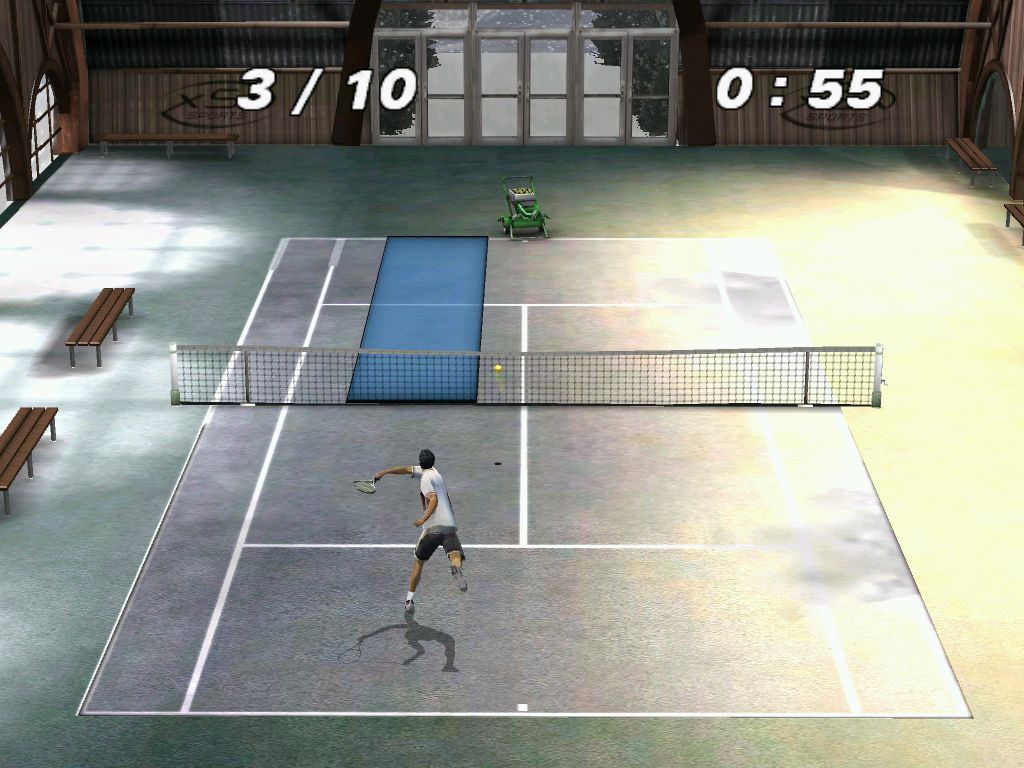
Press the button to start a flat/safe serve. Press the button again to set the power level on the serve meter and hit the serve. The serve must land in the service court diagonally opposite to the server.
If you do not start a serve within 20 seconds, your player will automatically hit a low power flat/safe serve.
Fault
If the ball fails to land inside or on the lines bounding the service court, the serve is in fault and must be replayed. Two faults on a serve—called a double fault—results in losing the point to your opponent.
Let
If the serve hits the net and falls in the correct service court it's called a let. If a let is called, the point is replayed.
Ace
A point scored on a serve that your opponent fails to touch.
Coach Tip
Mix up your serve with different serve types to keep your opponent off balance (see page 14).
ITZ Meter
The ITZ meter tracks the energy your play is generating. The crowd feeds this energy, but you create it by hitting great shots, acing serves, taking risks, and winning points.
Serve Types
•
Flat/Safe Serve—A fast serve with little or no spin on the ball.
.png)


.png)