GETTING STARTED
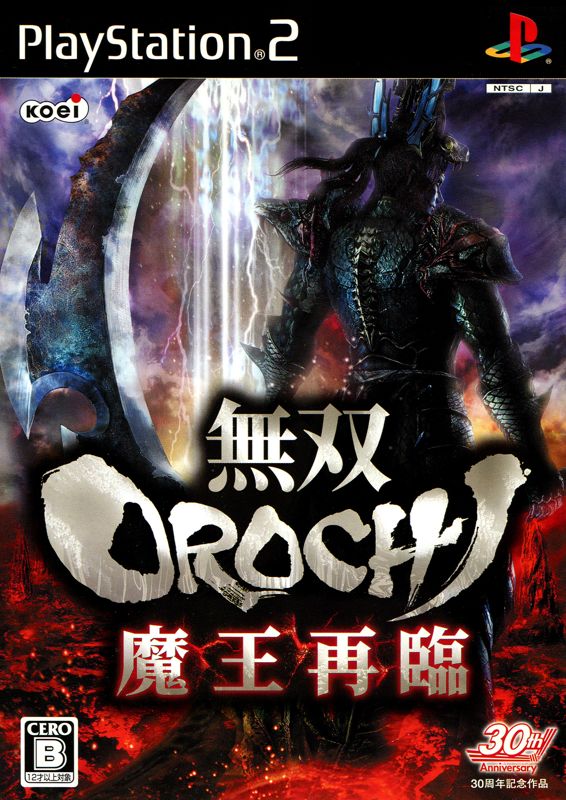
Set up your PlayStation®2 computer entertainment system according to the instructions supplied with your system. Check that the system is turned on (the on/standby indicator is green). Insert the Warriors Orochi®2 disc in the system with the label side facing up. Attach game controllers and other peripherals as appropriate. Follow the on-screen instructions and refer to this manual for information on using the software.
Memory Card (8MB)(for PlayStation®2)
To save game settings and progress, insert a memory card (8MB)(for PlayStation®2) into MEMORY CARD slot 1 of your PlayStation®2 system. You can load saved game data from the same memory card or any memory card (8MB) (for PlayStation®2) containing previously saved games.
Game Controls
Normal Attack
The most basic attack. The number of sequential attacks your character may execute will depend on your character's growth.
•
You can check on the number of combo attacks possible in "Move List".
Dash Attack
An attack executed while running. The attack and its effects vary depending on the character and weapon used.
Jump Attack
Attack the enemy while jumping in the air.
Jump Charge Attack
Delivers a powerful attack to enemies on the ground while you are in the air. It also works against enemies that have been knocked down.
Mounted Attack
•
button / button while on a horse
Attack from atop a horse. The button is a Normal Attack, while the button will cause the horse to stomp on the enemy.
•
Pressing the button when your Musou Gauge is full will allow you to perform a Musou Attack while mounted on your horse (P.10).
Various Mounted Attacks
Mounted attacks will vary between characters. Some characters have several mounted charge attacks.
Musou Attack
•
button when the Musou Gauge is full
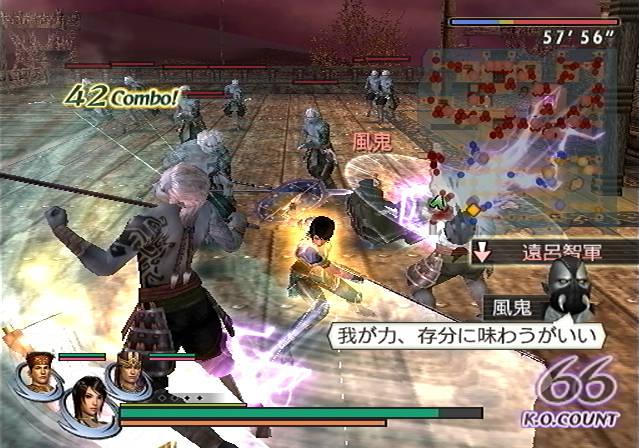
Pressing the button when the Musou Gauge is full will perform a powerful attack that varies according to character. The attack will continue for as long as the button is held down, until the Musou Gauge runs out. Any character performing a Musou Attack is invincible for its duration.
•
There are four ways to fill up the Musou Gauge: press and hold down the button, find items "Wine" or "Elixir", take damage from enemy attacks or recuperate while another warrior fights.
True Musou Attack
This powerful move will be activated if you press the button while your Life Meter is in the red. Your attacks will be imbued with a fire element, causing even more damage.
Double Musou Attack
When you see an electric bond appear between you and your partner and perform a Musou Attack at the same time, an even more powerful version of the attack is executed. The attack will be imbued with a fire element.
The difference in Musou Attacks
Here are the differences between the Musou Attacks performed by characters from "Dynasty Warriors" and "Samurai Warriors":
Dynasty Warriors
•
The Musou Attack lasts for as long as the button is pressed.
•
Releasing the button will end the attack.
•
The Musou Gauge will stop depleting the moment the button is released.
Samurai Warriors
•
The Musou Attack lasts for as long as the button is pressed.
•
Releasing the button will allow you to take any action you like. •
The Musou Attack will continue until the Musou Gauge is fully depleted.
Team Actions
You can perform special moves by using the resting characters in your three-man team.
Musou Chain
When you initiate a Musou Attack by pressing the button and have a teammate whose Musou Gauge is full, you can perform a Musou Chain by pressing the L2 button or R2 button during your Musou Attack. Depending on the composition of your team, elemental features may be added to your attacks. You may continue the attacks for up to three characters.
TEAM
•
Two or more Power category characters: Multi (doubles appear)
•
Two or more Speed category characters: Agility (increases attack speed)
•
Two or more Technique category characters: Drain (absorbs enemy life)
•
One character of each attack category: Flash (enemy guard is nullified)
Triple Attack
Pressing the L2 button and R2 button together when your character's Life Gauge is red and when your Musou Gauge is completely full will allow you to perform a Triple Attack, in which all three characters will attack at once. This will empty the active character's Musou Gauge.
Support Attack
When one or both waiting characters have a full Musou Gauge, you can press the L1 button together with the button or button while you are being attacked. This will call a waiting character to your aid. The button will summon the waiting character on the left and the button will summon the one on the right. Performing the Support Attack will use up some of the Musou Gauge of the waiting character involved.
In these situations...
Stunned
If you are hit with an enemy attack and stunned, rapidly press the L1/R1 buttons or the /// button to recover more quickly.
Weapon Deadlocks
If you are caught in a weapon deadlock, rapidly press the button. If
.png)

.png)




_1.png)

_1.png)