EMBARKING ON YOUR ADVENTURE
STARTING A NEW GAME
When you select "Start" at the title screen, you will see a loading screen. Select "New Game".
At the "Start a new game?" prompt, select "Yes". The opening movie will play and the game will start.
•
2002 Sony Computer Entertainment America Note: If a memory card (8MB) (PlayStation 2) with no Wild Arms 3 save data is inserted when you enter the loading screen, press the button to exit the loading game section of the screen. HOW TO CONTINUE GAMEPLAY
Insert a memory card (8MB) (for PlayStation 2) with game data in memory card slot 1 or 2. Access the Load Screen. Select the desired data to continue playing. The game will start from where the data was last saved.
To save data, you will need at least 35kb of free space. See p.27 to save game data.
•
SLOT Memory Card (PS2) is not inserted
•
SLOT 2 Memory Card (PS2) not inserted
•
DATAGS TIME 000-4053 PLACE Becker Cofons
CHARACTER SELECTION
After starting the game, the screen with character selections will be displayed. The player may choose one of the four characters.
Once each of the four prologues are complete, the journey as a team will begin.
•
A Suspicious Intruder: Difficulty ★★☆
EXPLORING THE WORLD OF FILGAIA
INFIELD SCREEN
•
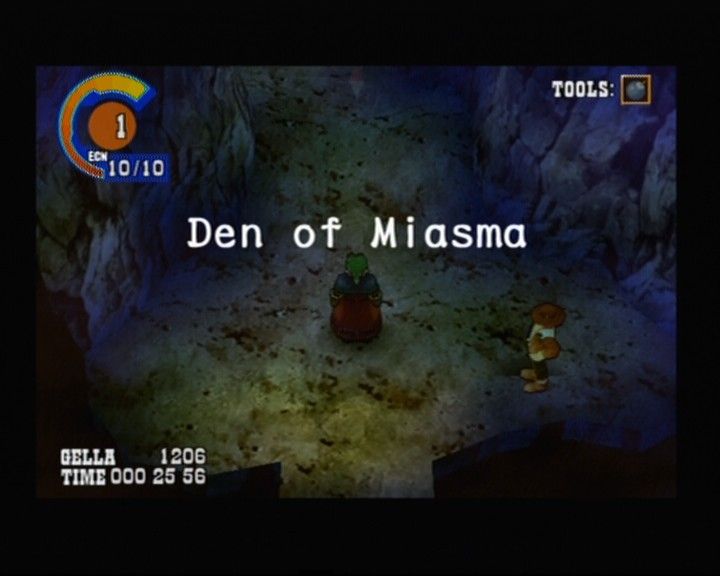
Encounter gauge. See p.28 for more information.
•
Tools that are selected (p.15), will only be displayed in the infield.
•
Gella: Acquired Gella (money) and current play time.
•
Compass: Indicates "North" direction.
FIELD VIEW
The field view can be freely rotated by using the L1 or R1 buttons. This is useful in discovering hidden switches and traps, but it may be easy to lose your sense of direction. Use the compass as a guide.
Pressing both the L1 & R1 buttons simultaneously will reset the screen to face north.
HOW TO SEE THE OVERVIEW MAP
Once you have the World Screen item, you will be able to display the Overview Map. When adventuring the frontier, push the SELECT button to display the map.
Pressing the SELECT button cycles the map view in the following order: [surrounding area overview regional].
WORLD MAP
On the World Map, you are only able to move on foot. As the game progresses you'll have access to vehicles and transports.
•
Horses: If you use the Call Whistle item you can call on horses for faster travel. They are also useful in traversing over large crevasses in the land.
•
High-Speed Sandraft: This vehicle is necessary for crossing the 'sea of sand' to reach unexplored areas.
SEARCH SYSTEM
Activate the Search System by pressing the button whenever you're on the World Map. Using the Search System will help you find lost cities, dungeons, useful items or Gella.
You will also receive hints to locations of towns and dungeons by talking to various people.
ENTERING TOWNS & DUNGEONS
Towns and dungeons on the World Map are represented by structure symbols. To enter a town or dungeon, move your character next to the symbol and press the button to enter.
EXPLORING TOWNS AND DUNGEONS
TOWNS
In towns, you can talk with people to obtain information or to use various facilities (p.36). When next to a character, press the button to start a conversation.
Sometimes the conversation will vary depending on which character initiates the conversation.
ASK SYSTEM
When a word or phrase in green words appears during a conversation, you may obtain further detailed information by using the Approach to Selected Keyword (ASK) system. Press the button to activate the ASK system.
"ASK" will appear at the bottom of the message window. Now, the conversation will shift to the new ASK subject.
DUNGEONS
In dungeons, monsters, traps and multiple puzzles will hinder your exploration. Take appropriate actions or use tools to get past the traps and solve the mysterious puzzles.
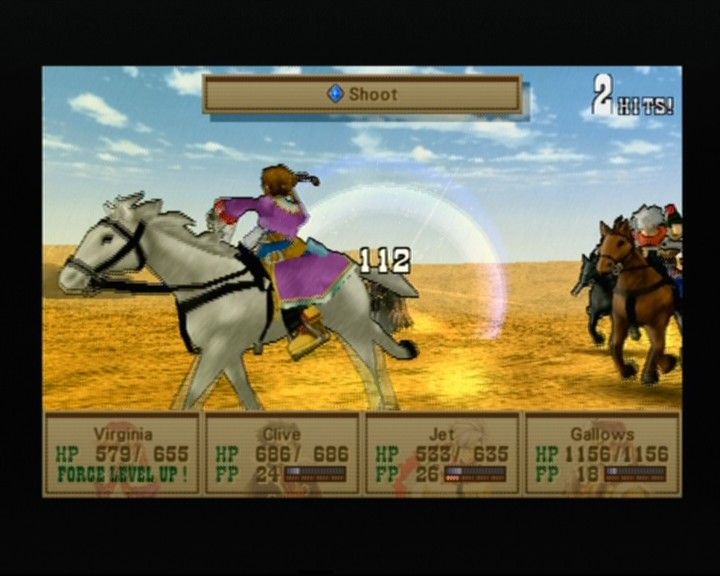
If a monster encounter occurs, your team will engage in battle mode. See p.28 for more info.
THE USE OF TOOLS
Press the button to use character abilities. Press the START button to select the tool you wish to use or change characters by pressing the L2 button.
You may also change the tools for a particular character by pressing the R2 and L2 buttons. The effectiveness of the items varies.
ABOUT GEMS
A fragment of life exists in Gems, located in the dungeons. Gems help fill up various gauges.
Orange colored gems recover the VIT gauge (p.24) and white colored gems will recover the Encounter gauge (p.28).
CHARACTER ACTIONS
Characters may take various actions in the infield. A new path may open, so try different actions.
DASH
Characters will dash by continuously pressing the button.
TURNING
You may need to turn certain handles to get past locked doors or blocked passageways. To turn, press the button and rotate the left stick either clockwise or counter-clockwise. The effects may vary depending on the direction you turn it.
JUMP OFF
If you are about to fall, you may jump down by pressing the button. If you are dashing, you will immediately fall down
.png)

.png)

.png)

.png)
_1.png)
.png)


_1.png)