How to Play
The game is played on a 64-scene Matrix labyrinth, with eight scenes vertically and eight horizontally. Minilla is located in one of these scenes. As Godzilla, you must battle through each scene to find Minilla.
First, destroy all rocks in a scene within a fixed time limit. Arrows will then appear on the screen, indicating passages to the next scene. Crossing an arrow will take you to the indicated scene.
For example, if you are playing Scene 5, destroying all rocks and passing over an arrow will take you to Scene 13.
If you fail to destroy all rocks within the time limit, Ghidrah will appear. Ghidrah is invincible, so ensure all rocks are destroyed before this happens.
You can view the entire 64-scene Matrix plan during your game to check your current scene. The plan shows your followed route and cleared scenes.
How to Control
CONTROL PAD +
•
Controls Godzilla's vertical and horizontal movements.
•
Controls cursor movement in selection mode.
SELECT BUTTON
BUTTON B
•
Controls Godzilla's punches.
BUTTON A
START BUTTON
•
Controls the start of the game.
•
Controls pausing in the game.
Selection Mode
If the SELECT BUTTON is pressed during the game, you will enter selection mode. Move the cursor to the desired item using the Control Pad +, then press Button B.
•
CONTINUE: Puts you back in the game.
•
ENTIRE PLAN: Shows the 64-scene Matrix and cleared scenes.
•
TRY AGAIN: Select this when you cannot continue (e.g., Godzilla is immobile between rocks). This will cause Godzilla to die, and you will lose one Godzilla.
•
PASSWORD: Select this to record your password if you wish to switch off your GAME BOY. You will need it to resume the game later.
Password Types
•
PASSWORD 4: Records only the scene where Godzilla is currently located. The entire plan is not recorded.
•
PASSWORD 18: Records both the entire plan and the scene where Godzilla is currently located.
Pausing the Game
If the START BUTTON is pressed during the game, the game pauses. Handling the Control Pad + allows you to survey the current scene.
How to Start a Game and Continue
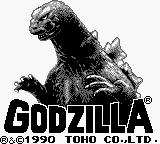
Switch on the power and press the Start Button. A display will appear. Use the Control Pad + to adjust the cursor to the item you wish to select, then press Button B.
•
NEW GAME: Starts a game from the beginning. New players must select this.
•
CONTINUE: Allows you to resume the scene you were in. Selecting this item gives you a choice of three options.
•
LAST GAME: Starts the game from the scene where the preceding game ended.
•
PASSWORD 4: Starts the game from the scene where the password was recorded. (Entire plan is not recorded.)
•
PASSWORD 18: Starts the game from the scene where the password was recorded. (Entire plan is recorded.)
How to Input a Password
To input a password, first select CONTINUE, then either PASSWORD 4 or PASSWORD 18.
On the upper part of the screen, where rows of letters are shown, use the Control Pad to move left, right, up, and down to the letter you wish to input. Press Button B. The selected letter will appear in the lower part of the screen.
Repeat this operation until you have input the password. Then, move to END and press Button B.
If a wrong password is input and END is selected, "WRONG PASSWORD" will appear. In this case, input the correct password following the same procedure.
If any letter of the input password is wrong, move to it and press Button B so the wrong letter starts blinking. Then input the correct letter.
How to Defeat Enemy Monsters
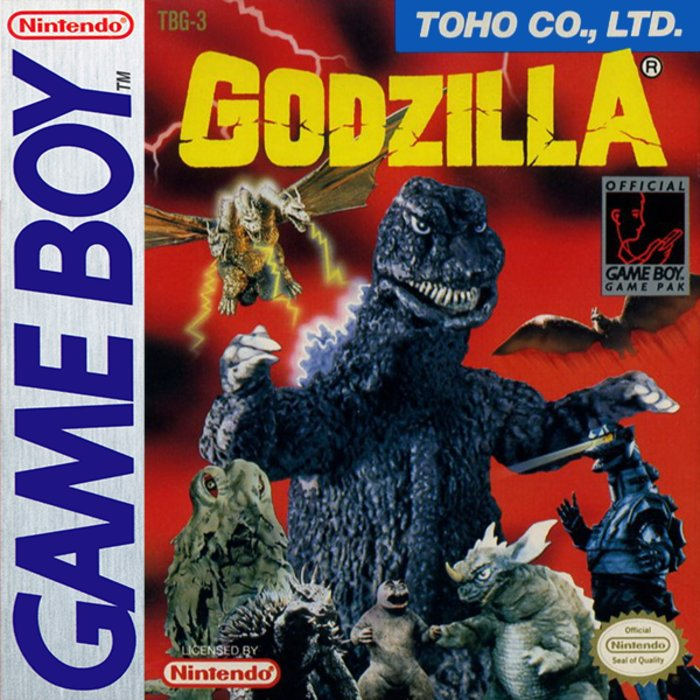
Godzilla can destroy enemy monsters by punching them or clouting them with rocks.
Enemy monsters tend to approach Godzilla. You can destroy them by luring them into needles.
Godzilla's life energy decreases when touched by enemy monsters. He will die when it reaches zero.
You start the game with three Godzillas. The game ends when your final Godzilla dies. Another Godzilla is added when you clear a
.png)

.png)
.png)
.png)

 (Rev 1).png)



-Back-cover.png)





.png)

 (SGB Enhanced).png)
_1.png)
.png)

.png)