GETTING STARTED
1. Switch the Nintendo® Game Boy® Advance system OFF. Never insert or remove a Game Pak while the Game Boy Advance is ON.
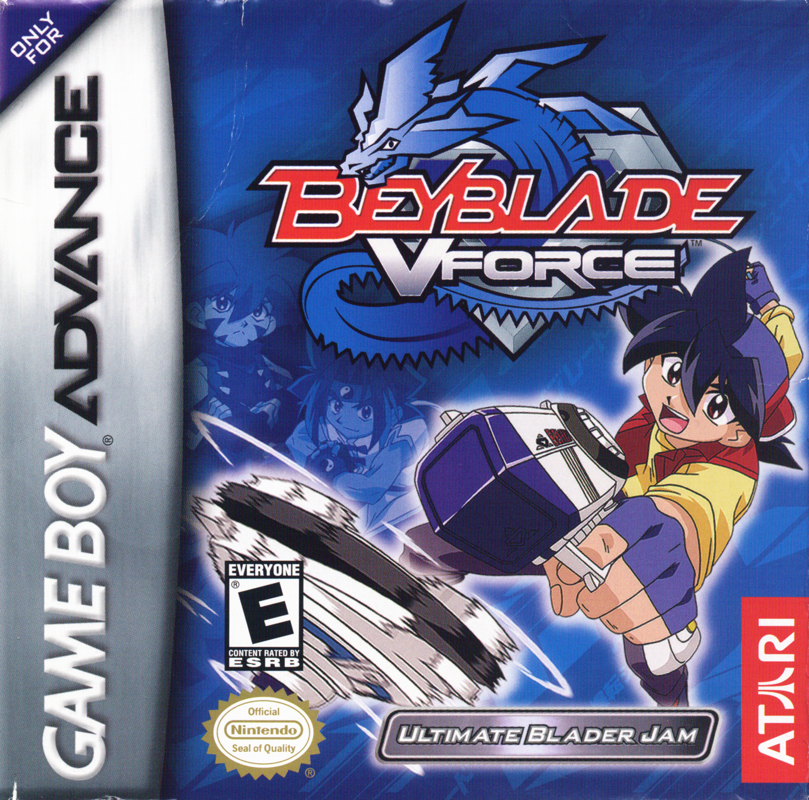
2. Insert the Beyblade™: Ultimate Blader Jam Game Pak into the slot on the Game Boy Advance. Press firmly to ensure the Game Pak is correctly inserted.
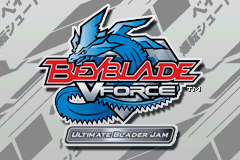
3. Switch the Game Boy Advance ON. The title screen should appear. If the title screen fails to appear, return to step 1.
4. Press START to enter the Main Menu.
For multiplayer games, link two Game Boy Advance systems (each with a Beyblade™: Ultimate Blader Jam Game Pak) via a Game Boy® Advance Game Link® Cable. See “BBA Multiplayer Tournament” for details.
VICTORY & DEFEAT CONDITIONS
You WIN if:
•
You reach the level exit
•
You knock an enemy Beyblade off the level (during a boss battle)
•
The enemy spins down (during a boss battle)
You LOSE if:
•
You lose all of your Spin Speed
•
You get knocked off the level
Master the control of your Beyblade to find all secret hidden routes and Collectables. Try to beat the game's Par Times for all levels in an episode to unlock the bonus level for that episode. Press the A Button for the speed you need to beat the Par Time.
BBA MULTIPLAYER TOURNAMENT
Switch OFF Game Boy Advance systems before connecting the Game Boy Advance Game Link Cable. Connect the Game Link Cable to each of the systems. Insert a Beyblade: Ultimate Blader Jam Game Pak into both systems. Switch both systems ON.
Multiplayer mode allows you to play two different types of games with a friend. Each player will get the chance to select a Beyblade and then Beyblade: Ultimate Blader Jam will ensure both systems are correctly linked. Player 1 will then be able to select the BBA Multiplayer Tournament Game Mode, the number of rounds to play (1, 3, 5, 7, or 9), and the Round on which to play.
2 - PLAYER GAME
Battle: You must knock your opponent off the level to win. Use any Spin Charges before your opponent does, to gain the advantage. Try to knock your opponent into walls, or onto Speed Ups to win.
Race: You must reach the finish area before your opponent to win. Try to find shortcuts during the round, and use them to your advantage.
BEY COLLECTION
Collect Bit Beasts and Beyblades by acquiring Collectables and defeating bosses or enemies throughout VFORCE Adventure mode. Any collected Bit Beasts or Beyblades will be added to your Beycollection if you complete the level. The Beycollection is a kind of scrapbook, allowing you to view the name and image of each collected Bit Beast, Beyblade, or character.
BEY WORKSHOP
Here you can view every available Beyblade in your Beycollection. Press the +Control Pad ► or ◄ to view a Beyblade. Press the +Control Pad ▲ or ▼ to view specific component statistics.
PLAYING THE GAME
Launching
A good launch is the key to success in both VFORCE Adventure and BBA Multiplayer Tournament modes. Your Beyblade begins each level at the start point. Watch the Rip Cord Meter. As it nears the end of the gauge, press the A Button to set your Spin Speed and launch your Beyblade.
The closer the gauge is to the end when you press the A Button, the more Spin Speed your Beyblade will have. You have a limited time to hit the perfect launch. If you do not launch within the time limit, your Beyblade will automatically launch.
If you manage to hit the end of the Rip Cord Meter, you will achieve a "Perfect" Rip. Not only will you have perfect Spin Speed, but you will also fully charge your Bit Charge Meter.
Controlling Your Beyblade
Press the +Control Pad in the direction you want to move. The key to the game is to keep good control of your Beyblade at all times. Your Beyblade is very stable while the Spin Meter is green and flashing white. Beyblades are slightly unstable when the meter is just green. When the meter is red, your Beyblade is very unstable, and as the meter flashes red you will lose Spin Speed and ability to control the Beyblade.
Along your way, you will see various tiles that affect your Beyblade's behavior. One important object is a Spin Charge. If you hit one of these, your Spin Speed will increase to max! If you hit a wall or enemy Beyblade, your Spin Speed will decrease.
A tutorial is available in VFORCE Adventure mode that will help you along your way. Always try to learn the levels that you play. This is the key to success when trying to beat the Par Times.
ATTACKS
The two main types of attack are Charge Attacks and Bit Beast Attacks. Charge Attacks are activated by holding the +Control Pad in the direction you wish to charge and pressing the A Button. If your Bit Charge Meter is full and flashing, you can use your Bit Beast Attack by pressing the L Button.
CHARGING & BIT BEASTS
You can attack an enemy by ramming into it, or by using your Bit Beast Attack. To use your Bit Beast, you must first fill the Bit Charge Meter. You can charge it by defeating other Beyblades. Each enemy you destroy adds 1 point to your Bit Charge Meter. Each time the enemy beats you, you lose one point from your Bit

_2.png)
 (En,Fr,De,Es,It).png)
 (En,De,Es,It).png)
