INFORMATION SCREENS
•
Highlight Option: D-Pad up/down/left/right
•
Increase/Decrease Value: L/R button
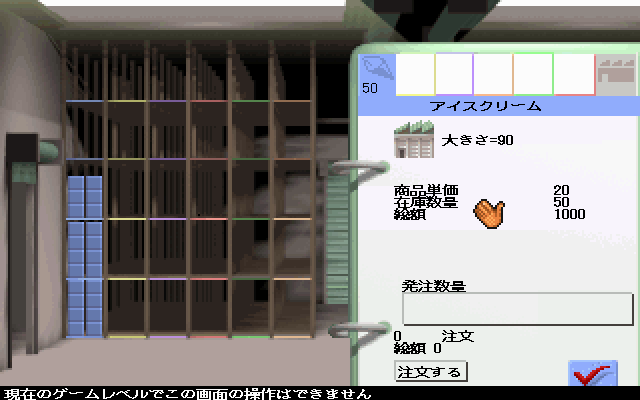
STOCK SCREEN
•
Highlight Stock Category: D-Pad up/down/left/right
•
Increase/Decrease Order: L/R button
RESEARCH SCREEN
•
Highlight Vat: D-Pad up/down/left/right
•
Increase/Decrease Funding: L/R button
SHARES SCREEN
•
Highlight Park Owner: D-Pad up/down
NEGOTIATION SCREEN
•
Increase/Decrease Offer: L/R button
THE AIM OF THE GAME
Simply put, the goal is to be the best. You must make your Theme Park not only the hottest ticket for thousands of visitors, but also the hottest property on the stock exchange.
At the end of every financial year, you receive a statement on the Year End Chart, rating your Theme Park against 40 rivals in six categories. These categories are:
Only when you are numero uno in each category have you achieved your aim of constructing the ultimate Theme Park.
Hint: Success in business requires an awesome eye for detail. You need to fine-tune every ride, shop, and side-show for maximum profit margin. Check on your finances regularly at the Bank screen and listen to the Park Advisor's advice.
ENTERING A NICKNAME
Having successfully loaded the game, the Advisor introduces you to the world of Theme Park. To skip the intro sequence at any point, press any button. Before arriving at the Main menu, you are asked to enter a nickname.
Nicknames become important when saving games. While there are only 5 save game slots, you can save 5 parks for each nickname, and there is no limit to the number of nicknames you can have.
•
D-Pad up/down/left/right to spin the character wheel until the desired character appears at the right-hand end of the name bar; press A to select.
•
Repeat this process until the entire nickname has been entered.
•
Use the space (-) to insert a gap.
•
Use the backspace arrow to remove incorrect characters.
•
To confirm the nickname, select the checkmark character; the Main menu appears.
THE MAIN MENU
Having entered a nickname, you arrive at the Main menu. To select a Main menu option, press up/down on the D-Pad and then press A.
The Main menu options are:
•
Setup New Theme Park: Press START for the Your Player Details screen.
•
Load Game: Press START to open the Saved Game screen. To choose which park to re-open, use D-Pad up/down and then press A.
•
*Note*: When you load a saved game, the park will be empty!
•
Continue Game: Returns you to the Theme Park you just left.
•
See Intro: Watch the intro sequence again.
•
See Credits: Find out the names of those responsible for Theme Park Saturn. QUITTING THEME PARK
To Quit the game at any time, press X. You are asked to confirm this decision, which you do by pressing A; the Main menu reappears. If you decide not to quit, use D-Pad up to the X icon and press A; you are returned to the park.
DESIGNING A NEW PARK
Highlight Setup New Theme Park and press A for the Your Player Details screen.
Your Player Details
You must complete Your Player Details before you can choose a site for your park. Press the D-Pad up/down to flip through the categories.
Your Player Details are:
•
Your Name: Press A and then enter your name exactly as you did the nickname.
•
Your Nickname: This section has already been completed.
•
Park Name: Enter a name for your park as you did your name and nickname. If you put nothing here, your park is known simply as Bullfrog's World.
•
Sim Level: Choose from Sandbox, Sim, and Full. Use D-Pad left/right to highlight the desired level of play.
•
Sandbox level: Very much for beginners. You can enjoy all the fun of the fair and design a park without the stresses, strains, and complications that come from visits to the Bank Requester screen. There is no need for Research and your shops cannot run out of stock. However, you may still need to take out a loan, and you must keep one eye on your bank balance to avoid going bankrupt.
•
Sim level: Intermediary. You are involved in Research to develop new park facilities and the Negotiation screens pop up periodically. However, if you visit the Stock screen and Stock Market screens, you will find that these features are not available to you.
•
Full level: You get to utilize all of Theme Park's options. You are expected to Research new facilities, purchase stock for shops, and trade shares in other parks. You are responsible for every financial transaction, and rival operators can have a say in your success.
•
Park Visitors: Choose a mood from Happy, Average, and Fussy by pressing the D-Pad left/right. The fussier your customers become, the harder it is to part them from their cash. This only affects your Theme Park's visitors for the first four years of operation.
•
Start Level: Choose between Easy,
.png)

.png)
.png)


.jpg)


.png)



_(En,Ja,Fr,De,Es,It).png)