Loading Instructions
1. Make sure the power switch is OFF.
2. Insert the NBA® JAM™ TOURNAMENT EDITION™ Game Pak as described in your SUPER NINTENDO ENTERTAINMENT SYSTEM® instruction manual. If you wish to play a three or four-player game, plug in a Super Multitap™ or a Super Link™ (sold separately) at this time as described in its instruction manual. NOTE: NBA® JAM™ TOURNAMENT EDITION™ supports only the Super Multitap™ or the Super Link™.
3. Turn the power switch ON.
Game Modes
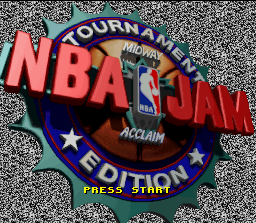
When the NBA® JAM™ TOURNAMENT EDITION™ title screen appears, press the START BUTTON. Note that there are four different player positions. Players 1 and 2 are teammates, and players 3 and 4 are teammates who oppose them.
•
HEAD TO HEAD: Places two human players on opposite teams. The person with controller 1 is player 1, and the person with controller 2 is player 3. You can play one-on-one, two-on-two, or two-on-one competitive games.
•
TEAM GAME: Puts both players on the same team (2 players vs. computer). The person with controller 1 is player 1, and the person with controller 2 is player 2.
•
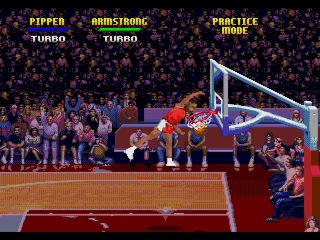
PRACTICE: Enables you to work extensively on perfecting your passing and Jamming skills. Workable with one player plus a CPU teammate or with two human players, this mode allows you to set up specialty drills and to review and refine your dunks.
•
OPTIONS: Lets you customize your game play in a wide variety of ways.
Player Setup and Record-Keeping
If you are using a multi-player adaptor, you will be asked to select the controller number corresponding to the player you wish to control: controller 1 is player 1, controller 2 is player 2, and so on. Everyone who wishes to participate should then press the START BUTTON on their respective controllers.
Whether you are using a multi-player adaptor or not, you will then be asked if you wish to enter your initials for record-keeping. Use the CONTROL PAD and the A, B, X, Y or START BUTTON to choose.
This decision affects all players; no player can enter initials if "no" is selected. If "yes" is selected, each player will then be asked to enter his/her initials. Use the CONTROL PAD to move the cursor to the desired letter, then press the A, B, X, or Y BUTTON to select.
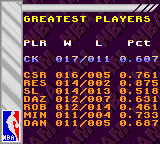
If the initials entered are one of the sixteen in memory, your record will be immediately recalled. NBA® JAM™ TOURNAMENT EDITION™'s record-keeping feature stores each player's record, ranking, winning percentage, and more!
Team Selection
In all but the OPTIONS mode, you will then be asked to choose your NBA® team. Use the CONTROL PAD to highlight the team you want. Both players can pick the same team.
Each team is comprised of two players from a roster of three or more NBA® teammates. In addition to the 27 NBA® teams, a rookie team made up entirely of NBA® newcomers is featured. Both players can select rookie teams, but rookie team games do NOT count towards a season.
Once you've highlighted your team, use the A, B, X, or Y BUTTON to scroll through the available player combinations on that team, then press the START BUTTON to lock in your choice.
Player Attributes
A field of statistical ability rankings appears at the bottom of the screen below the player's portrait. These figures rate each player on a scale of 0 to 9 in eight important playing categories:
•
SPEED: How peppy the player is.
•
3 POINT: Rates how well the player hits the hoop from "downtown".
•
DUNK: A ranking of what kind of Jammer the player is.
•
PASS: How accurate a player's passing game is.
•
CLUTCH: Tells you whether this player comes through when you need him most, or if El Foldo is more his style.
•
POWER: Important in terms of both strength and the ability to withstand injury.
•
STEAL: Rates a player's ability to strip the ball from opponents.
•
BLOCK: How good this player is at rejecting and deflecting attempted shots.
Customize the Game
The options screen provides you with a wide variety of ways to affect game play:
•
TIMER SPEED: The speed of the clock may be set from 1 (very slow) to 5 (very fast).
•
DRONE DIFFICULTY: The competitive intelligence of your computer controlled opponents may be set from 1 (not so smart) to 5 (very smart).
•
TAG MODE: In a one-player or one human per team game, this selects how you control your teammate. OFF is the default (you control one player, computer controls your teammate). ON enables you to control both the ball-handling and movement of whichever player has the ball, passing off control when you pass the ball.
•
COMPUTER ASSISTANCE: Set on or off. When on, the computer makes sure games remain close by cooling off any team that gets too big a lead. Turn off to give both teams a "fair shake".
•
CONTROLLER CONFIGURATION: Offers six different ways of setting up the BUTTONS on your controller for various pass, shoot, and turbo options.
•
VIEW/ DELETE RECORDS: Takes you to the record screen. To erase a record, use the CONTROL PAD to highlight it and press the
.png)

.png)