Before You Lace Up The Shoes
Loading
•
Make sure the power switch is OFF.
•
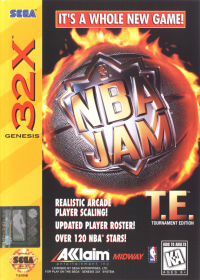
Set up the GENESIS 32X™ as described in its instruction manual.
•
Plug a Sega™ controller into control port 1 on the Sega™ Genesis™.
•
If you would like to play a three or four-player game, plug in the Team Player™ Multi-Player Adaptor (sold separately) as described in its instruction manual.
•
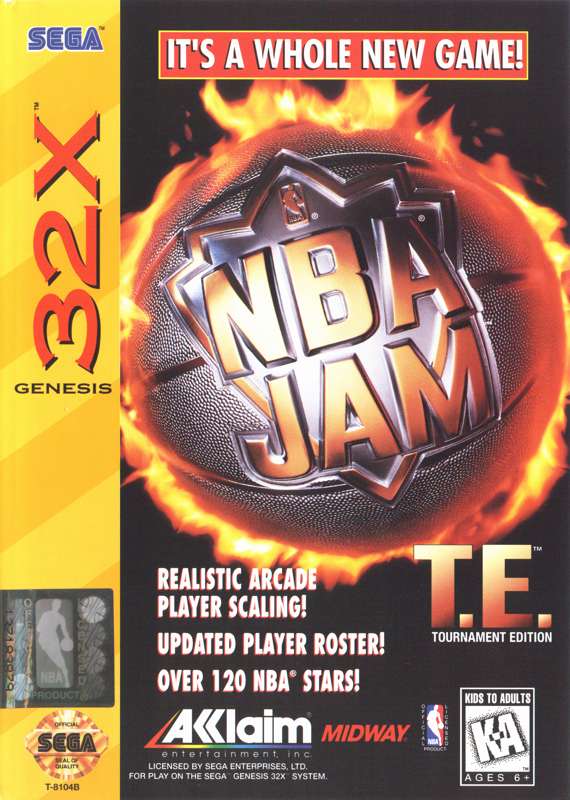
Insert your GENESIS 32X™ NBA® JAM™ TOURNAMENT EDITION™ Game Cartridge into the cartridge slot and press it down firmly.
•
Turn the power switch ON.
•
When the NBA Jam™ Tournament Edition™ title screen appears, press the START BUTTON. Player Positions
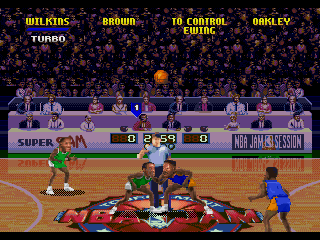
There are four different player positions in NBA® JAM™ TOURNAMENT EDITION™. Players 1 and 2 are teammates, and players 3 and 4 are teammates who oppose them.
Head to Head Mode
HEAD TO HEAD mode places two human players on opposite teams. The person with controller 1 is player 1, but the person with controller 2 is player 3. You can play one-on-one, two-on-two, or two-on-one competitive games.
Team Game Mode
TEAM GAME mode puts both players on the same team (2 players vs. computer), making the person with controller 1 player 1, and the person with controller 2 player 2. It's you and a friend against the computer!
Practice Mode
PRACTICE mode, exclusive to NBA® JAM™ TOURNAMENT EDITION™, enables you to work extensively on perfecting your passing and Jamming skills before you take them into HEAD TO HEAD or TEAM GAME competition!
Workable with one player plus a CPU teammate or with two human players, PRACTICE mode allows you to set up specialty drills, to review and refine your dunks before you team up against the NBA®'s best!
Options Mode
OPTIONS mode allows you to customize your NBA® JAM™ TOURNAMENT EDITION™ game play in a wide variety of ways!
Team Player Adaptor
If you are using the Team Player™ Multi-Player Adaptor, you will be asked to select the controller number corresponding to the player you wish to control: controller 1 is player 1, controller 2 is player 2, and so on. Everyone who wishes to participate should then press the START BUTTON on their respective controllers.
Entering Initials
Whether you are using the TeamPlayer™ or not, you will then be asked if you wish to enter your initials for record-keeping. Press UP or DOWN on the D-BUTTON to choose, then press the A, B, C or START BUTTON.
This decision affects all players; no player can enter initials if "no" is selected. If "yes" is selected, each player will then be asked to enter his/her initials. Use the D-BUTTON to move the cursor to the desired letter, then press the A, B, or C BUTTON to select.
If the initials entered are one of the sixteen in memory, your record will be immediately recalled. NBA® JAM™ TOURNAMENT EDITION™'s record-keeping feature stores each player's record, ranking, winning percentage, and more!
Choosing Your Team
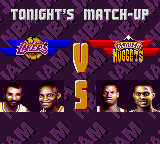
In all but the OPTIONS mode, you will then be asked to choose your NBA® team. Use the D-BUTTON to highlight the team you want. Both players can pick the same team.
Each team is comprised of two players from a roster of three or more NBA® teammates. In addition to the 27 NBA® teams, NBA® JAM™ TOURNAMENT EDITION™ features a rookie team made up entirely of NBA® newcomers. As with regular teams, both players can select rookie teams. Rookie team games do NOT count towards a season.
Player Statistical Ability Rankings
For every player featured in NBA® JAM™ TOURNAMENT EDITION™, a field of statistical ability rankings appears below the player's portrait. These figures rate each player on a scale of 0 to 9 in eight important playing categories.
Attributes rated are:
Attribute Descriptions
•
Speed: How peppy the player is.
•
3 Pt: Rates how well the player hits the hoop from "downtown".
•
Dunk: A ranking of what kind of Jammer the player is.
•
Pass: How accurate a player's passing game is.
•
Power: The power of a player is important in terms of both his strength and his ability to withstand injury.
•
Steal: Rates a player's ability to strip the ball from opponents.
•
Block: How good is this player at rejecting and deflecting attempted shots? The block rating tells no lie!
•
Clutch: Tells you whether this player comes through when you need him most, or if El Foldo is more his style.
Once you've highlighted your team, use the A, B, or C BUTTON to scroll through the available player combinations on that team, then press the START BUTTON to lock in your choice.
Customize The Game!
The options screen provides you with a wide variety of ways to affect game play:
Timer Speed
The speed of the clock may be set from 1 (extra slow) to 5 (extra fast).
Drone Difficulty
The competitive intelligence of your computer controlled opponents may be set from 1 (extra easy) to 5 (extra smart).


.png)












.png)


_1.png)
.png)

_1.png)




_1.png)


.png)