In this fantasy-themed adventure, you play as
Frogger, a courageous frog on a perilous quest to find the Princess of his dreams after making a wish upon a falling star. Guided by his
Fairy Frog Mother, you navigate a dangerous world filled with helpful fairies, sinister goblins, and strange humans who either aid or hinder your progress. The game challenges players to overcome various tests and creatures while avoiding fatal encounters on the journey toward true love.
Starting Up
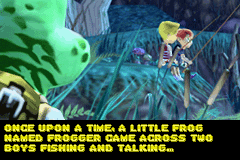
Insert the FROGGER® Advance: The Great Quest Game Pak into your Game Boy® Advance and turn it on. The opening Frogger story scene appears. •
Use the A Button to progress through each page of the story.
•
Press START to advance to the Title Screen.
Main Menu
At the Title Screen, press START to display the Main Menu. Use the Control Pad to highlight, then press the A Button to select.
Game Options
•
START: Beginning of Frogger's quest. This is the correct choice for first-time players. If you have saved a game, you can continue using a Password. •
PASSWORD: Restarts a game from a password. Move the cursor with the Control Pad and press A to accept or B to cancel.
•
OPTIONS: Turn Sound Effects and Music on or off. Use the Control Pad to highlight options and left/right to change settings. Press A to confirm or B to cancel.
Getting a Grade
Frogger starts at the beginning of a level. Following Gold Coins leads to the easiest path to the end. Side paths lead to secret items, while Silver Coins mark the hardest paths leading to hidden gems. Red Coins often lead to other bonus items via rough paths. Performance is graded on coins collected, gems found, and lives lost. Frogger receives a grade for each of these items, plus an average for the final Chapter Grade. Beating all 3 chapters results in a final Total Grade Average, potentially unlocking secrets. Game Progression
The game features 4 Chapters per Level, consisting of a Training Level, 3 Game Chapters, 1 Boss Level, and 1 Bonus Level.
•
The Training Level: Practice new skills. Messages appear to help Frogger. Press START to skip. •
Game Levels: Proving grounds with Gold Coin Paths and side paths to hidden goodies. Explore entirely for a good grade.
•
Boss Levels: Specific challenges with 4 increasingly difficult bosses.
•
Bonus Levels: Accessed only by completing a Level with an A or A+ grade. Completing one within the time limit increases health by 2 bubbles.
Controls and Actions
•
Climb: Press Up or Down on the Control Pad near a ladder.
•
Crouch: Press Down on the Control Pad while standing to avoid low flying enemies.
•
Look: Hold Up/Down on the Control Pad while standing to look around.
•
Jump: Press A. Standing jumps are short; moving left/right creates a longer jump. Running produces an even longer jump.
•
Frog Tongue: Press B to attack with the tongue. Can attack left, right, or up while standing, crouching, or in the air. Also collects coins, gems, and health bugs. •
Throwing Stones: Press L to toss stones at enemies, freezing them temporarily. Stones gain power in advanced levels.
•
Magic Stones: In advanced levels, stones freeze enemies longer and turn them blue. Frozen enemies can be used as platforms.
•
Swim: Use the Control Pad to move in deep water. Rise to the surface to automatically jump out.
Advanced Movements
•
Double Jump: In advanced levels, press A again while airborne for a super high jump.
•
Throat Float: Jump and hold A to slow descent. Release A to end the float.
•
Super Tongue: Press B while facing an obstacle to break through it. Effective against doors and boulders.
Completing a Level
Upon completing a chapter, performance is graded on coins collected, gems collected, and lives lost. Collecting items increases the score, while losing lives decreases it. Frogger receives an overall grade for the chapter. Dialog Screens
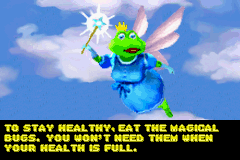
Frogger encounters characters with friendly words or advice. Walking to a character activates dialog screens. Press A to move to the next screen or START to bypass them. 

 (En,Fr,De,Es,It).png)
.png)
 (En,Fr,De,Es,It).png)
