Loading BreakThru
Here's what you'll need to do before you can play:
•
1. Set up your Super Nintendo Entertainment System (SNES) according to the instructions in your user's guide. •
2. Plug a controller into Controller Slot 1 on your SNES. If you have a second controller and want to play a two-player game, plug the other controller into Controller Slot 2.
•
3. Make sure the power switch is OFF.
•
4. Plug the BreakThru game pak into the console and press it down firmly.
•
5. Turn the power switch ON.
•
6. After the introductory screens, you'll be at the Title screen.
Playing BreakThru
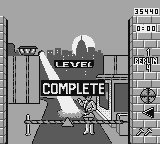
The object of BreakThru is to remove all bricks and foreign objects (except for rocks and spiders) from a wall before time runs out. To do this, move the square cursor to a brick that is next to another brick of the same color (either horizontally or vertically), then press Button B on your controller. As you remove the lower-level bricks, gravity will pull the higher-level bricks into the gaps. When all the bricks in a column are removed, the remaining columns of bricks will slide over to fill up the empty space. You can change which direction these columns of bricks will slide by using the Shifter. To make the game even more challenging, bricks and foreign objects will fall randomly from the top of the screen. You'll also have to overcome a variety of obstacles, such as rocks, which can't be destroyed or removed from the wall. There are pesky spiders which dangle from their webs and block the movement of bricks, plus stubborn soda cans, which must be destroyed. But certain foreign objects can help you clear the bricks in the wall and eliminate obstacles. Exploding dynamite sticks destroy bricks and obstacles (except rocks) in all directions. Rockets blast away all bricks and obstacles (except rocks) in their path. And the super brick clears away all bricks of the next selected color. Eventually, you'll only have a few bricks left to remove. Now, you can turn on the Grid and use its lines to help you drop bricks and objects into the best places in the remaining wall. You'll find that the Shifter is also helpful for clearing spaces for bricks and objects to drop. When you remove the last brick or object (other than rocks and spiders), you've cleared the wall! Now, you'll move onto another wall—and another challenge. After you clear four walls in one city, you'll travel to a different city in the world. When you've cleared four walls in each of the six cities, you've completed a world tour. You'll then begin another world tour in the same six cities, but at a higher level of difficulty.
Starting BreakThru
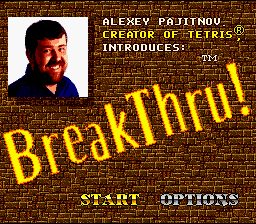
After you've loaded BreakThru, the introductory screens will appear on your television screen, and you'll see the Title screen. It has a large "BreakThru" logo and the words START and OPTIONS at the bottom. Highlight either of these words by pressing left or right on the control pad, then press any button to select.
If you choose START without selecting OPTIONS, you'll begin a game set to the default options: a SINGLE player game, an EASY level of play, and a 5 MIN time limit. Selecting OPTIONS lets you set different configurations for BreakThru, including twoplayer games.
Falling Bricks and Objects
Bricks and foreign objects will be moving constantly from right to left above the wall. If they're left alone, they'll fall on top of the wall after a set amount of time. You can move these bricks and objects back and forth along the top by pressing and holding Button A, then pressing left or right on the control pad. To drop these bricks and objects, press and hold Button A, and then press down on the control pad. Score Display
Your current score can be found on the upper left-hand corner, below the word SCORE.
Timer
This is located below the score display. It will count down from either 2 MIN, 5 MIN or 10 MIN. When the timer counts down to 30 seconds, it will flash and you'll hear a loud warning noise to let you know that you're running out of time.
At 10 seconds and 5 seconds, the timer will flash again and you'll hear the same warning noise. If the timer reaches 0 seconds and you haven't finished clearing a wall, you'll lose one of your lives.
Grid
The circular object just below the timer is the Grid. When it's activated, vertical lines will appear in the background of the wall. These lines help you to drop falling bricks and other objects into the best positions on the wall. To turn on the Grid, press Button X. If the Grid lines are hard to see, turn the background off from the Options menu.
Shifter
Toward the bottom of both the left and right permanent walls, you'll find two Shifter arrows pointing left and right. One will always be lit up, indicating the direction that columns of bricks and other objects will shift at the base of the wall. To change this Shifter direction, press Button Y. The arrow on the opposite side of the screen will now be lit up. Scoring
Every time you remove bricks from the wall, you earn points. The more bricks you remove at one time, the more points you get. In addition, the higher the difficulty level you play at, the .png)

.png)