Starting Up Your System
•
1. Make sure your Super NES™ is OFF.
•
2. Plug a Control Pad into port 1.
•
3. Insert the Head-On Soccer Game Pak into your Super NES™. Press firmly to lock the Game Pak in place.
•
4. Turn the power ON. Press any button to begin Head-On Soccer.
WARNING: Never try to insert or remove a Game Pak when the power is ON.
Game Select (Main Menu)
Move the Control Pad Left/Right to toggle between Exhibition or Tournament mode and press Start to confirm your selection.
Exhibition
An Exhibition match is a one-off between two teams of your choice (see Team Select).
Tournament
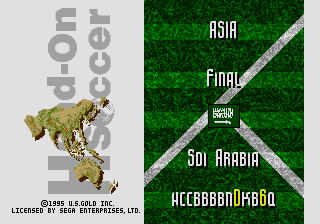
The Head-On Soccer World Tournament is a 28-team knock-out competition, featuring national sides from across the globe. Once you've chosen a country to represent (see Team Select) you progress through the contest by beating the world's best in four continental groups of seven.
There are 51 teams in the overall pool, so the competition structure looks like this:
•
First Round: Asia - 7 out of 8 teams
•
Second Round: Africa - 7 out of 11 teams
•
Third Round: Americas - 7 out of 12 teams
•
Final Round: Europe - 7 out of 20 teams
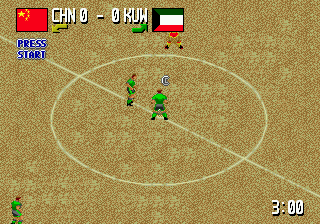
Naturally, the quality of opposition improves as you progress, and you are given the opportunity to strengthen your side (see The Players). Before each match you are presented with the Tournament Start-up screen. Press START or any button to kick-off.
Options
From Game Select (Main Menu), highlight Options and press A or B to view the Options menu. Move up/down to highlight the game play option you wish to customize.
•
Time: Move Control Pad left/right to select the length of each half; 1 minute, 3 mins (default), 5 mins, 10 mins or 15 mins. If scores are tied at the final whistle, a period of extra-time will be played, equivalent to one-third of normal-time. If the result remains a draw, a penalty shoot-out will take place to decide the winners.
•
Difficulty: Move Control Pad left/right to set overall standard of computer-controlled match play; Easy, Medium or Hard.
•
Switches: Press A or B to modify in-game preferences. Move left or right to change switches. Note: * = default.
Switches Options
•
**Replays (On*/Off)**: Set ON to view an automatic action replay of every goal scored. To cut the replay short during a match, press START.
•
**Cameos (On*/Off)**: Allows you to watch celebration sequences after every goal/victory.
•
**Aggro (On*/Off)**: Determines tolerance level of the referee when players commit fouls.
Replay Controls
The following video controls can be used to revel in the glory of your own magic moments of Head-On Soccer:
Note: Press R to watch the action from the other side of the field.
Team Select
To choose your team, move Left/Right to scroll through the available countries. The field layout shows team formation. Standard players are displayed in the national colors, while Star Players are distinguished as bright yellow dots. Note: In Tournament mode you begin with eleven Standard players.
If you are playing an Exhibition match, use the above method to select Team 1 and then press Control Pad DOWN. Now move Left/Right to choose one of four different Field Types. Note: The playing surface is automatically allocated in a Tournament, according to the origin of your opponents.
Press Control Pad DOWN again and move left/right to select Team 2. When you are satisfied with the teams selected, press START to continue.
The Players
Head-On Soccer is not played by hordes of animated clones. Star players shine among Standard players, with individual characteristics, personalities and distinctive styles of play. The key to Head-On Soccer success is to make full use of your Star players' special skills.
Star players are distinguished on-field by striking individual features in their appearance and unique abilities. If you have trouble recognizing them, they are identified by a huge star floating above their heads when controlled.
In Exhibition mode, Star players have already been appointed to each national team, in a wide variety of formations. Some sides are blessed with only one or two superstars, others boast a perfect eleven. Experiment with as many different teams as possible to find the right line-up to suit your style of play.
Tournament Recruitment
Competing in a Tournament, Star players are not so freely available - you must earn them! Head-On Soccer employs a top-secret computer-controlled talent scout, which assesses your performance in each match according to a predetermined set of hidden criteria.
After each match, this assessment system is then used to reward you with bonus 'credits', which are not revealed to you but used to determine which new Star signings are available. Star players want to play for quality teams, so if your performance in a match impresses the stable of superstars watching, they will offer to join your side.
After an impressive performance, the Player Select screen appears to showcase the stars who are willing to sign-up.
•
Highlight Select, move Control Pad left/right to scroll through the available players and choose your man.
•
Move the Control Pad DOWN and nominate the position you want him to play in your new team line-up by
.png)

.png)

.png)
.png)
