In this
fantasy adventure game, players guide a new band of adventurers into the dark kingdom of Malus to defeat the legendary red dragon, Gildiss, before he awakens from a year-long magical slumber. With the kingdom's armies and previous knights already destroyed, players must brave hordes of dark creatures to slay the beast and save the land from eternal ruin.
The Legend Of The Gildiss
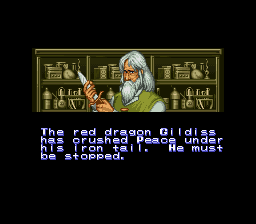
For over a hundred years he had descended like a vulture on the land of Malus and left nothing behind but a scorched ruin where the creatures of darkness could reign. After much pleading by the farmers and townspeople, the armies of Malus were gathered and sent to do battle with the mighty red dragon know as Gildiss. Not a single man returned.
In desperation, the King sought guidance from his wizard, Guindon. Guindon told the king that he could cast a spell that would put Gildiss to sleep for one year, but if and when Gildiss awoke from his slumber, he would be even more powerful. Looking out over the suffering that had befallen his kingdom, the King decided his people could take no more. And so he commanded Guindon to put Gildiss to sleep.
Now the year has almost come to an end and darkness has once again befallen the kingdom of Malus. In the last year, the King sent forth hundreds of knights to find and destroy Gildiss as he sleeps. None have been heard from again.
Now as the creatures of darkness stand ready to plunge the land of Malus into the abyss, a new band of adventures plans to set forth before Gildiss awakens.
Getting Started
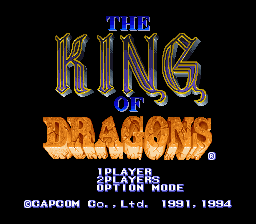
Insert your King of Dragons Game Pak into your Super Nintendo Entertainment System and turn the power ON. When the title screen appears, use the control pad to highlight 1P GAME or 2P GAME and press the START button. The title screen choices include:
•
1P GAME: A one player game
•
2P GAME: A two player game
•
OPTION MODE: Allows you to changes button and difficulty settings.
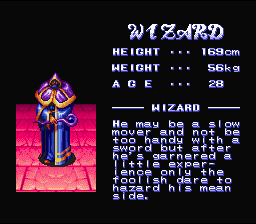
When the next screen appears, push left or right on your control pad to select your character. Once you have chosen the character you wish to use, press the B button to start the game.
To end your adventure at any time, simply turn your Super Nintendo Entertainment System OFF and remove your Game Pak. During the game, a black bar will appear above and below the game screen. This is normal.
Using The Options Mode
The options mode allows you to customize your gameplay settings. After you have made your changes, press START to return to the main screen.
•
EXTRA JOY: This option allows you to select which button will summon magic. Push the control pad left or right to highlight the button you wish to use.
•
MANUAL SHIELD: This option allows you to turn OFF or ON the manual shield option. When ON, you must raise and lower your shield by pressing a button on the control pad. Press the control pad left or right until you find the difficulty settings you wish to use.
•
STEREO: This setting allows you to select stereo or monaural sound. Press the control pad left or right until you find the settings you wish to use.
.png)

.png)
.png)
.png)



_1.png)


_1.png)


.png)

.png)


.png)
.png)
_1.jpg)