Title Screen Options
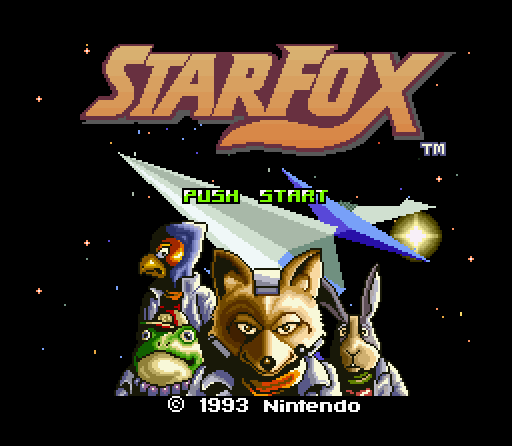
On the title screen, select an option using the +Control Pad, and confirm your choice by pressing the START or B Button. Cancel by pressing the X or Y Button.
•
MISSION: Take on the forces of Andross in the game's story mode.
•
RECORD: View the top five scores. You can also erase records here.
•
STEREO: Toggle between stereo and mono audio settings.
Mission Mode
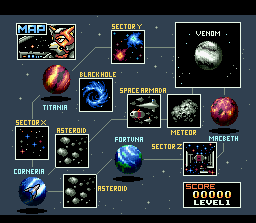
First, select a difficulty level. EXPERT mode is only selectable after clearing HARD mode under certain conditions. The aim of the game is to defend Corneria from enemy attacks while reclaiming occupied territory from Andross's forces.
The planets occupied by Andross's forces are different each time you play the game. However, if you fail the game and then retry, they will be the same as before.
You can skip the intro sequence by pressing the START Button. During the game, messages from General Pepper can be fast-forwarded using the B Button.
Pilot Selection
There are six different pilots to choose from. The story will center around the main character and wingman that you select at the start of the game. There are three different types of Arwing craft, and each character always flies the same kind of craft.
On the pilot selection screen, choose a character using the +Control Pad, and confirm your choice by pressing the B Button. Cancel by pressing the X or Y Button.
Select the icon on the far right to switch between the four different control types. Your wingman will be chosen automatically, but you can change the selection using the +Control Pad if you wish.
Prototype Arwing
A well-balanced all-rounder with reliable handling.
Armoured Arwing
A craft with improved defensive capabilities that come at the cost of reduced speed and slower power-blaster charging. Light Arwing
This swift craft boasts a speedy power-blaster charging time, but is able to endure less damage than the other craft types. Combat Mission Example
•
1. You select a destination on the map screen - the meteor base!
•
2. You receive a mission brief from General Pepper. You must infiltrate the enemy base and annihilate it.
•
3. You have two targets. Seek them out one by one, and find that fortress! (TARGET 2 ENTRANCE)
•
4. Target acquired - engage! First, activate the switch by stepping on it while in Walker mode.
•
5. Once the switch is activated, the x symbols will change to O symbols.
•
6. The full form of the fortress is at last revealed. Infiltrate it, and find and destroy the reactor at its core!
Defeating the Forces of Andross
On planets, the objective is to destroy the reactors found inside enemy fortresses. In order to gain access to these fortresses, it may be necessary to activate a switch first. Switches are triggered in various ways, such as by applying force, using blasters, or stepping on them while in Walker mode.
When engaging a battle carrier, you must approach and infiltrate it in order to find its reactor. Whether on a planet or taking on a battle carrier, you will have to defeat many enemies before you can get to the reactor.
While in battle view, the enemies on the map screen will continue to move towards Corneria, albeit slower than they do while the map screen is being viewed.
Mini-map and Radar
If Corneria is attacked while you are in battle view, its level of damage will be displayed and you will receive a communication from General Pepper. To decide whether to go to the planet's aid, press the START Button to open the pause menu.
On the pause menu you can view a mini-map of the Lylat system. Time does not pass while you're on this screen, so take your time to assess the situation.
If you choose to go and help Corneria, select "RETURN TO MAP" to go back to the map screen. If you return to the map screen, your progress through the area you were in will be lost. On the pause menu you also have the option to switch your viewpoint, which is only possible in space. Target Display
In space the target shown will be the enemy closest to you. On planets, targets shown will be things like switches and enemies guarding switches. Game Over
If Corneria sustains 100% damage it will be destroyed, and the game will end. If your Arwing is destroyed you can continue as your wingman, but if that craft is also destroyed it's game over.
Your Score and Records
When the game ends, your results will be displayed. All records can be deleted by selecting "ERASE" then "YES".
Your rank is influenced by various factors like number of enemies defeated and time taken. For example, the longer you take, the lower your rank is likely to be.
If your score is in the top five, you can save it to the records. Use the +Control Pad and the B Button to input your initials (up to three characters) and confirm by selecting "OK".
You can view these top five scores by selecting "RECORD" from the title screen. To see the results screen for the game related to a particular record, select that record
 (Rev 2).png)

 (Rev 1).png)
