How to Start
•
Continue: If you are continuing a game, you will enter the Save Game Data screen. Move cursor to your name and press A to re-enter game where you left off.
•
New Game: If you choose "New game", a Save Game Data screen will appear. Move UP or DOWN the list to where you want your name to be and press A. This will put you in the Input Your Name screen.
Input Your Name Screen
To enter your name in the Input Your Name screen, move the control pad to select up to 10 characters and press A to enter each one. When finished, move to END and press A. The Select Game Mode screen will appear.
The character selection grid includes:
Game Set Up
•
Select Game Mode Screen: Allows you to choose Tournament, Free Fishing or Bass Pro Shop. Move UP or DOWN through the options and press A to enter.
Tournament Mode
When you choose the Tournament mode, an option window will appear. This screen has three options: Tournament, Shop or Save.
•
Tournament: Takes you directly to the tournament start where you can fish in three competitive tournaments - Junior, ASC and TNN. Placing 3rd in the Junior mode will allow you to move on to ASC. Placing in the ASC mode will allow you to compete in the TNN tournament. Press A to begin fishing.
•
Shop: Takes you to the Pro Shop to purchase tackle and lures with money from your fishing bank account. You will receive an initial $100.00 to spend. Earn more money as you fish.
•
Save: Lets you save the day's catch and anything you purchased at the Pro Shop.
Tournament Rules and Info
•
Tournament hours: 7:30 am to 4:30 pm
•
Ranking is based on the total bass weight in the livewell brought to the weigh-in.
•
A 5 bass maximum is allowed in the livewell. Any other bass caught will be automatically added or subtracted so that only the largest fish remain.
•
There is a minimum weight limit. If your fish is too small, the computer will let you know and you will have to throw it back.
•
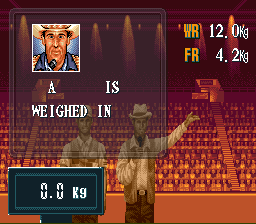
Once a fish is caught, you have the option to keep fishing or to enter the Weigh-in screen. To weigh-in, return to "START" at the dock in the lake and an option screen will appear. Choose to weigh-in or keep fishing.
•
If you place in the top three, you will receive prize money and can continue to the next tournament level. The higher you place, the more money you earn. The prize money will be added to your account in the Pro Shop.
Tournament Levels
•
Junior Tournament: This is the first tournament you will enter. You must place in the top three in order to move on to the ASC Tournament. If you lose in the Junior mode, you can keep trying until you place high enough to move on.
•
ASC Tournament: This is the second level of the tournaments. You must place in the top three in order to move on to the TNN Bass Tournament.
•
TNN Bass Tournament Of Champions: The last and most challenging of the three tournaments. The only way to enter is by placing in the first two tournaments.
Free Fishing Mode
If you choose Free Fishing from the Select Game screen, you can fish from 7:30 am to 4:30 pm in the lake of your choice. Use your own gear and lures purchased from the Pro Shop.
You will receive an initial $100.00 at the beginning but, cannot earn any more money in this mode, so spend wisely. When the Free Fishing title screen appears, press A to enter the Lake Map screen.
Lake Map Screen
In this screen you will have 6 different lakes to choose from, each with its own unique shape and characteristics. To learn more about a lake, move your control pad to highlight your selection and press A. This will lead you to the Lake Stats screen.
Lakes available:
Lake Stats Screen
This screen shows the lake's shape, average fish size, weight and length, and best size caught. If you want to view other lakes, move the lure with your control pad to NO and press A. If you want to fish in this lake, Move to YES and press A. This will put you in the Fishing Conditions screen.
Fishing Conditions Screen
Choose the conditions you feel are best suited for your style of fishing by moving your control pad to highlight each area. When all your choices have been made, move to EXIT and press A to enter the Boat screen.
•
SEASON: Spring, summer, fall or winter.
•
WEATHER: Sunny, cloudy, rainy, stormy, foggy or auto default.
•
FORCE WIND: Light, medium, heavy or auto default.
•
TIME OF DAY: Pick the time you want from 7:30 am to 4:30 pm.
•
EXIT: To leave the screen.
Boat Screen
This screen gives you an overhead view of the boat on the lake, and shows all the fishing conditions you have chosen. Cruise around the lake, taking note of changes in water temperature
.png)

.png)

.png)
.png)
