Starting The Game
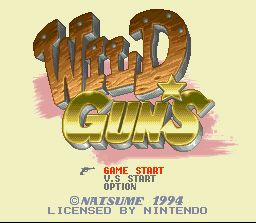
Press start to begin the game. Select either Game Start, Vs. Start, or Option, and press start.
Game Start will take you into the main game. Vs. Start is a target shooting practice round that is recommended for beginners.
Continue
You can continue your game from the beginning of the stage you left off. To do this, press start before the timer counts down to 0.
Options
The options menu allows you to customize your gameplay settings. You can adjust the following settings in Option Mode:
•
Game Level: Choose the difficulty between easy, normal, and hard.
•
BGM Test: Listen to the background music.
•
Sound Mode: Choose between stereo and monaural sound.
•
Button Configuration: Select which button controls what function (Shot/Jump/Bomb) for 1P and 2P pad types. Character Selection
Select either Clint or Annie with the cursor. You can change the color of Clint and Annie's clothes by pressing the A, B, X, or Y button.
Dynamite
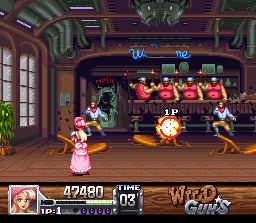
Some enemies will throw sticks of dynamite at you. By pressing the B button, you can pick up and throw the dynamite right back at them.
Lasso
By consecutively pressing the B button and then releasing, you will be able to hit your opponent with a lasso. This will cause them to freeze for a little while.
Target Practice
Match your skill against a friend or the computer in this unique round of target practice. To play, just choose the VS. option in the start menu.
.png)

.png)
 (Beta).png)
