System Overview
Thank you for buying this Advanced TurboChip Game Card, "Neutopia." Please read this instruction manual carefully before using your new TurboChip game card. Familiarize yourself with the proper use of your TurboGraFx-16 Entertainment SuperSystem and the proper use of this game card. Always operate the SuperSystem and the game card according to these instructions. Keep this manual in a safe place for future reference. TurboChip game cards are made especially for use with the TurboGraFx-16 Entertainment SuperSystem and will not operate on other systems. Any duplication, copying, or rental of this software is strictly prohibited. Warnings
•
Be sure power is turned off when changing game cards.
•
This is a precision device and should not be used or stored under conditions of excessive temperature or humidity.
•
Do not forcibly bend your TurboChip game cards.
•
Do not touch the inside of the terminal area or expose the SuperSystem to water, as this might damage the unit.
•
Do not wipe your SuperSystem or TurboChip game cards with volatile liquids such as paint thinner or benzene.
Inserting the TurboChip Game Card
•
Remove the TurboChip game card from its plastic case.
•
Hold the TurboChip game card with the title side up and gently slide it into the Game Card Port until you feel a firm click. Do not bend the game card or touch its metal parts, as this could erase the program.
•
Slide the Control Deck Power Switch to the ON position. If your game card is not inserted properly, the Power Switch will not move all the way to the right.
•
The title screen of your particular TurboChip game card should appear on your television.
Story
They called it "Neutopia." Long ago, in a place far away, there was a land called "Neutopia." It was a land of peace and prosperity where people worshipped at the Sacred Shrine. A beautiful Princess, Aurora, blessed the people with her wisdom and kindness.
Until one day, the Evil Demon Dirth appeared. He kidnapped Princess Aurora and stole 8 precious Medallions. Now a brave young man named Jazeta sets out on a journey to save the Princess and recapture the stolen Medallions. It is a journey that will take him through the many strange and now dangerous worlds that make up the land of Neutopia.
It is a journey of magic and wonder; of swords and armor. You must conquer the ultimate evil to return this once beautiful land to peace.
Object of the Game
Rescue Princess Aurora from the evil Boss Dirth. Complete the first four stages of the game by defeating Dirth's evil followers and collecting the 8 Medallions. There are 2 Medallions per stage hidden in separate Labyrinths. Each Medallion is watched over by an evil Boss Character. Use special items along the way to make your journey easier and be sure to look everywhere for information!
Note: Neutopia is a one-player game.
Game Play
Starting the Game
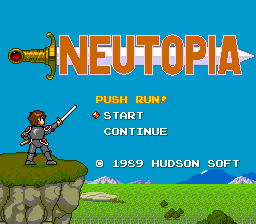
From the title screen, press the RUN Button.
Pausing the Game
During play, the game may be paused (returning you to the status screen) by pressing the RUN Button.
Resetting the Game
During play, the game can be reset to the title screen by holding down the RUN Button and pressing the SELECT Button at the same time.
How to “Continue”
When the game is over and the title screen appears, you may resume play by selecting “continue,” entering the proper password, and pressing the RUN Button. This returns you to the beginning of the last stage where you received a password. You may “continue” an unlimited number of times.
Passwords
When Jazeta dies (Life Gauge becomes entirely white) and you have the Book of Revival, you may “continue” (resume play) from the place you last received a password. You may also use the Password to continue from the same level, with the same enhancements, at a later date. If you do not have the Book of Revival when your life gauge runs out, you must start over from the beginning of the game.
Note: TurboGrafx-CD and TurboBooster-Plus owners please see page 7.
Controlling the Movements of Jazeta
The movements of Jazeta are controlled using your TurboPad controller. Mastering its operation is critical to your success.
TurboPad Operation
•
A Direction Key (4-way controller): Moves Jazeta left and right, up and down. Also used to select power-up items in the status screen.
•
B Select Button: Not used in this game.
•
C RUN Button: Starts and pauses the game. Also used to switch from main to status screen.
•
D Button II: To use a selected power-up item, push this button. Also used to skip dialogue.
•
E Button I: Used to attack the enemy with your sword. Also used to scroll the message screens.
Screen Displays
Select Item
The Direction Key (4-way controller) is used to select the power-up item to be used.
Items in Use
Jazeta will automatically be equipped with the items shown as he obtains them.
Charmed Compass
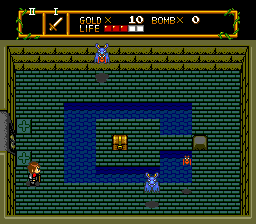
The compass indicates the direction to the Labyrinths. Once inside the Labyrinths, the compass can be used to find the Medallions. It also sounds an alarm when Jazeta comes close to the entrance of a Labyrinth or a Medallion.
Crystal Ball and Key
There is a Crystal Ball and Key hidden in

.png)
.png)
