Getting Started
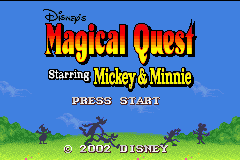
Turn on the POWER switch and the title demo will begin. Press START to display the Title screen. Using the + Control Pad, highlight the mode you want to play and then press START or the A Button to start the game.
Note: Use "OPTIONS" to change the settings for the A and B Buttons.
•
NEW GAME: Start a new game.
•
LOAD GAME: Restart the game from the previously saved area.
•
PARTY GAME: In this mode, you can play four Party Games, and you can even use the Game Boy Advance Game Link cable to play against other players.
Costumes and Controls
Mickey Mouse
Mickey Mouse and Minnie Mouse can reduce the power of enemies by grabbing and throwing objects at them and by leapfrogging over the enemy. •
Grabbing and Throwing Objects: You can grab an object or unconscious enemy by moving near the object/enemy and then pressing the B Button. Once you're holding an enemy or object, you can throw it by pressing the B Button again.
•
Leapfrogging: You can reduce an enemy's power by jumping onto the enemy's head and leapfrogging over the enemy.
Climber Mickey
In the climber costumes, Mickey and Minnie can throw ropes and hook them over objects to climb up steep mountain trails. •
Throwing a Rope: Press the B Button to throw your rope. Use the + Control Pad to control the direction of the rope as you throw it.
Control direction by pressing the + Control Pad arrows:
•
Left/Right arrows: Try to hook your rope over objects!
•
Down arrow: [Directional control]
When the Game is Over
When the number of game play chances reaches 0, the game ends and the Game Over screen is displayed. Use ▲ and ▼ on the + Control Pad to move the cursor to one of the options displayed and then press START or the A Button to select the option.
•
YES: Continue playing from the area where the game ended.
•
NO: End the game and return to the Title screen.
Saving Game Data
To display the screen for saving game data, move the cursor to the "SAVE" option in the Pause screen and then press START or the A Button. Use ▲ and ▼ on the + Control Pad to move the cursor to the option you want to choose and then press START or the A Button to select that option.
•
SAVE: Save the current game conditions.
•
EXIT: Close the Save screen and return to the Pause screen.
Note: When you save game data, the previously saved data is deleted.
How to Connect (GBA to GBA)
This section describes how to connect the Game Boy® Advance to another Game Boy Advance using the Game Boy Advance Game Link cable.
Necessary Equipment
•
Game Boy Advance system: One system per player
•
Game Boy Advance Game Link cable (sold separately): One
Linking Instructions
1. Make sure that the POWER Switches on all of the game systems are turned OFF, then insert the Magical Quest Starring Mickey Mouse Game Pak into Player 1's Game Pak slot. 2. Insert the Game Link cable into the External Extension Connectors (EXT), making sure to insert the small, purple connector into Player 1's game system and the large, gray connectors into the other game systems.
3. Turn each system's POWER switch to ON.
4. Now, follow the instructions on page 30.
Do not connect any game systems that will not be used. The Game Pak goes into Player 1's game system. The Game Link cable's small connector is purple, and the large one is gray.
Troubleshooting (GBA Link)
You may be unable to transfer game data or you may experience malfunctions in any of the following situations:
•
When you are using any cables other than Game Boy Advance Game Link cables.
•
When any Game Link cable is not fully inserted into any game system.
•
When any Game Link cable is removed during the transfer of data.
•
When any Game Link cable is incorrectly connected to any game system.
•
When the Magical Quest Starring Mickey and Minnie Game Pak is inserted into any system other than Player 1's Game Boy Advance. •
When more than two Game Boy Advance game systems are linked.
How to Connect (GBA to GameCube)
This section describes how to use the Nintendo GameCube Game Boy Advance Cable to connect your Game Boy Advance to a Nintendo GameCube. Necessary Equipment
•
Game Boy Advance system: One
•
Nintendo GameCube Game Boy Advance cable: One Connecting Game Boy Advance to Nintendo GameCube
1. Go to the Data Select screen of Disney's Magical Mirror Starring Mickey Mouse on your Nintendo GameCube, then select “Link.” Follow the on-screen instructions and insert the Game Pak into Game Boy Advance. 2. Connect the Nintendo GameCube Game Boy Advance cable to the Nintendo GameCube. 3. Connect the Nintendo GameCube Game Boy Advance cable to the Game Boy Advance. 4. While pressing and holding START and SELECT on the Game Boy Advance, turn it on.
5. Follow the

_1.jpg)
_2.png)
_3.jpg)