GETTING STARTED
Make sure your Game Boy® Advance System power switch is set to OFF. Plug the OPERATION ARMORED LIBERTY Game Pak into the Game Boy® Advance System.
Turn on the Game Boy® Advance System.
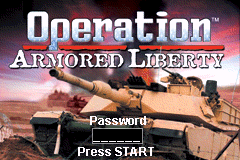
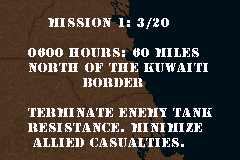
In a few moments the Title Screen should appear. Press START to display the Mission Briefing Screen.
Important Note: If nothing appears on the screen, turn the power switch to OFF. Check to make sure the Game Pak is inserted correctly. Then try again. Always set the power switch to OFF before inserting or removing the Game Pak.
THE MAP SCREEN
•
Allied Base: This icon represents the position of an allied base. You must return here to refuel and repair your tank.
•
Minefields: This icon represents the position of enemy minefields. Avoid these at all costs.
EXECUTING A MISSION
At the start of the game, press START and switch to the Map Screen.
•
Press the B Button to increase your tank's throttle.
•
Using the Control Pad, steer your tank towards the enemy icons located on the map.
•
Make sure to avoid sectors containing minefields.
When your tank has entered a sector containing an enemy, press START to return to the Main Game Screen.
INSTRUMENTATION
Your M1A1 Abrams Battle Tank is equipped with a state-of-the-art weapons system and instrumentation. The following defines the details of your tank's cockpit:
Message Center
This area displays your score, as well as mission-related information.
Speedometer
This indicates your tank's speed.
Fuel Indicator
This indicates your onboard fuel supply.
Onboard Computer System
This computer display indicates a variety of information.
•
G: This indicates the vertical position of your cannon.
•
R: This indicates the range of the enemy when it is within your targeting sight.
•
M: This indicates the current mission.
•
E: This indicates the number of enemies remaining.
MISSION SUMMARY SCREEN
On the Mission Summary Screen, you will get a brief summary of your performance on the battlefield.
Press the A Button to advance through the screen text.
"I will give you a brief summary of today's operation before taking any questions. We took out 3 heavily armored tanks while pushing our way through the Soviets compound. These folks did a superb job in executing this operation."
MINEFIELDS
Scattered throughout each mission are minefields. If you accidentally enter a minefield, you may destroy all visible mines using your 7.62mm Machine Guns. MISSION OBJECTIVES
During various missions, you will be ordered to attack an Iraqi stronghold objective once all enemy resistance has been terminated. To fulfill these orders, maneuver your tank to the same sector as the objective. Once you are in position, the battle will begin.
To destroy an enemy objective, fire at all visual flack bursts using your 7.62mm Machine Guns until all enemy positions are cleared of resistance. HINTS & TIPS
1. To find an enemy, first switch to the Map Screen and drive close to the desired enemy, then switch back to the Main Game Screen.
2. Before attacking an Objective, refuel and rearm at an available Allied Base.
3. Save your laser-guided shells for difficult enemies.
4. To defeat an Objective, attack only the areas that are firing at you.
5. Use your machine guns to destroy enemy helicopters.


.png)
