Getting Started
Turn the power switch OFF on your Nintendo Game Boy Advance. Never insert or remove a Game Pak when the power is on.
Insert *Samurai Jack: The Amulet of Time* Game Pak into the slot on the Game Boy Advance. Press firmly to lock the Game Pak in place.
Turn the power switch ON. The Nintendo logo should appear. If you don't see it, begin again at step 1.
When the *Samurai Jack: The Amulet of Time* introduction appears, it will automatically display the entire introduction before taking you to the Title Screen. If you prefer to skip the introduction, press START to jump directly to the Title Screen.
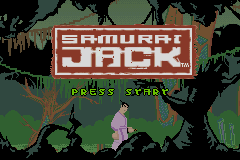
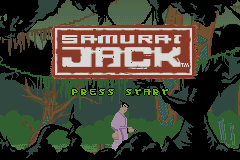
On the Title Screen, press START to display the Main Menu.
Main Menu
Scroll through the two options on the Main Menu by pressing the Up or Down arrows on the Control Pad. Press the A Button to select an option.
Options Menu
When the player selects "Options", the screen fades quickly to the Options Screen. Using the Up and Down on the Control Pad, press the A Button to confirm selection. Press the B Button to return to the Main Menu.
Once an option has been selected with the A Button it will become highlighted. The player can then adjust the setting for the option, or if the option has its own screen, the new screen will appear.
•
Sound Effects (SFX): Use Up and Down on the Control Pad to highlight SFX, use Left and Right on the Control Pad to highlight your choice, ON or OFF to turn the sound effects on or off.
•
Music: Use Up and Down on the Control Pad to highlight Music, use Left and Right on the Control Pad to highlight your choice, ON or OFF to turn the music on or off.
•
Brightness: Use Up and Down on the Control Pad to highlight Brightness, use Left and Right on the Control Pad to raise or lower the brightness.
•
Button Layout: If you press the A Button on the Button Layout option you will be taken to the Button Layout Screen. Select layout/configuration using Left and Right on the Control Pad. Press the A Button to confirm your choice and return to the Options Screen, or the B Button to discard any changes and return to the previous menu.
•
Secrets: If you press the A Button on the Secrets option you will be taken to the Secrets Screen. Select Movie Player to watch the unlocked cinematics. Select Jukebox to change the background music.
•
Equipment Types / Data Clear / First Warning: The choice by default is set to NO. Use the Control Pad to highlight the option and press the A Button to select. A warning is displayed to ensure that this option is not chosen by accident. The player can exit by either pressing the B Button or selecting the NO option and pressing the A Button. For "First Warning," if the player selects YES and presses the A Button then the second warning appears.
Status Screen
Magic Items: There are many kinds of Magic Items. Magic Items change Samurai Jack's strengths. These items have a one-time use, but the effect can be permanent. For example, if a player finds a Light Up Orb, the strength of Samurai Jack's Light attribute will be increased by 20 points. Once used, the Light Up Orb will disappear.
When you select "equip" from the Main Status Screen you are taken to the Equipment screen. Energy values and statistics information are displayed here so that the player can see instantly what effect an item has on Samurai Jack.
Pressing START will un-pause and return to the game. Pressing the A Button will open the selected category's window. Pressing the B Button will return to the Main Status Screen.
Equipment Slots
All equipment slots that you can assign equipment to are displayed on the right of the screen.
•
Armor: All armor will have an effect on defense, although some may have properties that increase or even decrease other statistics.
•
Gauntlets (2 slots): Gauntlets come in a variety of types and although most are used to raise attack statistics some may only affect a specific statistic or set of statistics.
•
Rings (2 slots): Purely magical objects, rings can bestow a variety of powers to the bearer.
•
Sword gems (3 slots): Like rings, gems are purely magical objects. Gems, however, are geared more towards combat and affecting damage against certain enemy types.
Equipment Lists
When the player presses the A Button, the list of selected items scrolls on screen with the top item initially highlighted (in this case, Armor). Up and Down on the Control Pad scrolls through the items and the A Button equips.
Pressing START will un-pause and return to the game. Pressing the A Button will equip the selected item. Pressing the B Button will return to the Equip Screen.
When you highlight an item two things happen:
1. The information box at the bottom of the screen displays any relevant information about the item.
2. The energy and statistics boxes are automatically updated to show what the new values will be if the item is equipped. If the value of the statistic will be higher, then it will appear in a green box with a small Upward pointing arrow; if lower, then it will appear in a red box with a small Downward pointing arrow.
If the equipment box cannot list all held equipment, then a large arrow will appear on the screen showing that it can be scrolled to view more equipment.
Character Interaction
While walking around the world, Samurai Jack can speak to certain people he meets. If Samurai Jack is able to speak with someone in the area, an exclamation


.png)
.png)
.png)