Starting the Game
When you turn your Game Boy System ON, the Title screen will appear. Using the + Control Pad, select "Game Start" and press the A Button.
The Red and Blue Fields will appear. Select the field you wish to play, and press the A Button to start the game.
Changing Options
Game settings can be changed by selecting "Options" on the Title screen. The Options Menu contains the following:
•
Rumble: Set the Rumble Mode to ON or OFF. The Rumble Mode does NOT work with the Super Game Boy® accessory.
•
Key Config: This mode lets you change the Buttons used as controls. You can set up to two controls per key. To reset the keys to their original settings, select "Reset."
•
Sound Test: Use this to hear the background music (BGM) and sound effects (SE) used in the game.
Quit and Save
The Save Menu appears when you press START during game play. Select SAVE from the menu, then press the A Button to save your progress and quit the game.
When the game returns to the Title screen, your save was successful. Even if you turn the game OFF, you will not lose your saved data.
Continuing
If you select GAME START on the Title screen when you have saved data, you will have the option to select either NEW GAME or CONTINUE. Choosing either of these will erase your saved data.
Erasing All Saved Data
To access the Erase Saved Data screen, hold and on the + Control Pad, SELECT and START all at the same time before the screen shown on the right appears. To erase all saved data, press the A Button. Press the B Button to cancel.
Resetting
To reset during game play, press START, SELECT, and the A and B Buttons simultaneously. Your data will not be erased.
Playing the Game
There are two pinball fields to choose from: the Red Field and the Blue Field. You start the game with three balls. Use the flippers to hit the ball and keep it from falling down the hole at the bottom of the field.
Once you have met certain requirements during the game, you can catch Pokémon in the Catch 'em Mode, your Pokémon can evolve in the Evolution Mode, and you can shoot for a high score in the Bonus Stages.
Collect all the Pokémon and complete your Pokédex! Once you have seen a Pokémon, its silhouette will appear in the Pokédex. Data for Pokémon you have captured and ones that have evolved is automatically recorded in your Pokédex.
Open your Pokédex on the Title screen to look at your Pokémon data and hear Pokémon calls.
Game Display Elements
•
Catch the ball that's about to fall!
PIKACHU Kickback
You must build up the Thunder Meter in order to activate the PIKACHU Kickback. The Thunder Meter gets built up when the ball goes through the Right Loop and spins the Spinner.
When the Thunder Meter gets fully charged, the PIKACHU Kickback is ready. When the ball falls onto PIKACHU, it is launched back by a powerful Thunder Jolt. You can move PIKACHU to either Out Lane by pressing the A Button or on the Control Pad.
The Red Field's Thunder Meter and Spinner
The Effects of Tilting
When the ball falls into the Out Lane, tilt the field to knock it beneath the flipper.
Raise your flipper. When the ball gets below the flipper, do an Upper Tilt (SELECT) to knock the ball back onto the field.
The Red Field
•
3 Field Multiplier Lanes
•
14 Out Lanes & Return Lanes
•
16 Bonus Cave & Bonus Cave Light
•
19 Ball Saver Light & Shoot Again Light
•
21 Bonus Multiplier Counters
•
24 Left Inside Loop Arrow
The Blue Field
•
2 Field Multiplier Lanes
•
12 Out Lanes & Return Lanes
•
14 Bonus Cave & Bonus Cave Light
•
17 Ball Saver Light & Shoot Again Light
•
19 Bonus Multiplier Counters
.png)

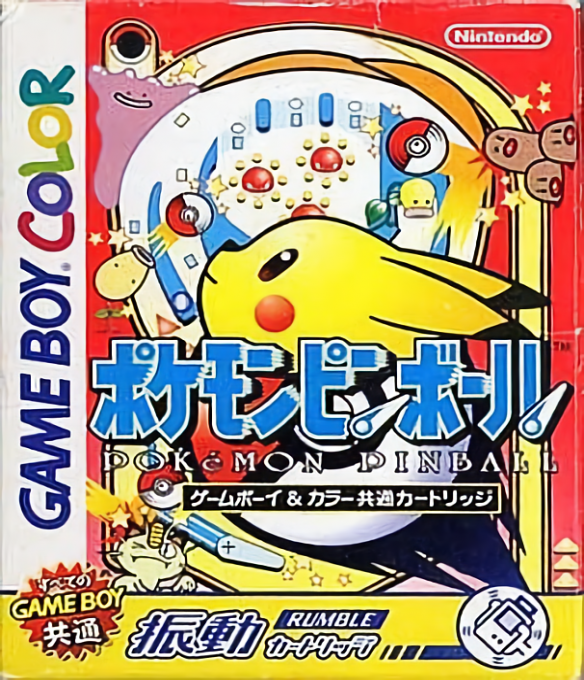
 (Rumble Version) (SGB Enhanced) (GB Compatible).png)
 (En,Fr,De,Es,It) (Rumble Version) (SGB Enhanced) (GB Compatible).png)
 (Rumble Version) (SGB Enhanced) (GB Compatible).png)
 (Rumble Version) (SGB Enhanced) (GB Compatible).png)
 (En,Fr,De,Es,It) (Rumble Version) (SGB Enhanced) (GB Compatible).png)
 (Rumble Version) (SGB Enhanced) (GB Compatible).png)


_1.png)


.png)

.png)



 (En,Fr,De,Es,It).png)
.png)