Advancing Through the Game
The player embarks on fantastic adventures! Successfully complete explorations of ruins to become a first-rate adventurer. Find the mysterious Cyframe "Evolutia."
Flow of the Game
There are two major stages for adventures. The first stage is based in Mag's hometown of Pannam Town. Once adventures in Pannam Town are finished, you can then play on the stage of Museville, a somewhat larger city.
World Map
When leaving Museville for ruins, you now use the world map screen instead of a flying boat. You can use this screen to pick the ruins you want to explore.
Upon reentering a dungeon you entered previously, you can pick the floor on which to start. Use the Control Stick or press Up or Down on the + Control Pad to pick the ruin you wish to conquer and use the A Button to enter. A new adventure will start immediately.
Command Menu
Item
The party can carry up to 30 items at the beginning of the game (excluding Cyframe parts, equipped items, appraisal items, and valuable items). The item list can be changed using the L Button or R Button (default setting).
To organize items automatically, place the cursor on the "TIDY" option of the menu and press the A Button.
•
Use Items: The effects of items vary.
•
Combine Items: You can combine 2 items to create another item. Items will not be consumed when you fail to combine them, so try different combinations without worrying about wasting items.
•
Drop Items: You can throw away selected items.
•
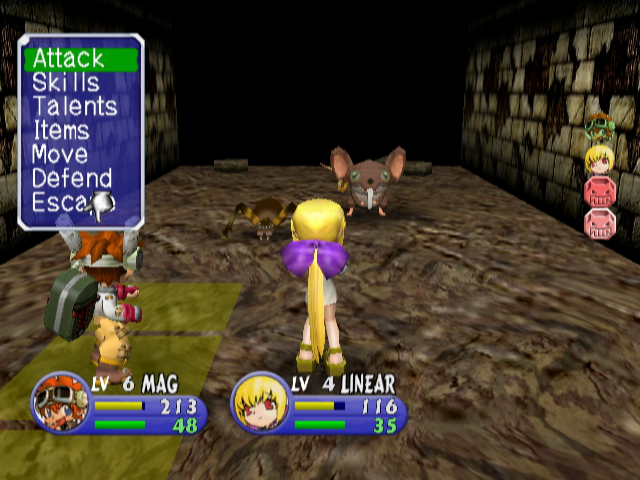
Special Attacks: All characters have a special attack skill set that can be used in a battle. A certain amount of Fight Points (FP) are required to make a special attack. To learn a new special attack skill, the player must save up the required amount of Tactical Points (TP). However, the Cyframe user can use only the Cyframe attack skills of the currently equipped Cyframe part.
Equipment
Equip weapons, armor, or accessories. Some items are available only to specific characters.
•
Weapons: Select a weapon to equip. If the character is a Cyframe user, "Cyframe" will be displayed. If you select a slot to equip a Cyframe part, the list of all available Cyframe parts will be displayed. You can choose any from the list and it will be added to the Cyframe. Some Cyframe parts require more than 2 slots. If you bring an "Upgrade Kit" to the Cyframe Upgrade Shop in a town, you can add a slot (Max=5).
•
Armor: Select armor for each part of a body: Head, Body, and Foot.
•
Accessories: Accessories have various effects when they are equipped. A character can equip up to 2 accessories at once.
Status
You can see the character's current overall status.
1. Character's name.
2. Character's current level.
*Slot: A place to connect various Cyframe parts to the Cyframe.
3. Current HP/Maximum HP: When HP gets to zero, the character can no longer continue a battle.
4. Current FP/Maximum FP: Fight Points. Consumed to use the character's specific skills. FP increases every time the character attacks in a battle.
5. Current TP: Tactical Points to learn a new special attack skill. TP increases when the character defeats an enemy.
6. Current Experience Points.
7. Required Experience: Points to the next level.
8. Attack Power: The bigger the Attack Power, the more damage the character gives.
9. Defense Power: The bigger the Defense Power, the less damage the character takes.
10. Agility: Affects the character's order of attack in a battle. The higher the Agility, the sooner the character's turn comes in a battle.
11. Evasion: The bigger the Evasion, the more often the character can dodge an enemy's attack.
12. Luck: Affects various bonuses in a battle.
13. Skills: Descriptions of the skills the character can use in a battle.
14. Money: The sum of money the party carries. The unit of currency is "Dinale."
15. Debt: The sum of money the Launcher Family owes the Society. If the party is completely defeated and all the members cannot continue a battle, a "Rescue Charge" will be added. All debt that the party has been charged during their adventures will be kept in memory to be then activated as a bonus feature when the player restarts the game. If the player pays off the debt after restarting the game, a secret item will be revealed. Also, when restarting the game, the player will be able to access the Top Hunter Mode!
Party
You can change the formation or settings of the party.
•
Battle Formation: Change the formation of the party members in a battle. Once the characters are placed, press CANCEL to go back to the Menu screen.
•
Party Breakup: Dismiss the third member of the party (cannot be Mag or Linear). This option is not available in certain areas such as inside a dungeon.
System
You can change the game's default settings.
•
Sound: Change the sound output between MONO and STEREO, turn voiceovers ON/OFF, adjust volume for BGM and special effects sounds. If you use a mono TV, please select MONO.
•
Text Display Speed: Adjust the speed of text display between slow, normal, and fast.
•
Window Color: Choose 1 of 4
.png)


_1.jpg)